16
* Provides pronunciation of Mandarin, Cantonese, English, and Japanese.
* 5 kinds of font sizes can be switched, and highlighted words can be
* Can cross search the selected words, with cross search layer up to 30.
<Some dictionaries provide following functions>:
* Provides vowel of phonetic symbols marked in red, and provides syllable
pronunciation for English words.
* Provides repetition and reading after the device for practice.
* Provides pronunciation comparison function for Chinese and English.
Provides comparison of standard pronunciation and users' pronunciation.
* Provides / / three kinds of explanation to be switched.
* Provides
、
to quickly cross search for the current word.
* Provides / phonetic symbols for selection.
* indicates that human pronunciation is available.
* Provides example sentences, multimedia data etc., for reference.
* Some dictionaries provides picture or animation search.
2.1 Font Size
* On index and explanation screens, press [
字體
] to switch 5 kinds of
font sizes.
*
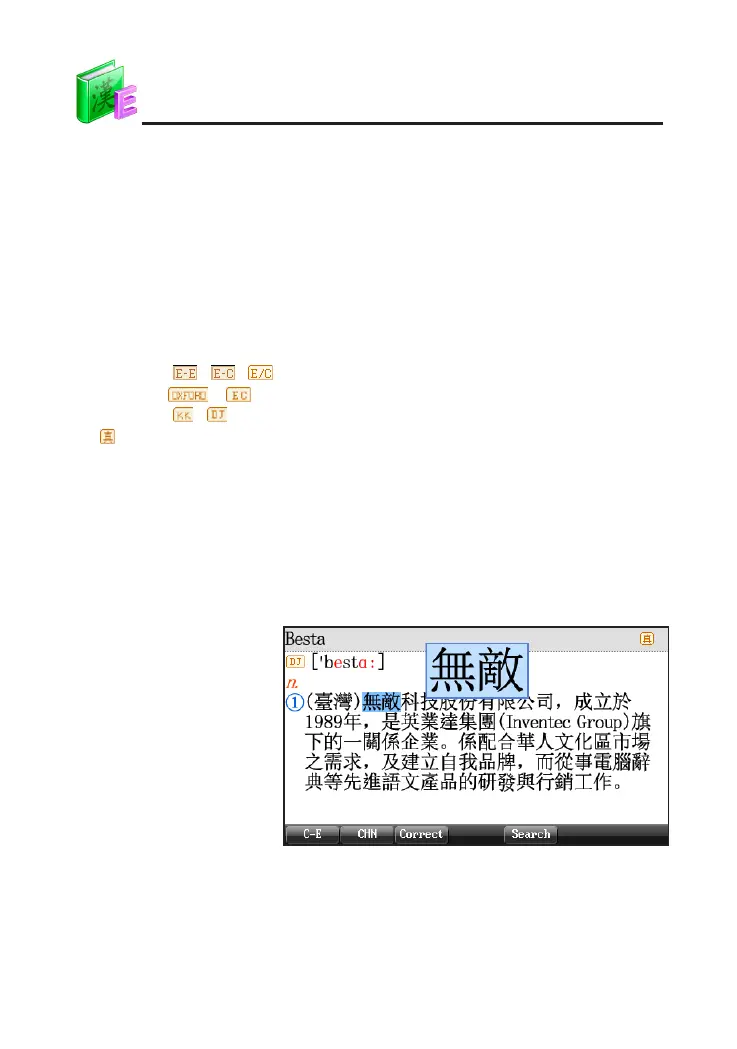
On explanation screen, press [
字體
] to magnify/minify the highlighted
words.
Press [
字體
] to magnify/
minify the highlighted
words "
無敵
"
2.2 Saving Data
Press [Save] to save words or sentences for "Review And Test". Only
the saved data can be displayed in "Review And Test" . The saved data in
Oxford Advanced Learner's Dictionary and English-Chinese Dictionary can be
displayed in "New Words Study-Custom Word Bank".
DICT



 To Next Page