33
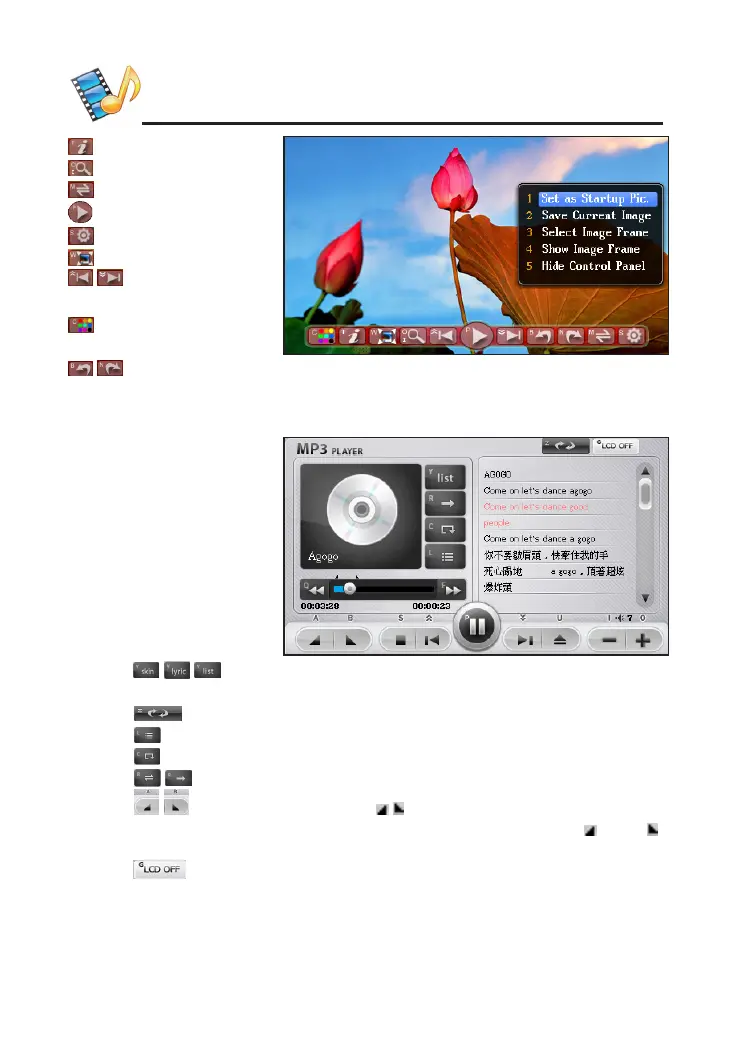
: zoom out/in.
: slide show the image.
: slide show setting.
/ : previous/next
image.
: to change the color
of plate.
/ : anticlockwise/rotate clockwise.
2. MP3
simulate playing and A-B
record playing
* Tap / / to switch to Skin List/Lyric List/Play List. Tap to show two
types skins of MP3 for users to select.
* Tap to select language of lyric.
* Tap to show the lyrics or the list of songs.
* Tap to select order of playing.
* Tap / to open/close the repetitive playing state.
* Tap / to set bit/stop bit, and " / " will be played when you are
setting. After setting, the device will play the section between " " and " ".
* When pauses or stops, the lyrics can be cross searched.
* Tap or press [G] to close the window of MP3. Press [On/OFF] to
show the window. Tap [Esc] to close the MP3 screen when MP3 keep
playing. You can tap MP3 key in touch panel to open the MP3 mini
screen.
MULTI



 To Next Page