47
* CD Express
Allows to transfer music in CD-ROM in the form of MP3 directly to your
device.
* Open U-Disk
Repeat steps
①
and
②
of "Media Download" and then move, copy,
deleteorcreatenewlefolder.
* Internet Download
Please go to our website to download and update data.
* DIY Dictionary
Import the DIY Dictionary in the device, and the contents can be created or
modied.
* Settings
Set "ADS Center, ADS Check, Media Download and System Settings"
respectively. Tap "Settings", and then tap "ADS Check" to set.
N
o
t
e
s
:
W
h
e
n
y
o
u
r
e
s
t
o
r
e
t
h
e
l
e
s
,
t
h
e
d
a
t
a
i
n
t
h
e
d
e
v
i
c
e
w
i
l
l
b
e
c
l
e
a
r
e
d
.
1.5 Data Management
Thisallowsyoutoappend,modifydata,editcategory,andcustomeld
name on PC in PIM applications including Name Card, Memorandum,
Schedule, Class Schedule, Anniversary, Income & Expense and To Do List.
1.5.1 Editing Data (Take "Name Card" for Example)
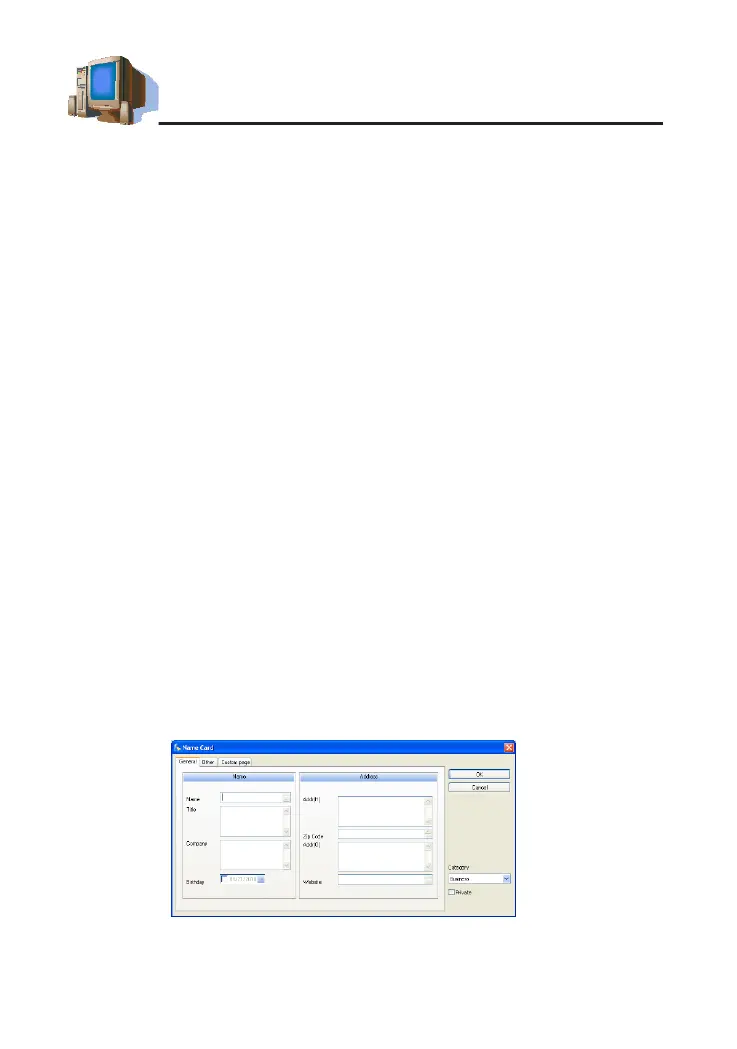
* Click"NewRecord"→"NameCard"YoumayappendNameCarddata
on the editing screen (as picture 3).
* To modify the content, double click the entry (as picture 3).
* Tocopy,pasteordeleteoneormoreentries,selecttheentriesrst.
N
o
t
e
s
:
T
a
p
"
C
u
s
t
o
m
p
a
g
e
"
a
n
d
t
h
e
n
c
l
i
c
k
t
h
e
b
l
a
n
k
a
r
e
a
o
f
"
P
o
r
t
r
a
i
t
"
t
o
i
m
p
o
r
t
B
M
P
o
r
J
P
G
l
e
a
s
N
a
m
e
C
a
r
d
p
o
r
t
r
a
i
t
.
picture 3
PC Service Home Guide



 To Next Page