41
2.2 Rename
①
②
2.3 Putting Folders in Order
* Tap "
as which the folders will put in order.
* Tap "Name" to put folders in the order of their names, which will be
marked by " / " as well.
2.4 Format
N
o
t
e
:
P
l
e
a
s
e
s
e
l
e
c
t
t
h
e
d
i
s
k
f
o
r
m
a
t
a
s
F
A
T
3
2
w
h
e
n
t
h
e
S
D
c
a
r
d
i
s
o
v
e
r
6
4
M
B
.
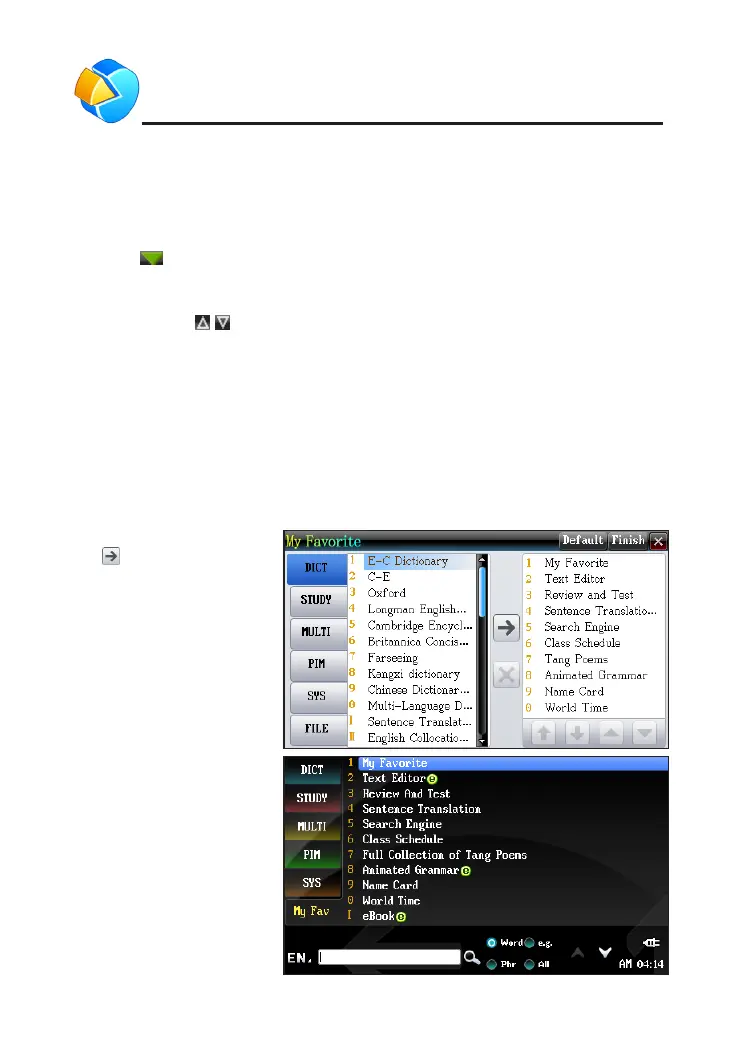
3. My Favorite
"My Favorite" provides all functions for users to set. After setting, you
can tap [My Fav] in the main menu and select the function which you set in
"My Favorite".
Tap to add favored
functions and then [Finish]
right). Tap "FILE" to add
downloaded applications.
Tap [My Fav] in the
main menu, you see the
picture on right.
SYS



 To Next Page