53
②
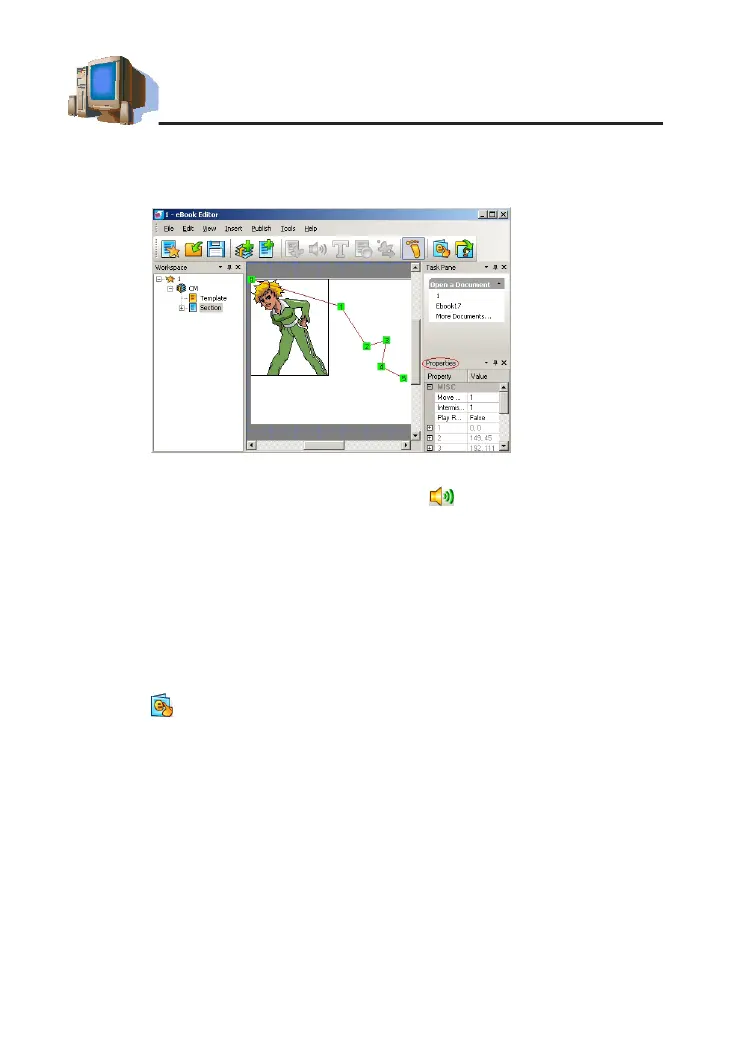
Left-click in editing area to set the order of path (as picture 10).
③
Select moving length and delay interval. Click "Repeat play" if necessary,
and then click "OK".
2.1.5 Adding Audio Effects
①
Select a section to add audio effect, Click .
②
Click"Systemlibrary"selectanMP3le(16kbps-320kpbs)fromthelist.
③
Select play time, set start time, tick "Cycle play" click "OK".
2.1.6 Setting a Page Header/Page Footer
①
Switch to the "Index" screen. Select "Edit" then "Set Page header/footer".
②
Click "Insert" to insert page number, date and time at page header or
page footer. You can input the content manually, then click "OK".
2.1.7 Playing the Content
①
Select to play the eBook contents.
②
Clickpageup/downtoplaytheprevious/nextpage;click"ESC"to
close it.
2.1.8 Downloading to the Device
①
Click "Media Download" to access the download screen.
②
Firstly, click "eBook" in "Category List" and then click "Scan" in tool bar,
select(.book)lestodownload.
③
Aftersearching,clicklesin"MyComputer"andthenclick"Download"
icon to download.
④
You can select reading in <MULTI -- eBook>.
picture 10
PC Service Home Guide



 To Next Page