BestCode Next Series 8 Technical Manual October 2022 Page 51 of 290
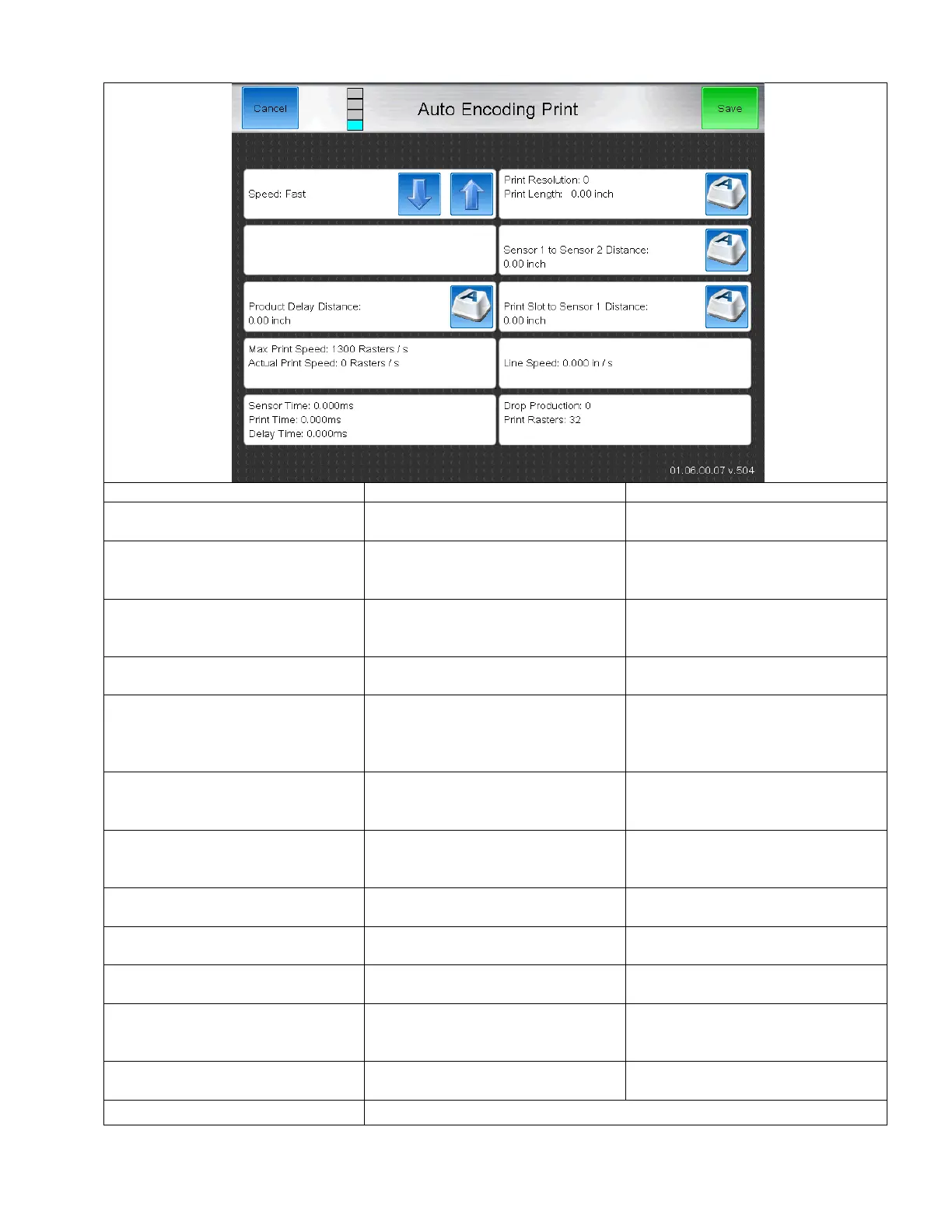
Dual Sensor Adjust Screen
Fast, Faster, Fastest, UltraFast
The number of Printed rasters per 1
inch.
Displays the length of the message
based on the provided Print
Resolution
Sensor 1 to Sensor 2 Distance
Distance between Print Trigger 1 and
Print Trigger 2. Must be a distance
longer than 1”.
The distance from the product edge to
the beginning of the code.
Sensor 1 to Print Slot Distance
Distance between the Print Detect
location and the Slot where drops exit
the printhead.
0.05-50.00 inches
Must be a distance longer than the
Product length and the Product delay
combined.
The maximum print speed capacity for
the selected “Speed” setting (Fast,
Faster, Fastest, UltraFast)
The necessary Raster /s Print speed to
meet the Print Resolution requested.
If this value is Greater than the Max
Print Speed, the Speed Setting must
be increased (Fast => Faster, etc)
Displays the calculated converyor line
speed
The amount of time for the product to
pass the Print Sensor.
The duration of the time while the
printer was applying the code.
The amount of delay time in
milliseconds to achieve the desired
print location
Total number of drops used to
generate the printing message
Used for internal calculations



 To Next Page