UNITE – System information
10
Devices combined under a group ID can use this group
ID to transmit several audio channels. In order to
dierentiate between audio channels from several
transmitters on the receiver, enter a five-digit name for
the channel on the transmitter. Follow these eps:
• Make sure that the Unite TP or Unite TH transmitter is
already switched on.
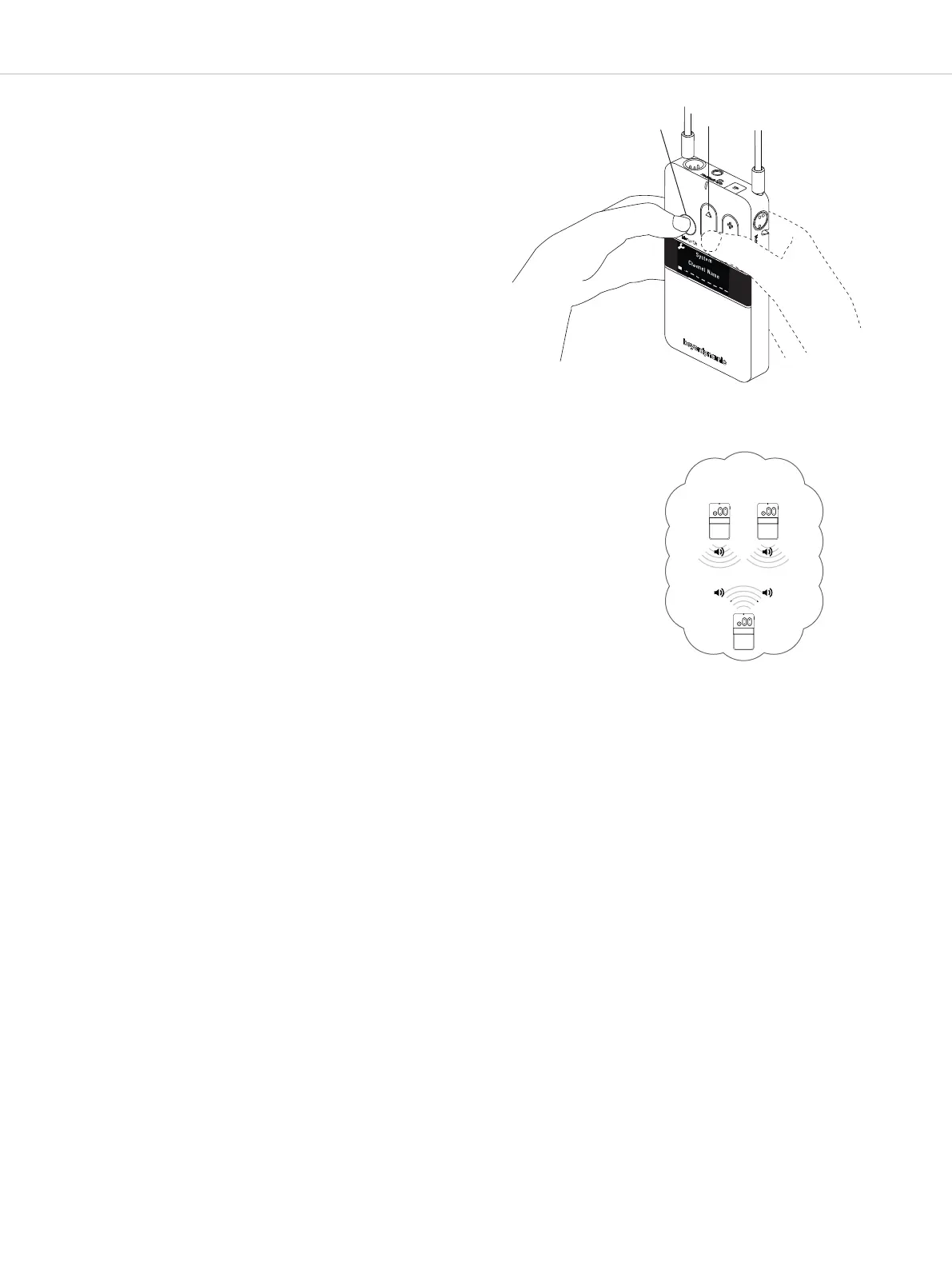
• Press and hold the menu button for approx. two se-
conds to activate the main menu.
• Use the multifunction button the select “System”
from the menu.
• Briefly press the menu button to open the required
submenu.
• Use the multifunction button to select the “Channel
Name” submenu.
• Briefly press the menu button to enter the channel
name.
• Use the multifunction button to scroll through the
characters. When the requested character appears,
confirm using the menu button . You can enter five
characters at maximum.
• As soon as you select the configured transmitter on
the receiver, the set name will be displayed on the
receiver’s display.
• The diagram “Channel Name” shows an example of
two transmitters with dierent channel names, and a
receiver that can find both channel names and
switch between both transmitters. Finding and/or
switching between channels can take several
seconds.
Select “Channel Name”
menu item to enter the
channel name.
same Group-ID
Channel Name
TP 1
NAME 1
NAME 1
N
AME 2
R
P
With one receiver you can choose among
two transmitters


 To Next Page