UNITE – System information
9
To set a group ID between 1 and 255, follow the steps
below:
• Make sure that the Unite TP or Unite TH transmitter is
already switched on.
• Press and hold the menu button for two seconds to
activate the main menu.
• Use the multifunction button on the Unite TP or
Unite TH transmitter to select “Syem” from the menu.
• Press the menu button on the Unite TP or Unite TH
transmitter to open the required submenu.
• Use the multifunction button on the Unite TP or
Unite TH transmitter to select “Group ID” from the sub-
menu.
• Select the menu button on the Unite TP or Unite TH
transmitter to configure group ID.
• Use the multifunction button on the Unite TP or
Unite TH transmitter to select the desired group ID.
• Press the menu button on the Unite TP or Unite TH
transmitter to confirm the selected group ID.
Important:
Make sure that you select the same group ID for all
devices within a desired group. Only devices with the
same group ID can communicate with one another.
Transmitters with a dierent group ID are faded out.
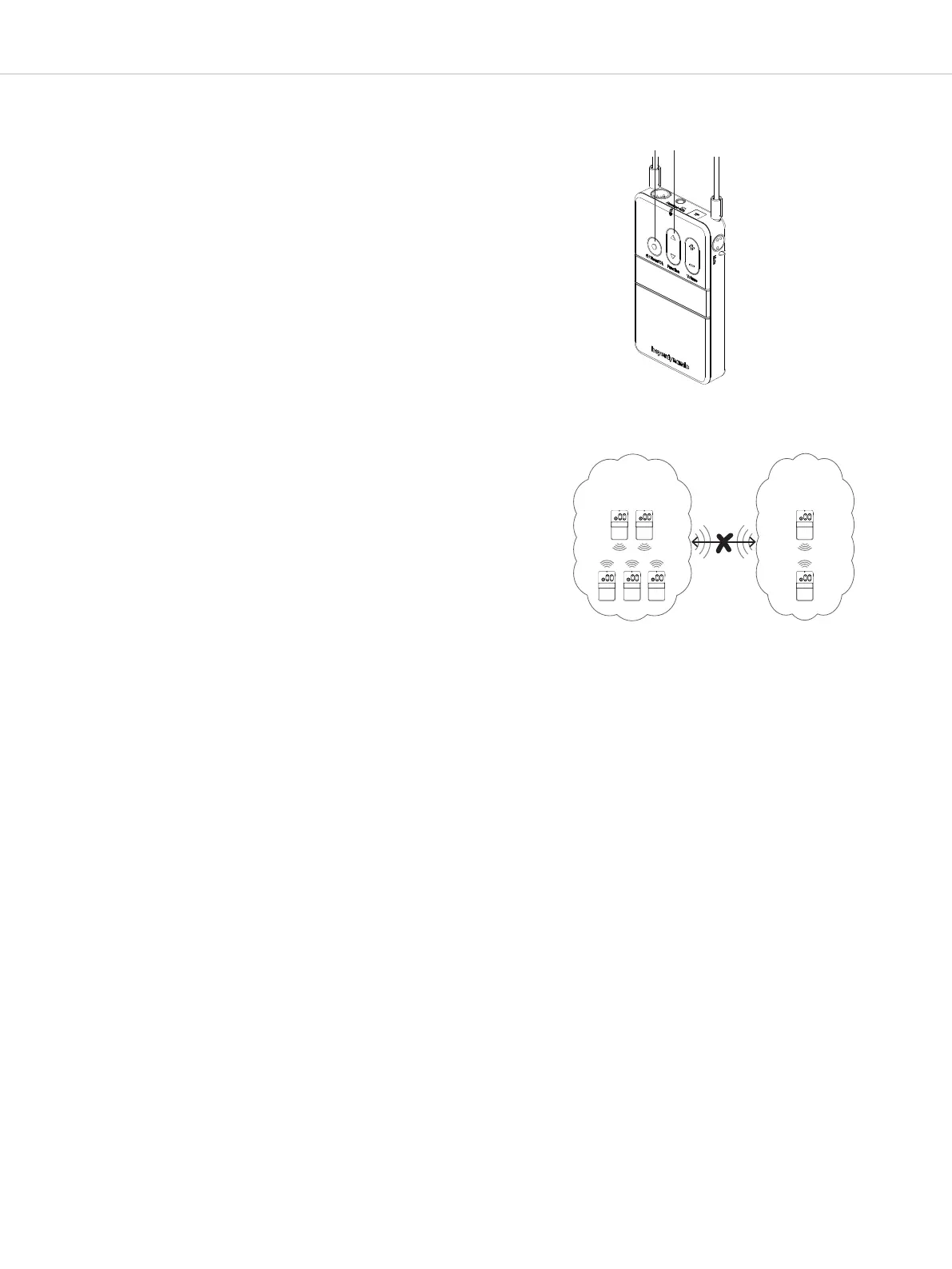
See diagram: “Set Group ID”.
RP
TP 3
Group-ID 1
Group-ID 256
RP RP RP
TP 1 TP 2
Set group ID
Select a group ID on the transmitter


 To Next Page