User Manual • Basic-Step 27
Viper Climate and Production Computer
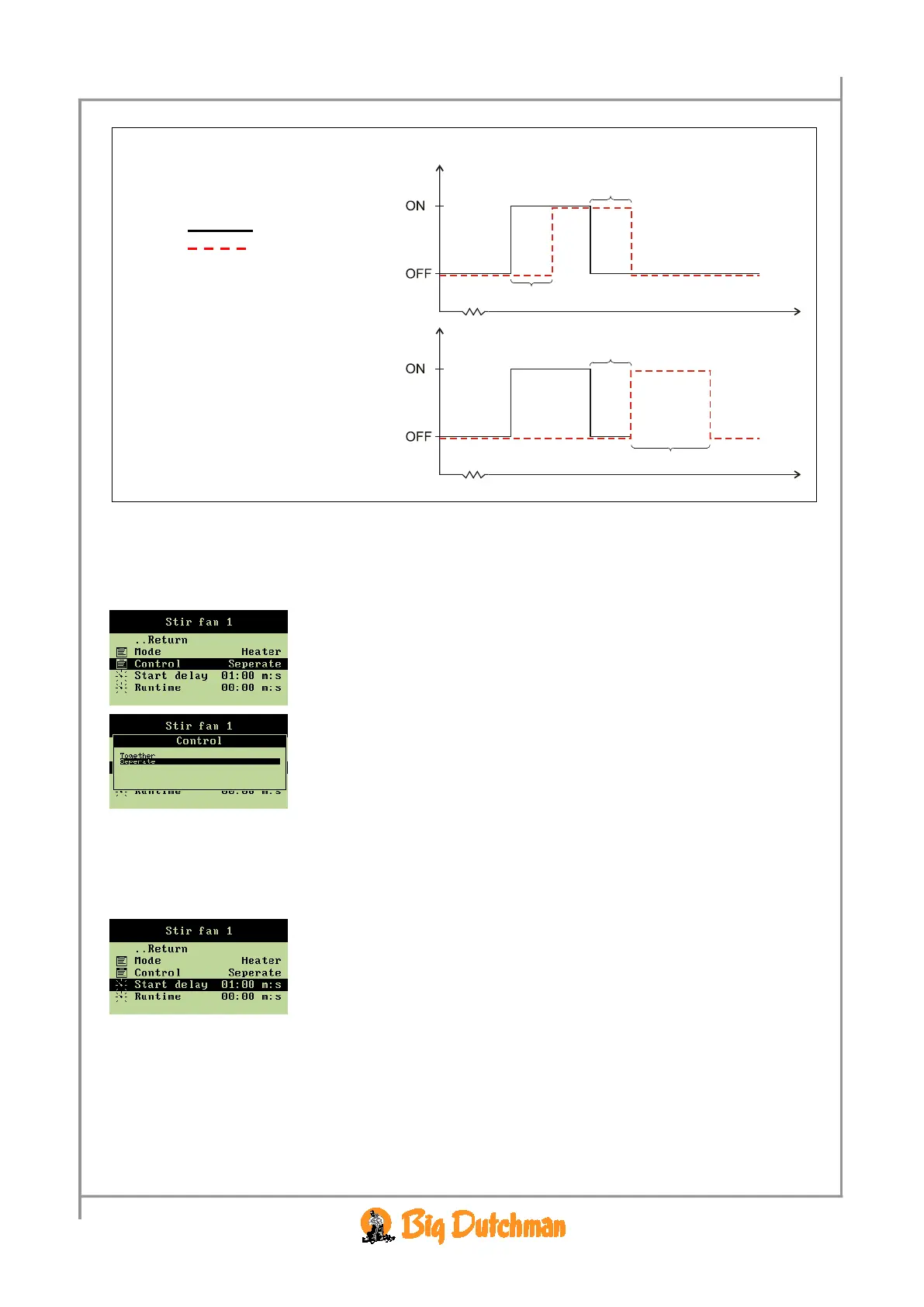
Example 2: Heat source regulation
Way to control: Together
Time
2.2.8.1.1.1 Setting the Way to Control
When you want to... opt for a way to control in connection with heat source, open the
Climate/Stir fan/Stir fan x menu, and
→ select
Control, and press
→ select the required way of control
2.2.8.1.1.2 Setting Runtime for Stir Fan
When you want to... set a runtime for the stir fan, open the
Climate/Stir fan menu and
→ select
Start delay, and press
→ set an interval
The Stop delay (Together) or Runtime (Separate) should be set in the same way.
2.2.8.1.2 Temperature Sensor Regulation of the Stir Fan
When a stir fan should operate in connection with temperature sensors, you have to set how many (one
or two) and according to which sensors the computer should control and the temperature activating the
stir fan.



 To Next Page