BIGTREETECH Pi 2 User Manual
21
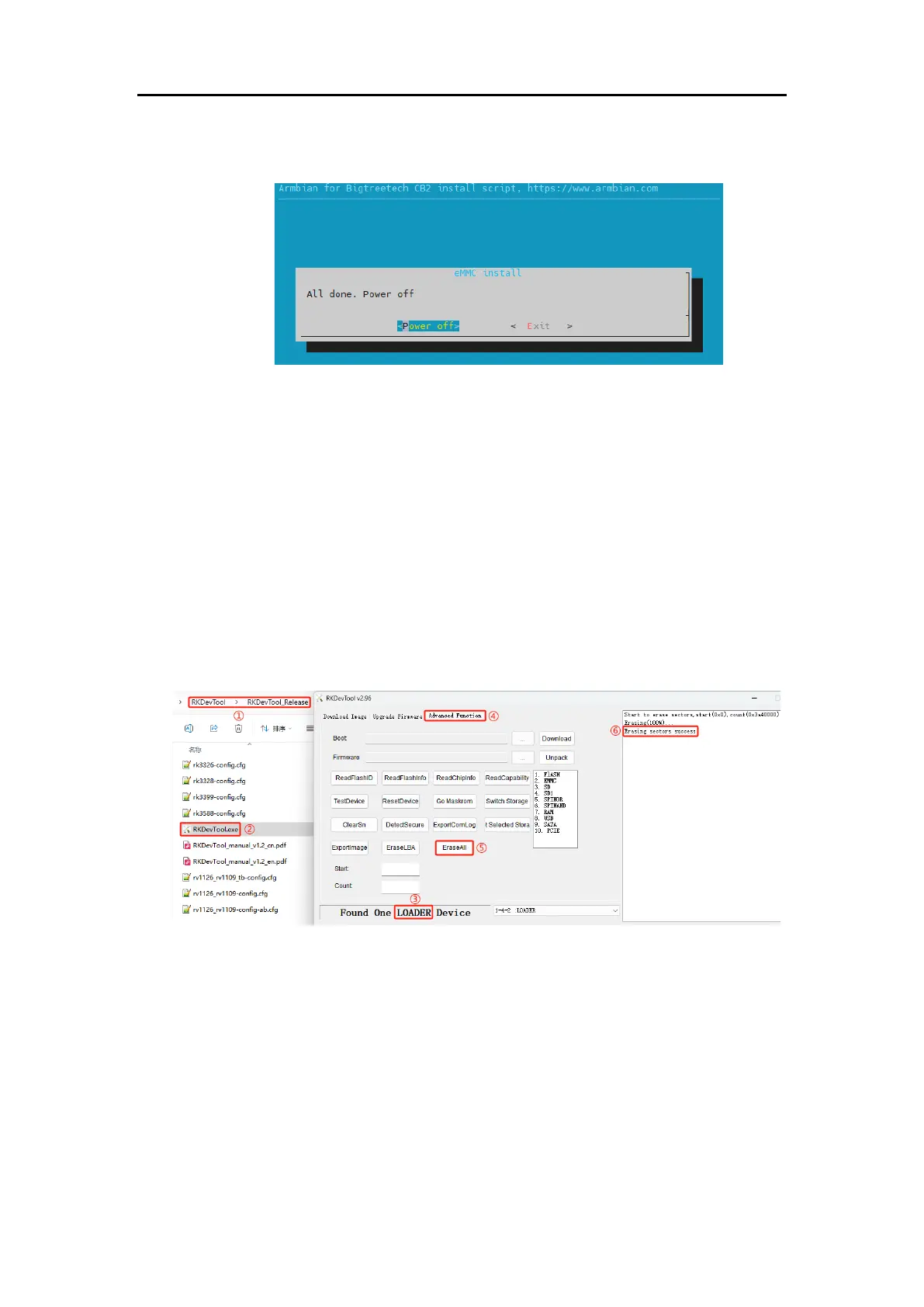
(4) Upon completion, you will be prompted whether to power off. Select
“Power off” to shut down the system.
(5) After the system has powered down, disconnect the power supply,
remove the MicroSD card, and then reconnect power. The system
should now boot from the eMMC.
4.4. Erasing eMMC
When using a MicroSD card as the system card instead, it's best to erase the
data on the eMMC to prevent the motherboard from booting from it by
mistake.
4.4.1. Using RKDevTool to Erase eMMC (Windows)
1. Refer to the steps in "4.3.1 Using RKDevTool to Write the eMMC
(Windows)" to connect the motherboard to the computer.
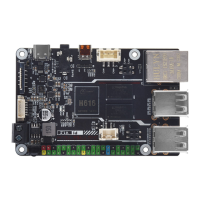
2. Open the "RKDevTool".
①Find the path where the downloaded RKDevTool is located.
②Open the RKDevTool.
③The software will recognize a "LOADER" device. If it recognizes
"MASKROOM," it indicates there is no data in the eMMC, hence no erase
operation is necessary.
④Click "Advanced Function."
⑤Click "EraseAll" to begin erasing data from the eMMC.
⑥"Erasing sectors success" indicates the erasure is complete.




 To Next Page