BIGTREETECH Pi 2 User Manual
30
7. Enter the following command to play the recording:
aplay -D plughw:0,0 /xxx/xxxx.wav
6. SSH Connect to Device
1. Install the SSH software Mobaxterm:
https://mobaxterm.mobatek.net/download-home-edition.html
2. After powering on, wait for the system to boot, which typically takes about
1 to 2 minutes.
3. Once the device is connected to WiFi or an Ethernet cable is plugged in, it
will automatically be assigned an IP address.
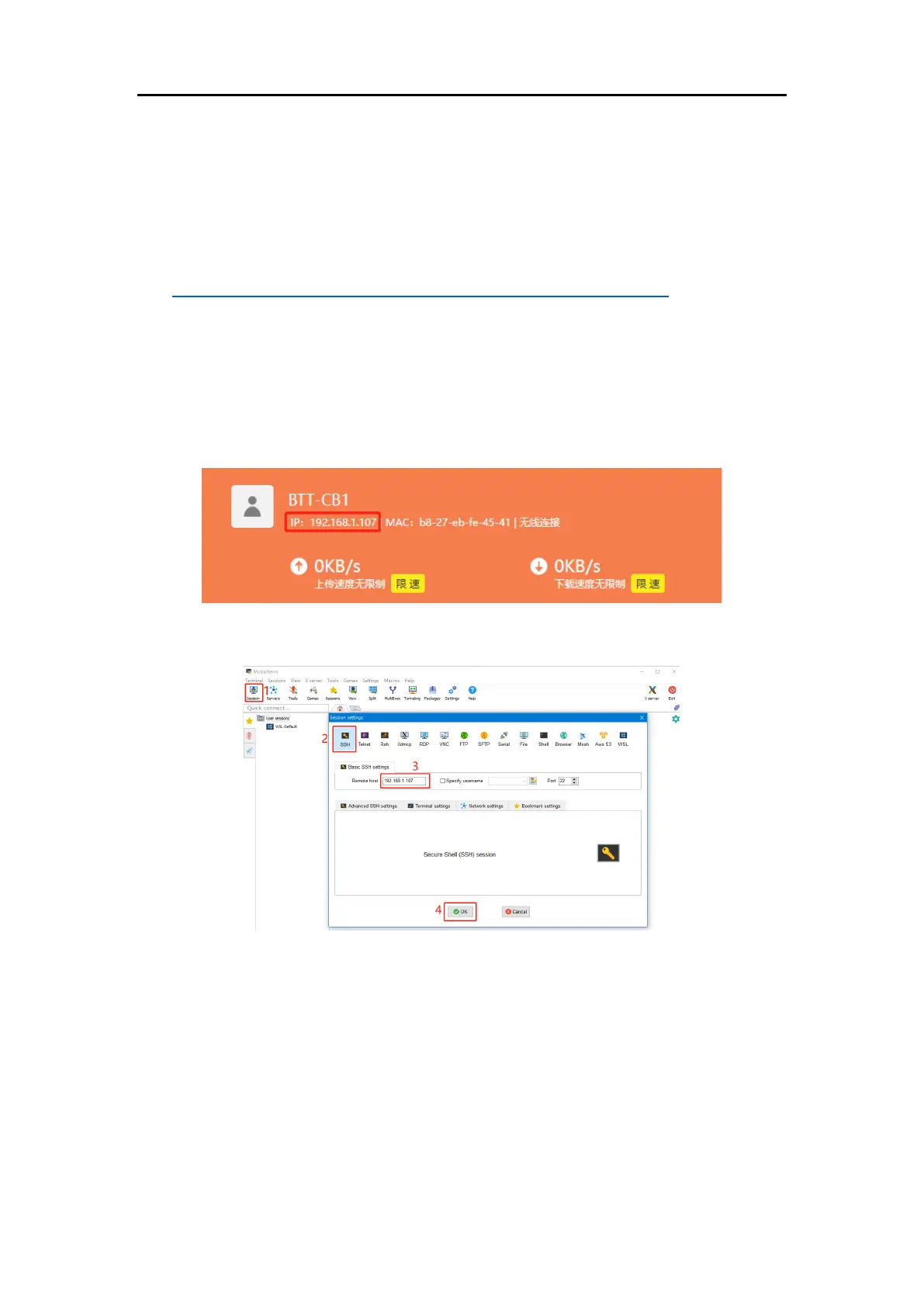
4. Access the router management interface to find the device's IP (it should
be BTT-CB2 here).
5. Open Mobaxterm and click "Session", and click "SSH", inset the device IP
into Remote host and click "OK" (Note: your computer and the device
needs to be in the same network).
6. Login as: biqu password: biqu





 To Next Page