BIGTREETECH Pi 2 User Manual
28
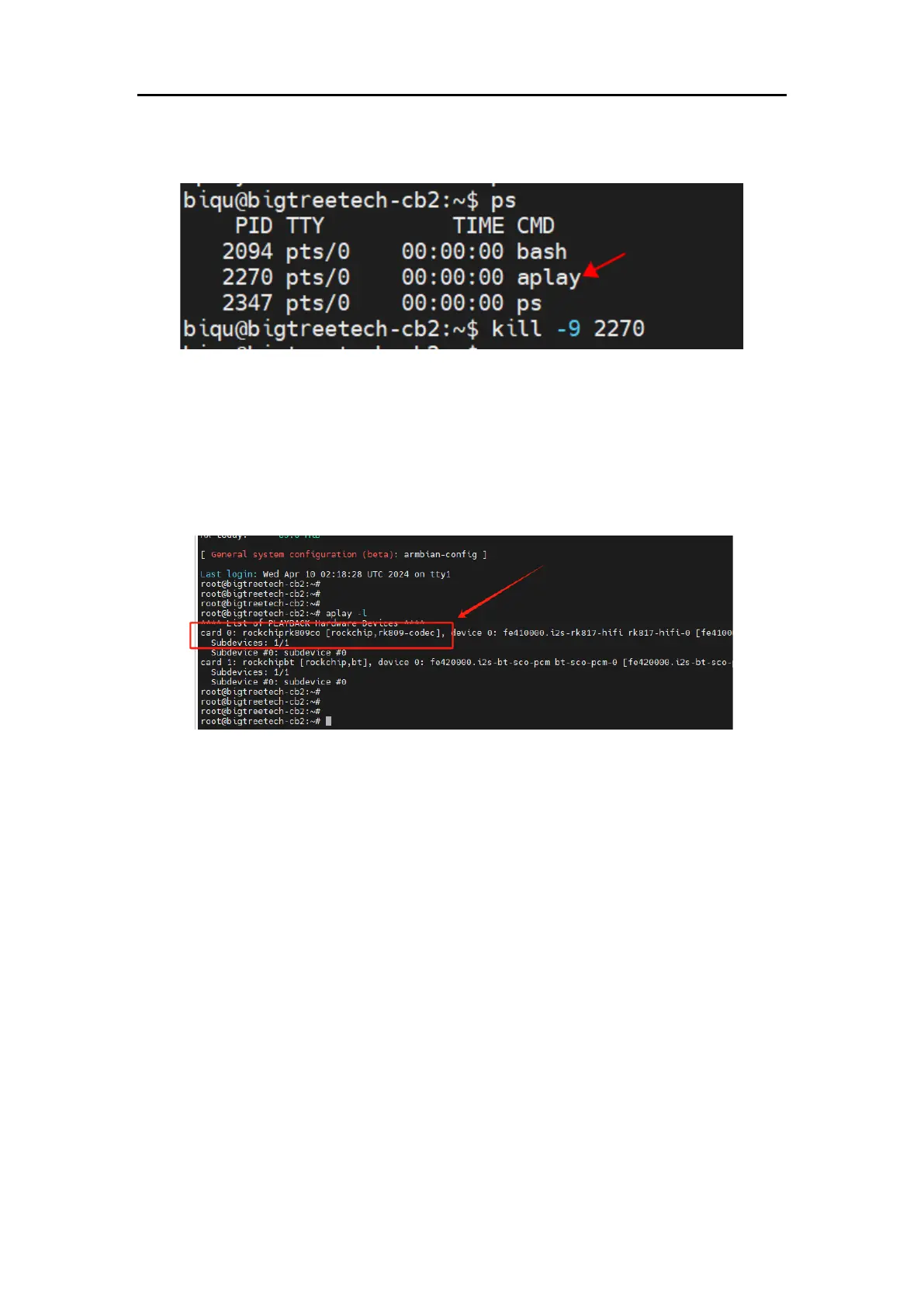
view the process number, then use kill -9 process_number to delete the
corresponding playback process.
5.8. Setting up 3.5mm Headphones Port
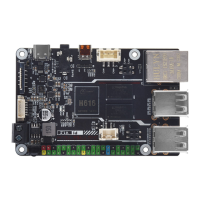
1. Enter the command: aplay -l
Check for the corresponding sound card, as shown in the image (the sound
card for the headphone port shown in the image corresponds to card 0).
2. Enter the command:
amixer -c 0 contents (0 represents the card 0 found in the previous aplay -l
command)
Check the settings for playback and recording channels, as shown in the
image.




 To Next Page