BIGTREETECH Pi 2 User Manual
25
5.5. Using SPI to CAN
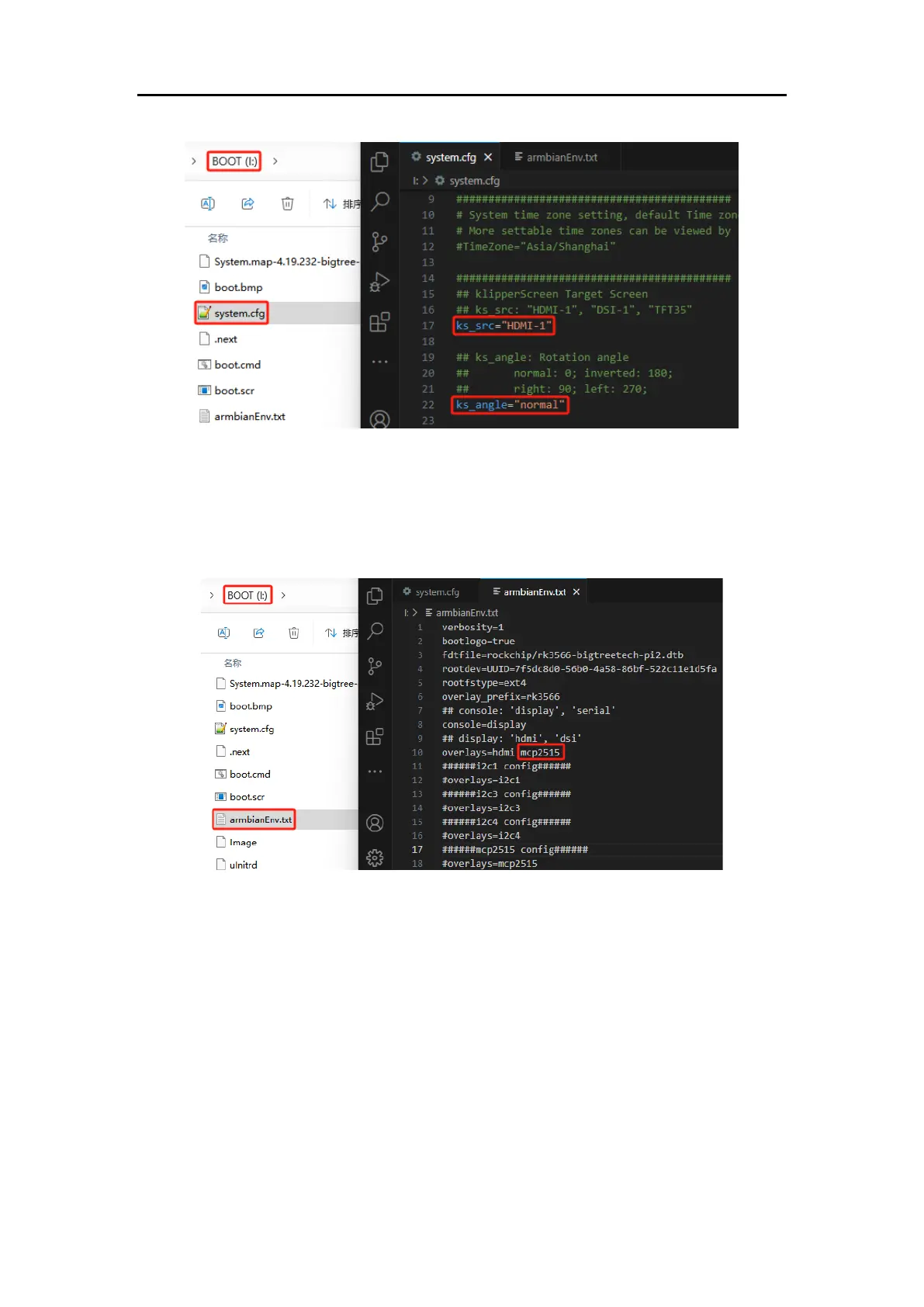
Open the "armbianEnv.txt" file in the BOOT partition and add "mcp2515" to the
overlays configuration.
5.6. Using CSI Camera and Crowsnest Configuration
For both RPi v1.3 ov5647 and RPi v2 imx219 cameras, no specific configuration
in "armbianEnv.txt" is required as they are plug-and-play. "crowsnest.conf" file
configuration is as follows:
device: /dev/video0 # The CSI camera node is fixed as video0
custom_flags: --format=UYVY # The current system's CSI camera does not
support the default YUYV, so it needs to be set to the supported UYVY format.




 To Next Page