BIGTREETECH Pi 2 User Manual
29
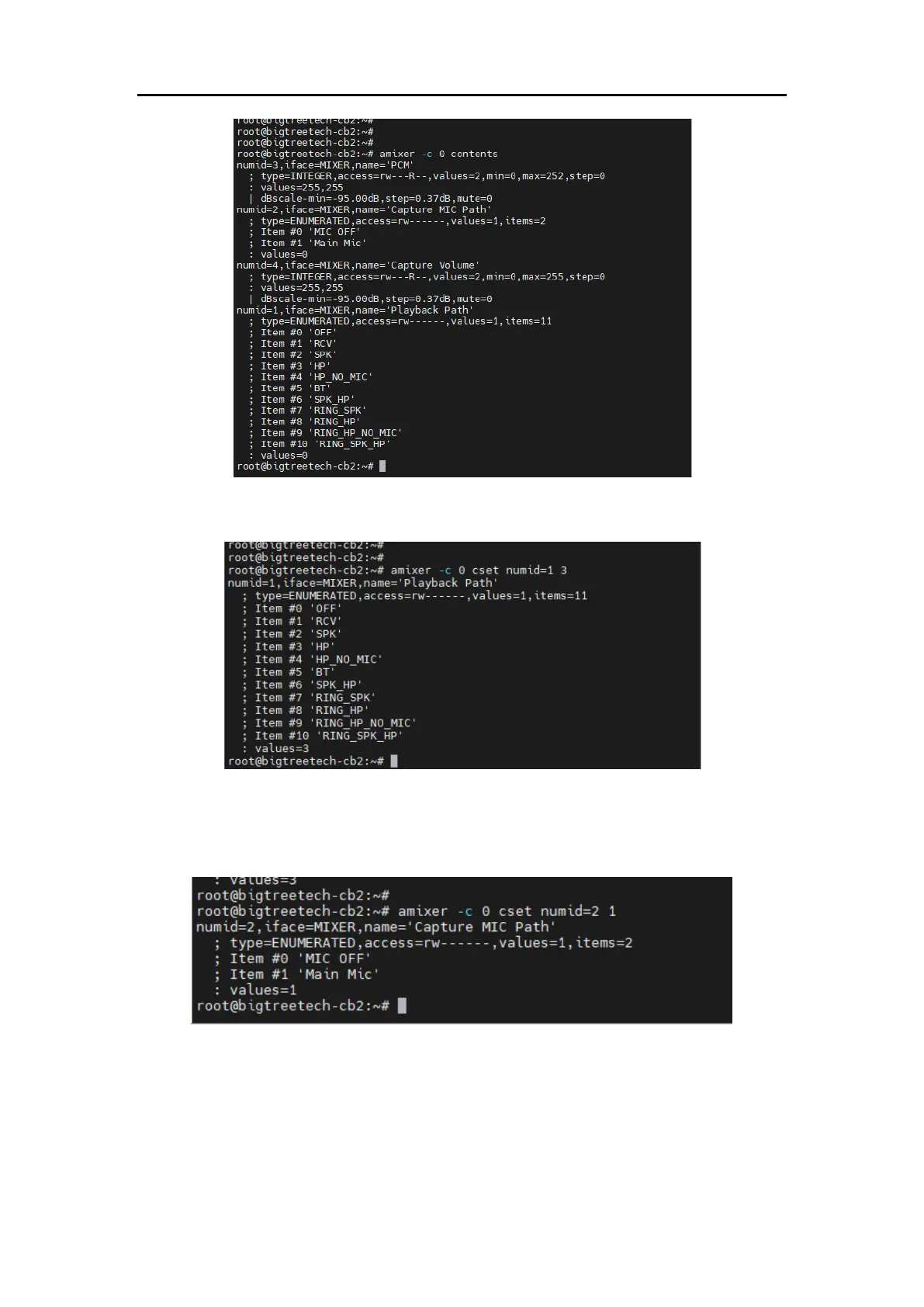
3. Enter the command:
amixer -c 0 cset numid=1 3
Set the playback channel, as shown in the image.
4. Enter the command:
amixer -c 0 cset numid=2 1
Set the recording channel, as shown in the image.
5. Enter the following command to play audio, with the audio file directory xxx
and the audio file name xxxxx.wav:
aplay -D plughw:0,0 /xxx/xxxxx.wav
6. Enter the following command to record (where 10 represents recording for
10 seconds), storing the recording in directory xxx, file name xxxx.wav:
sudo arecord -Dhw:0,0 -d 10 -f cd -r 44100 -c 2 -t wav /xxx/xxxx.wav





 To Next Page