97
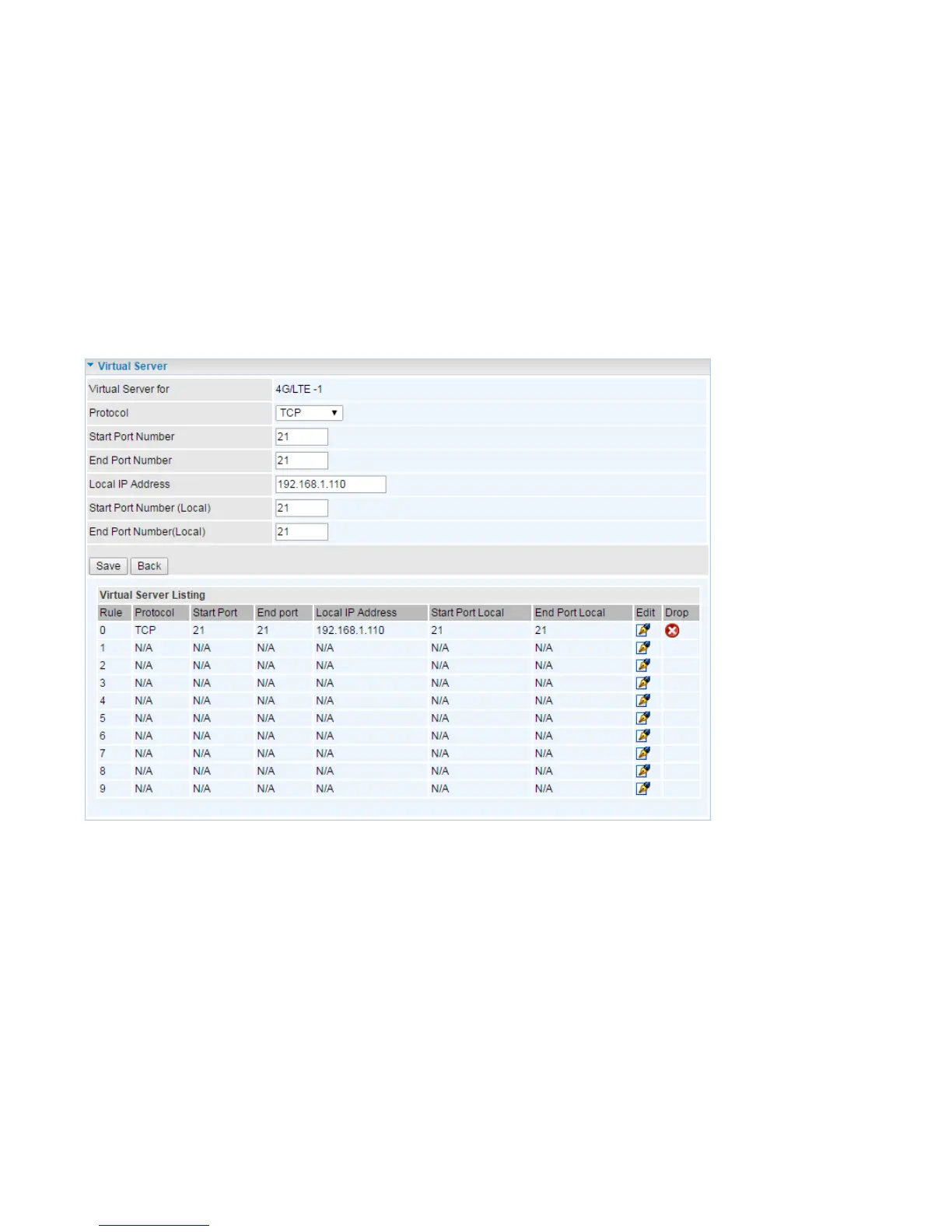
Example : How to setup Port Forwarding for port 21 (FTP server)
If you have a FTP server in your LAN network and want others to access it through WAN.
Step 1: Assign a static IP to your local computer that is hosting the FTP server.
Step 2: Login to the Gateway and go to Configuration / Advanced Setup / NAT / Virtual Server.
FTP server uses TCP protocol with port 21.
Enter ”21” to Start and End Port Number. M100 will accept port 21 requests from WAN side.
Eneter the static IP assiged to the local PC that is hosting the FTP server. Ex: 192.168.1.110
Enter ”21” to Local Start and End Port number. M100 will forward port 21 request from WAN to the
specific LAN PC (ex:192.168.1.110) in the network.
Step 3: Click Save to save settings.














 To Next Page