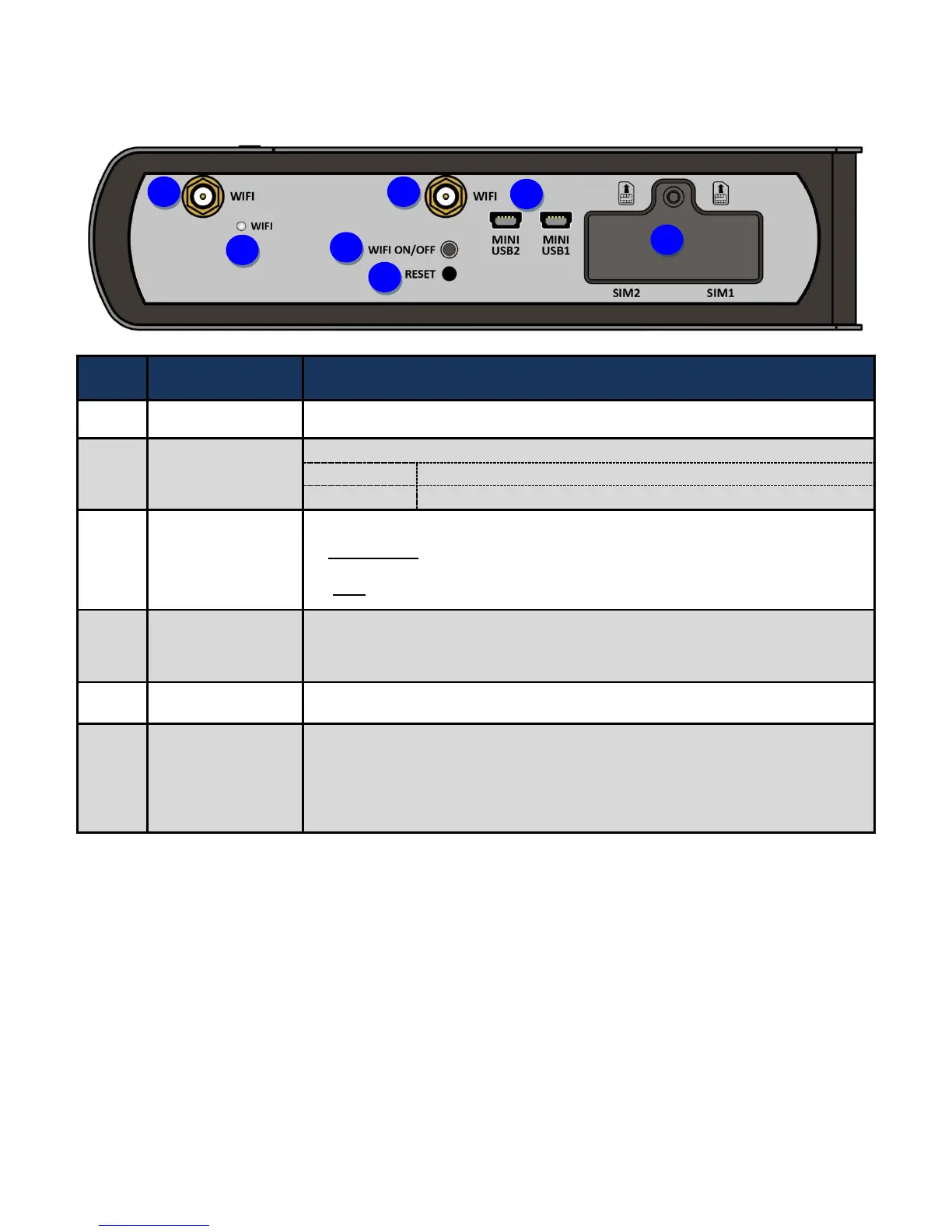
Screw the supplied WiFi antennas onto the antenna connectors
The single-colour LED behaves as follows:
Wireless connection established
Data being transmitted / received
By controlling the pressing time, users can achieve two different effects:
(1) WiFi On/Off: Press & hold the button for more than 6 seconds to On/Off the
wireless.
(2) WPS: Press &hold the button for less than 6 seconds to trigger WPS function.
After the device is powered on, press it 6 seconds or above: to restore to factory
default settings (this is used when you cannot login to the router, e.g. forgot your
password)
Direct connect to embedded 4G/LTE module for debuging or module firmware upgrade.
Insert the mini SIM card(2FF) with the gold contact facing up.
Push the mini SIM card(2FF) inwards to eject it
Warning: Before inserting or removing the SIM card, you must disconnect the
router from the power adapter.














 To Next Page