14
Installation Reference
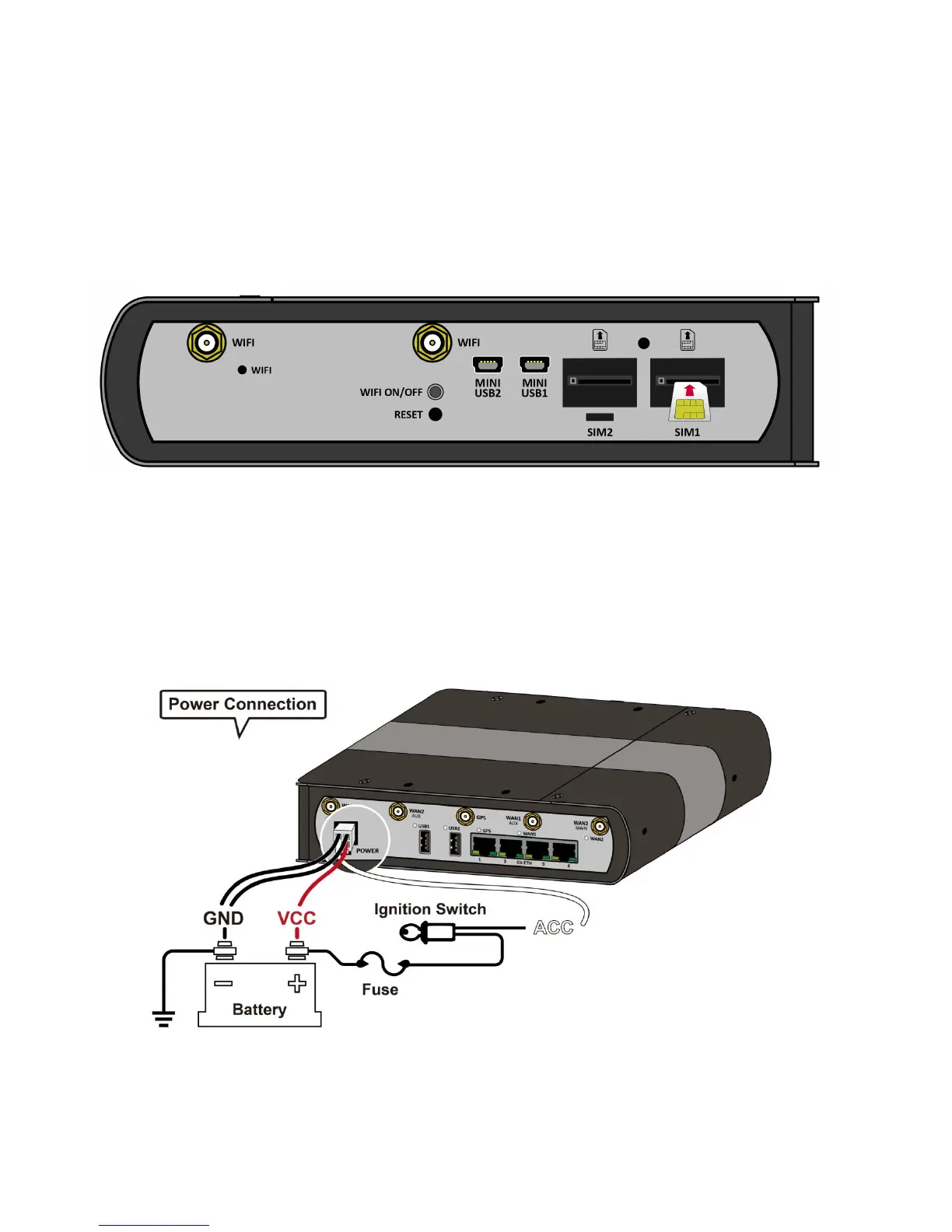
Insert the SIM card
Please ensure that the Billion M500 is not connected to the power cable before proceeding.
Turn to the panel with SIM card slot.
Insert the SIM card with the gold contact facing up. Push the SIM card inwards to inject it. Use the SIM
1 first, use the SIM 2 for a secondary/back-up SIM.
Warning: Before inserting or removing the SIM card, you must disconnect the router from the
power adapter.
Power Installation
Case 1:














 To Next Page