75
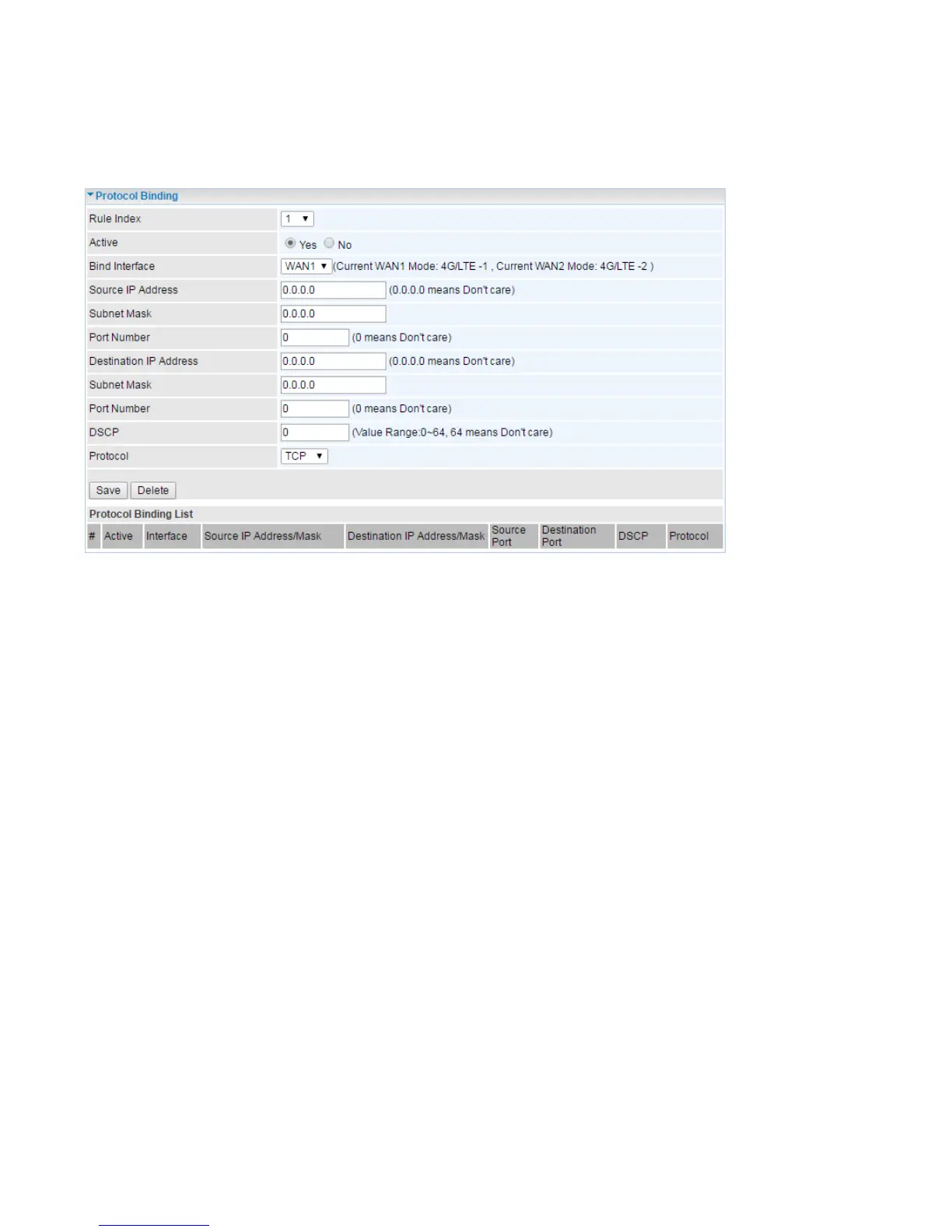
Protocol Binding
Protocol Binding lets you direct specific traffic to go out from a specific WAN port. Policies determine
how specific types of internet traffic are routed, for example, traffic from a particular IP(es) granted
access to only one WAN port rather than using both of the WAN ports as with load balancing.
Rule Index: The index marking the rule. Maximum entries can be 16.
Active: Select whether to enable the rule.
Bind Interface: To determine the WAN interface the to-be-set rule will apply to and what type of traffic
is to be bound to forward to the which WAN interface.
Source IP Address: Enter the source IP address featuring the traffic origin.
Subnet Mask: Enter the subnet of the designation network.
Port Number: Enter the port number which defines the application.
Destination IP Address: Enter the destination IP address featuring the traffic destination.
Subnet Mask: Enter the subnet of the designation network.
Port Number: Enter the port number which defines the application.
DSCP: The DSCP value. Value Range:0~64, 64 means Don't care
Protocol: Select the protocol traffic is using (TCP, UDP, ICMP).














 To Next Page