103
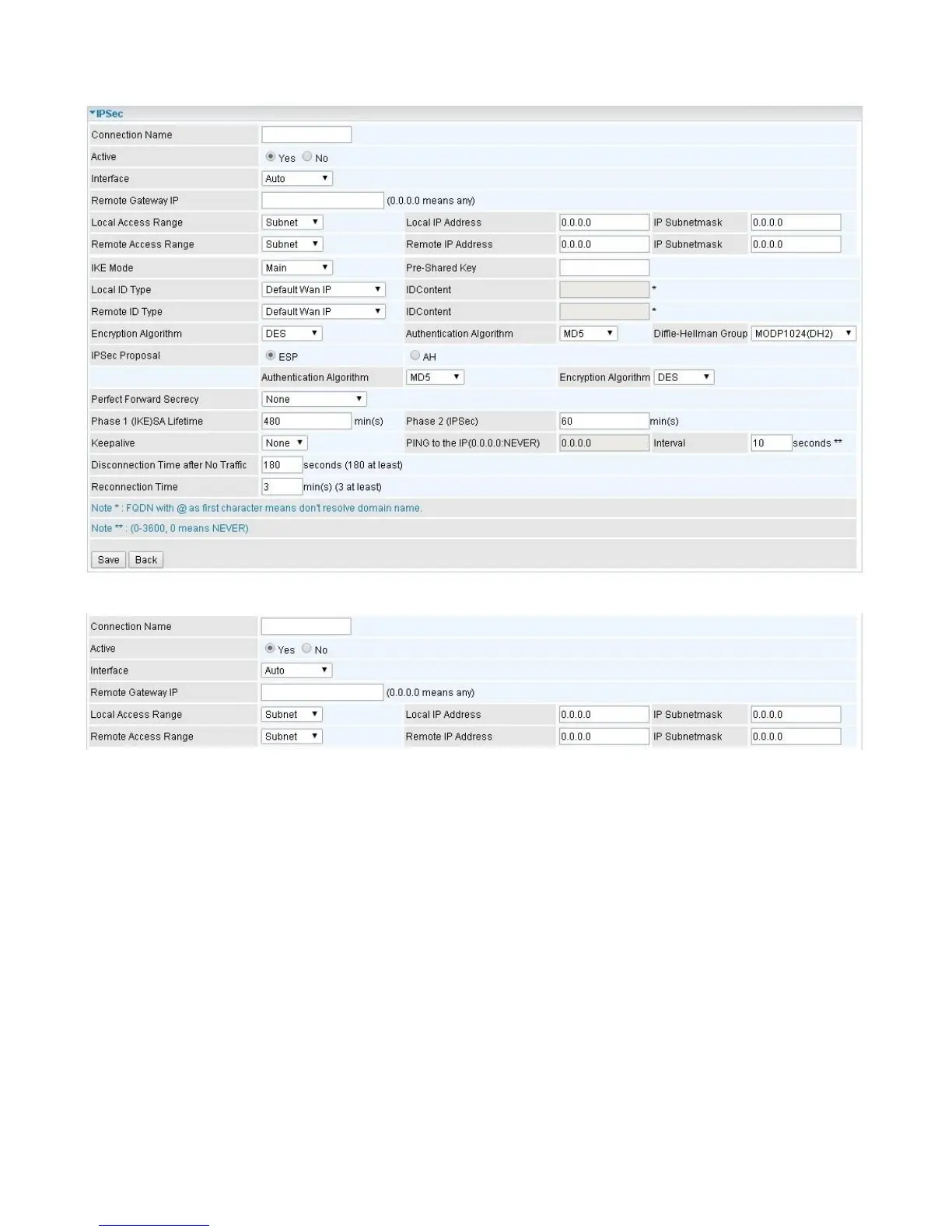
IPSec Connection Setting
Connection Name: A given name for the connection (e.g. “connection to office”).
Active: Select Yes to activate the tunnel.
Interface: Select the set used interface for the IPSec connection, when you select 3G/4G-LTE
interface, the IPSec tunnel would via this interface to connect to the remote peer.
Remote Gateway IP: The WAN IP address of the remote VPN gateway that is to be connected,
establishing a VPN tunnel.
Local Access Range: Set the IP address or subnet of the local network.
Single IP: The IP address of the local host, for establishing an IPSec connection between a
security gateway and a host (network-to-host).
Subnet: The subnet of the local network, for establishing an IPSec tunnel between
a pair of
security gateways (network-to-network)
Remote Access Range: Set the IP address or subnet of the remote network.
Single IP: The IP address of the local host, for establishing an IPSec connection between a
security gateway and a host (network-to-host). If the remote peer is a host, select Single
Address.














 To Next Page