123
server. The IP should be in the same subnet as local LAN, and should not be occupied.
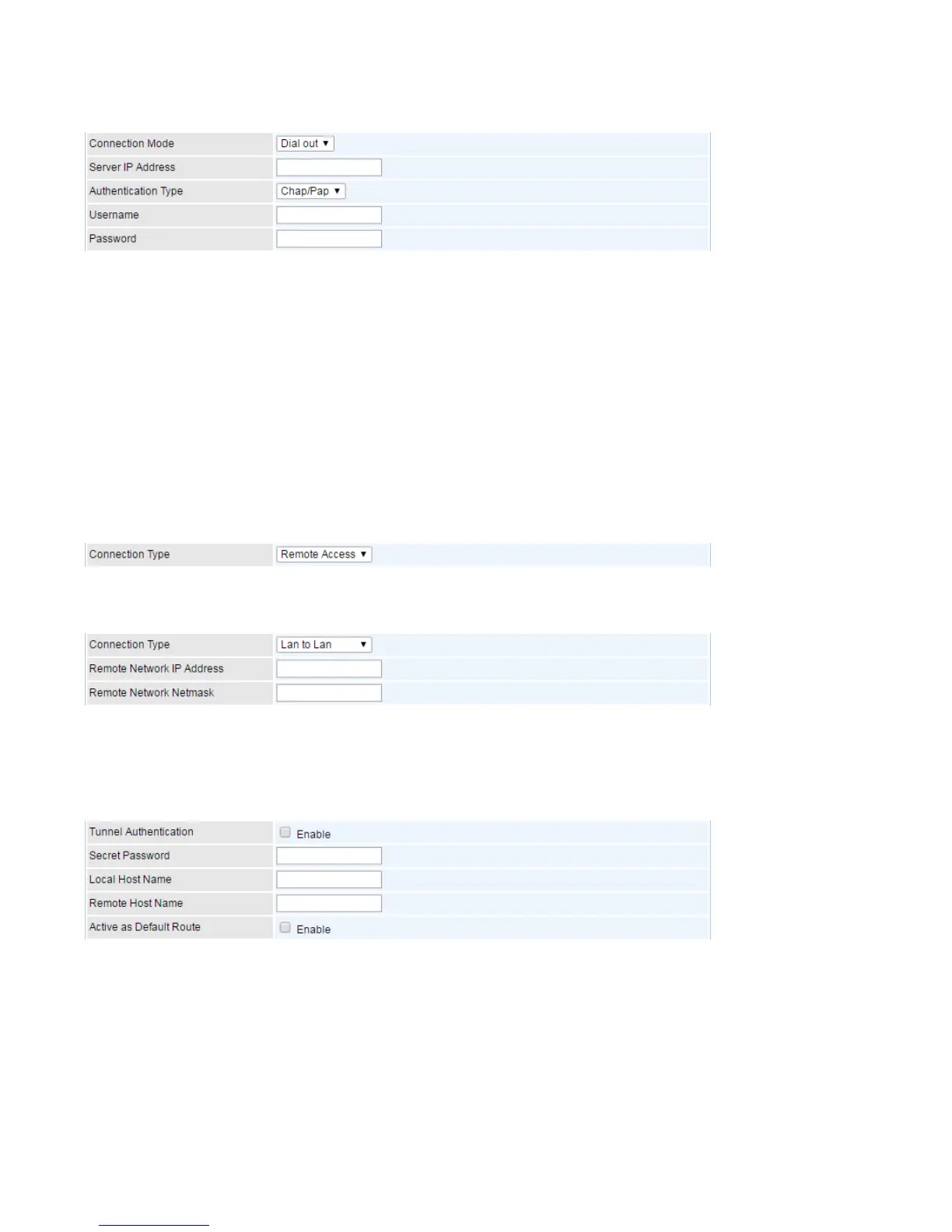
Connection Mode: Choose Dial Out if you want your router to operate as a client (connecting to a
remote L2TP Server, e.g, your office server).
Server IP Address: Enter the IP address of your VPN Server.
Authentication Type: Default is Chap/Pap(CHAP, Challenge Handshake Authentication Protocol.
PAP, Password Authentication Protocol.) if you want the router to determine the authentication type to
use, or else manually specify PAP if you know which type the server is using (when acting as a client),
or else the authentication type you want clients connecting to you to use (when acting as a server).
Username: Please input the username for this account.
Password: Please input the password for this account.
Conneciton Type:
Connection Type: Remote Access for single user.
Connection Type: If “LAN to LAN” is selected, enter the peer network information, such as network
address and netmask.
Tunel Authentication and Active as Default Router:
Tunnel Authentication: This enables router to authenticate both the L2TP remote and L2TP host.
This is only valid when L2TP remote supports this feature.
Secret Password: The secure password length should be 16 characters which may include numbers
and characters.
Local Host Name: Enter hostname of Local VPN device that is connected / establishes a VPN tunnel.
Remote Host Name: Enter hostname of remote VPN device. It is a tunnel identifier from the Remote
VPN device matches with the Remote hostname provided. If remote hostname matches, tunnel will be
connected; otherwise, it will be dropped.














 To Next Page