43
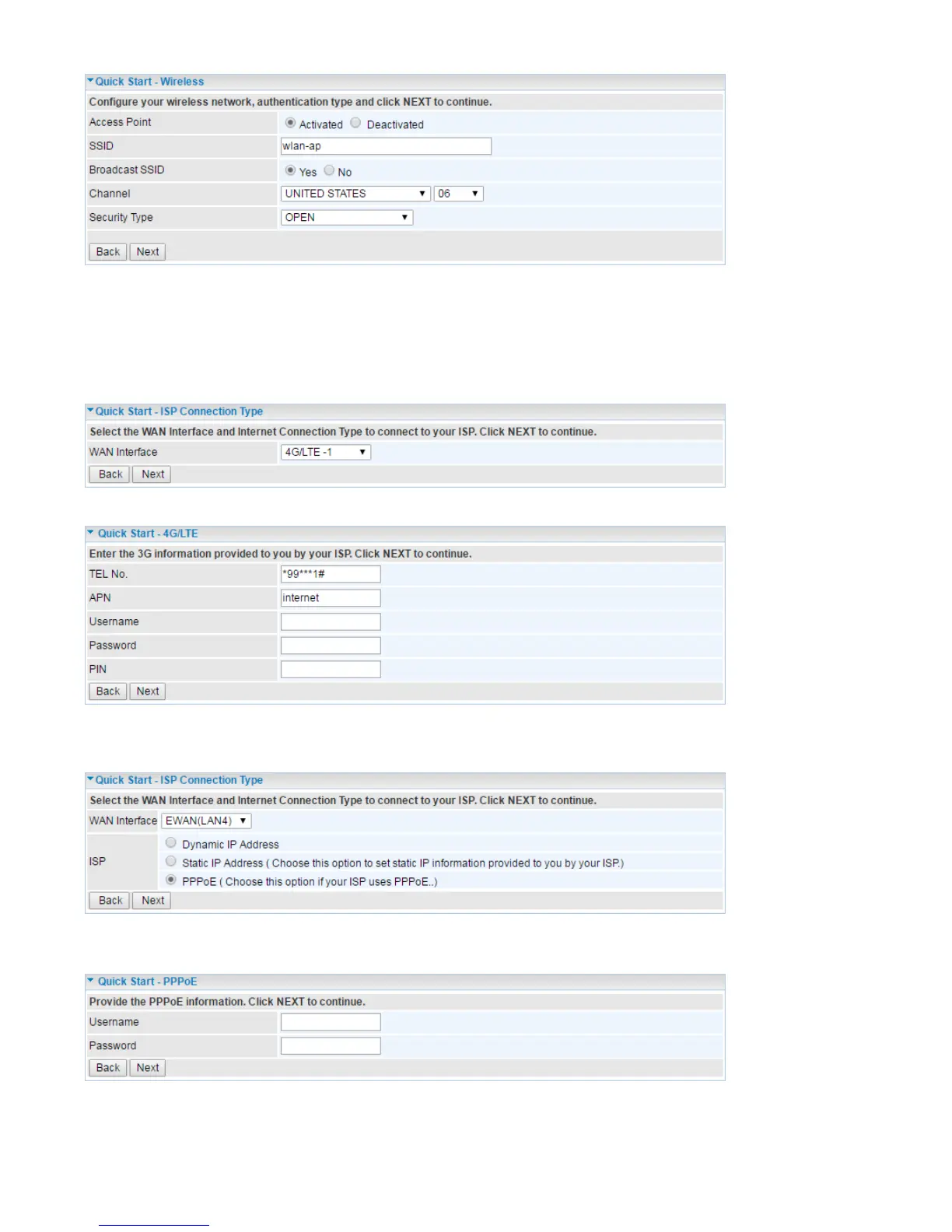
Step 4 – ISP Connection Type
Set up your Internet connection.
4.1 Select an appropriate WAN connection protocol then click Next to continue.
Input all relevant 3G/4G-LTE parameters from your ISP.
4.2 If selected EWAN
If selected PPPoE, please enter PPPoE account information provided by your ISP. Click Next to
continue. Or, others protocol assigned by your ISP.
If selected Dynamic IP Address, click Next to continue. Or, others protocol assigned by your ISP.














 To Next Page