51
your PC gets a public WAN IP working in the internet. But if your PC is connected to the router working
as a DHCP client, in this mode, the device acts as a NAT router.
Connection Setting
Connection:
Always On: Click on Always On to establish a PPPoE session during start up and to
automatically re-establish the PPPoE session when disconnected by the ISP.
Connect Manually: Select Connect Manually when you don't want the connection up all the
time.
TCP MSS Option: Enter the maximum size of the data that TCP can send in a segment. Maximum
Segment Size (MSS).
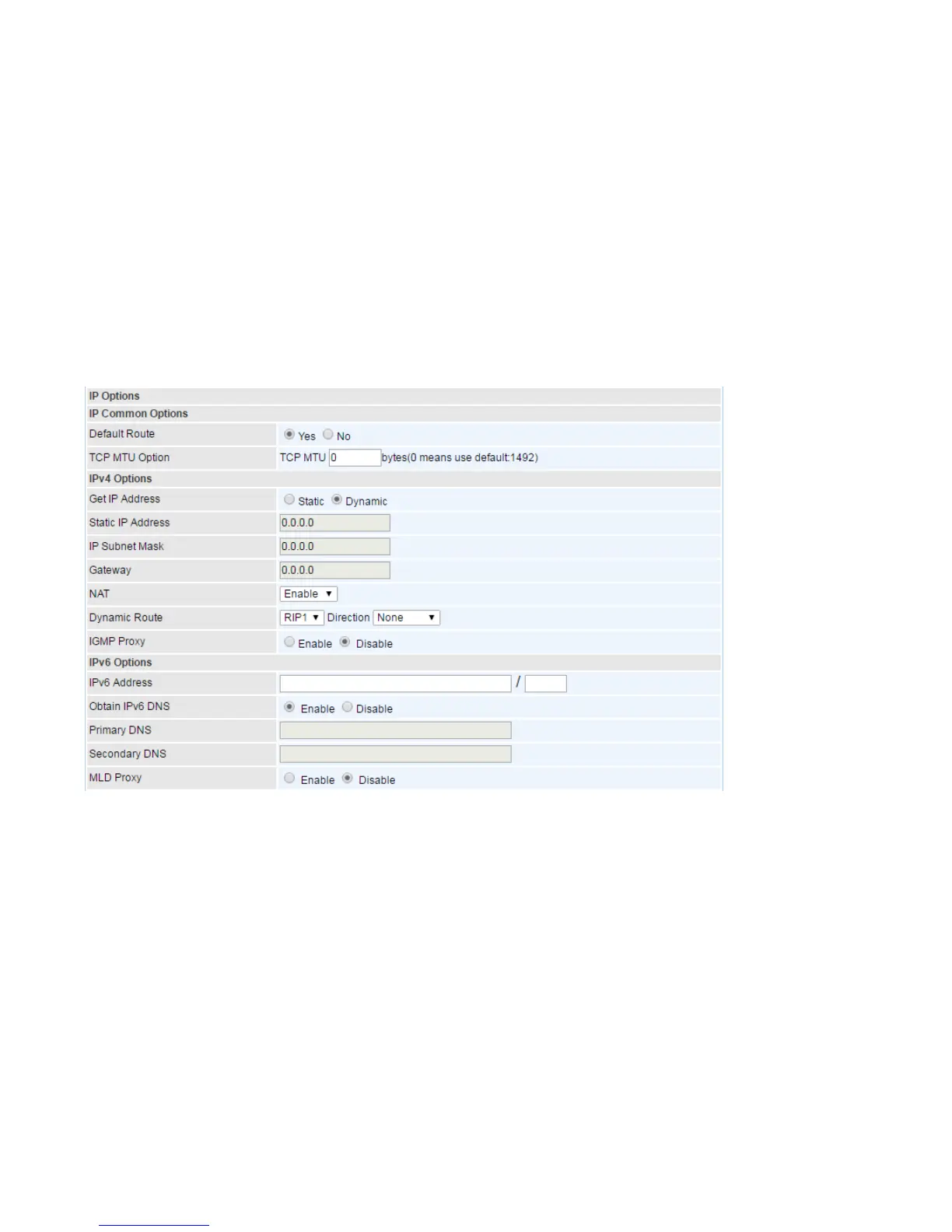
IP Options
Default Route: Select Yes to use this interface as default route interface.
TCP MTU Option: Enter the maximum packet that can be transmitted. Default MTU is set to 1492.
IPv4 Options
Get IP Address: Choose Static or Dynamic
Static IP Address: If Static is selected in the above field, please enter the specific IP address you get
from ISP and the following IP subnet mask and gateway address.
IP Subnet Mask: The default is 0.0.0.0. User can change it to other such as 255.255.255.0.Type the
subnet mask assigned to you by your ISP (if given).
Gateway: Enter the specific gateway IP address you get from ISP.
NAT: Select Enable if you use this router to hold a group of PCs to get access to the internet.
Dynamic Route:














 To Next Page