64
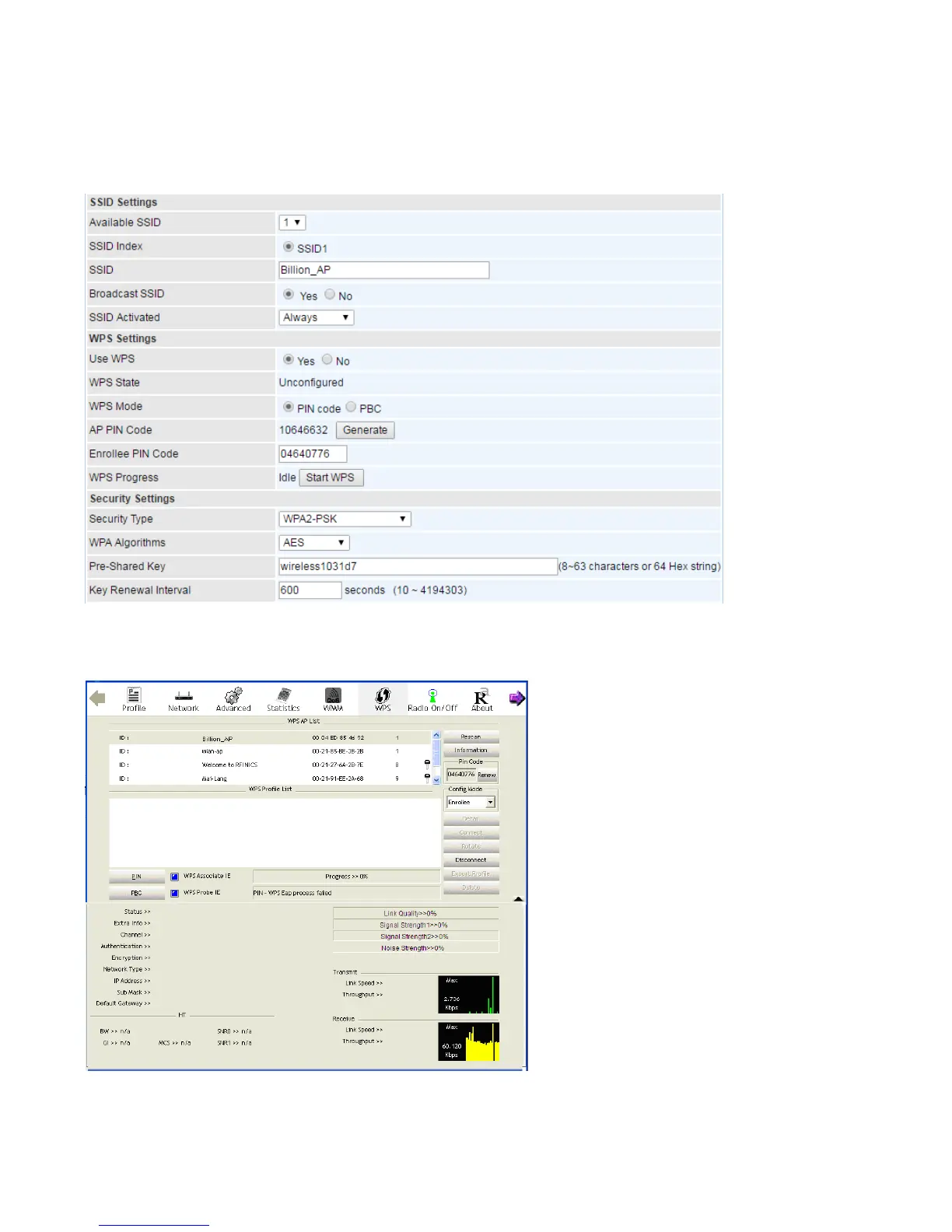
Example: Wi-Fi Protected Setup (WPS) I:
PIN Method: Configure AP as Registrar
1. Jot down the client’s Pin (e.g. 04640776).
2. Enter the Enrollee (Client) PIN code and then press Start WPS.
3. Launch the wireless client’s WPS utility (e.g. Ralink Utility). Set the Config Mode as Enrollee, press
the WPS button on the top bar, select the AP (e.g. Billion_AP) from the WPS AP List column. Then
press the PIN button located on the middle left of the page to run the scan.
4. The client’s SSID and security setting will now be configured to match the SSID and security setting
of the registrar (router).














 To Next Page