C 150 (E2) 06/2011 page 40/78
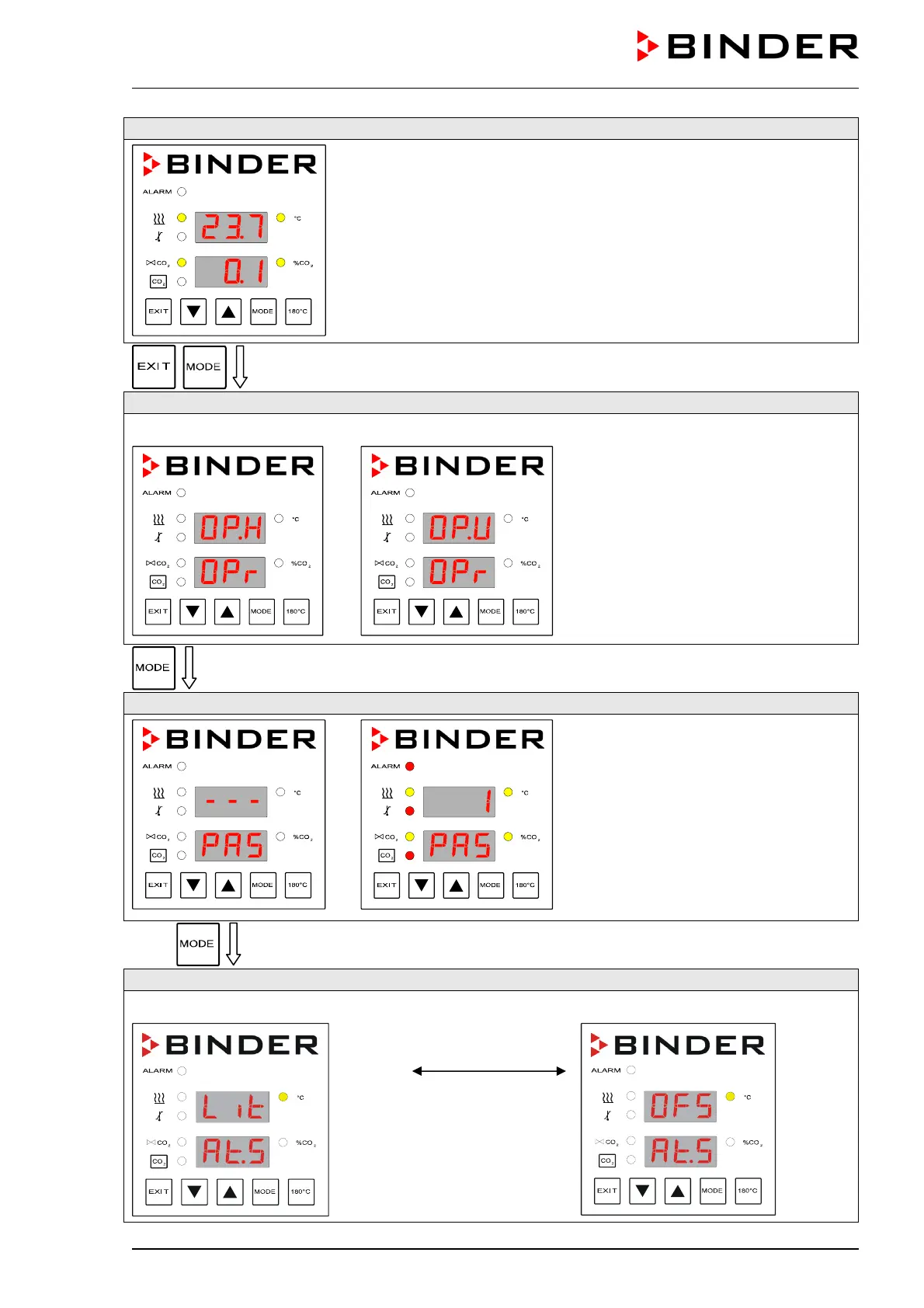
Normal Display
simultaneously for 3 seconds
Toggle to operating mode USER
Operating mode HAND
Operating mode USER
If operating mode HAND appears,
toggle to operating mode USER with
the arrow keys.
Password request
Password entry
(factory setting: “1”).
12 x
Selecting the set point type
Selecting set point type “Limit”
Change using the
arrow keys
Selecting set point type “Offset”






 To Next Page