BD / BF / ED / FD / FED (E3.1) 12/2017 page 49/105
9.3 Displaying the effective ramp set-point and changing the target ramp set-
point
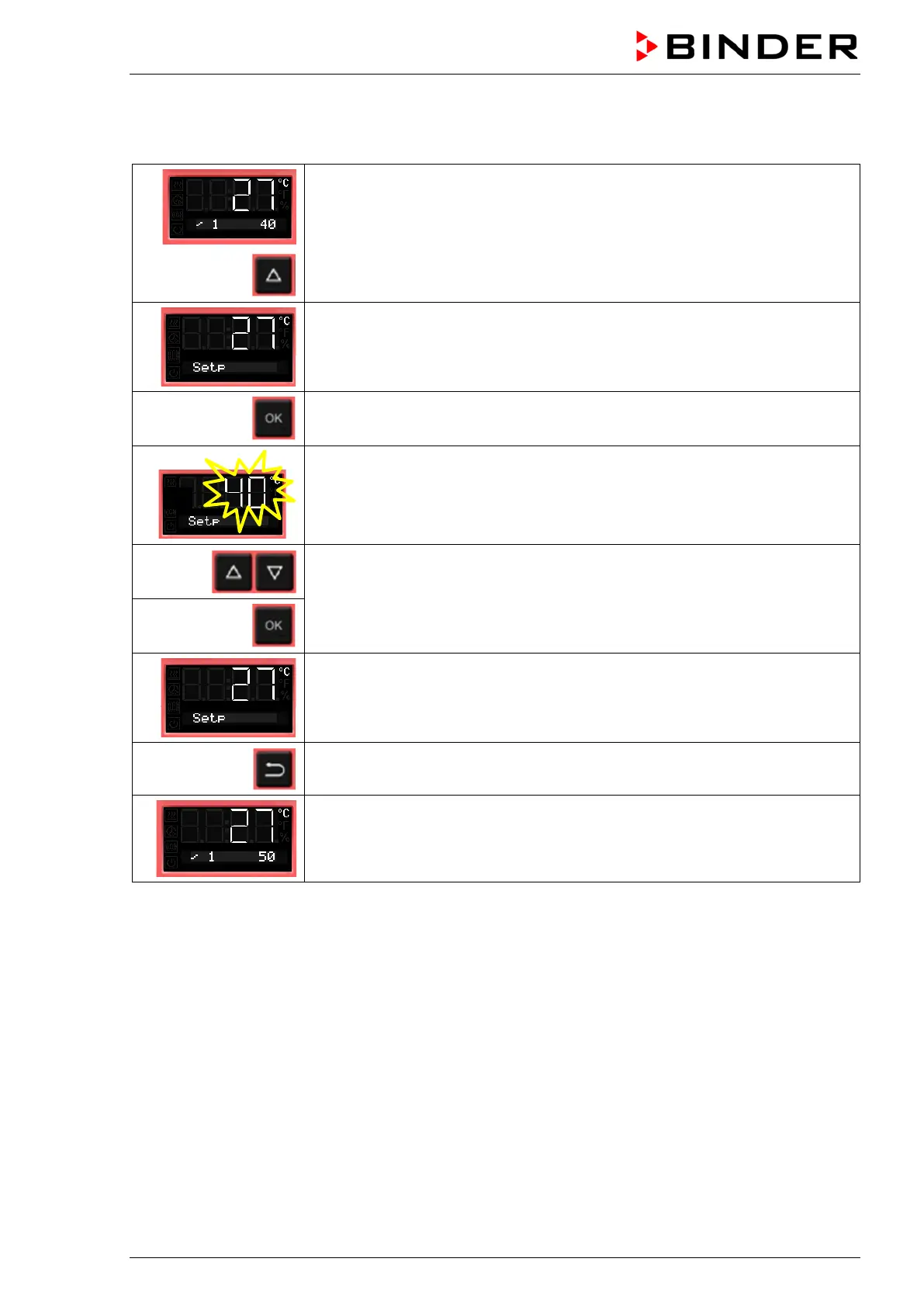
From Normal display showing the actual temperature (example: 27 °C), the
gradient (example: 1) and the target ramp set-point (example: 40 °C)
to the display of the effective ramp set-point
The effective ramp set-point is displayed
Press OK to set the target ramp set-point
The target ramp set-point value flashes.
Enter the target ramp set-point
and confirm with OK.
The effective ramp set-point is displayed
2x
Back to Normal display.
Normal display showing the actual temperature, the gradient and the modified
target ramp set-point (example: 50 °C)



 To Next Page