BD / BF / ED / FD / FED (E3.1) 12/2017 page 52/105
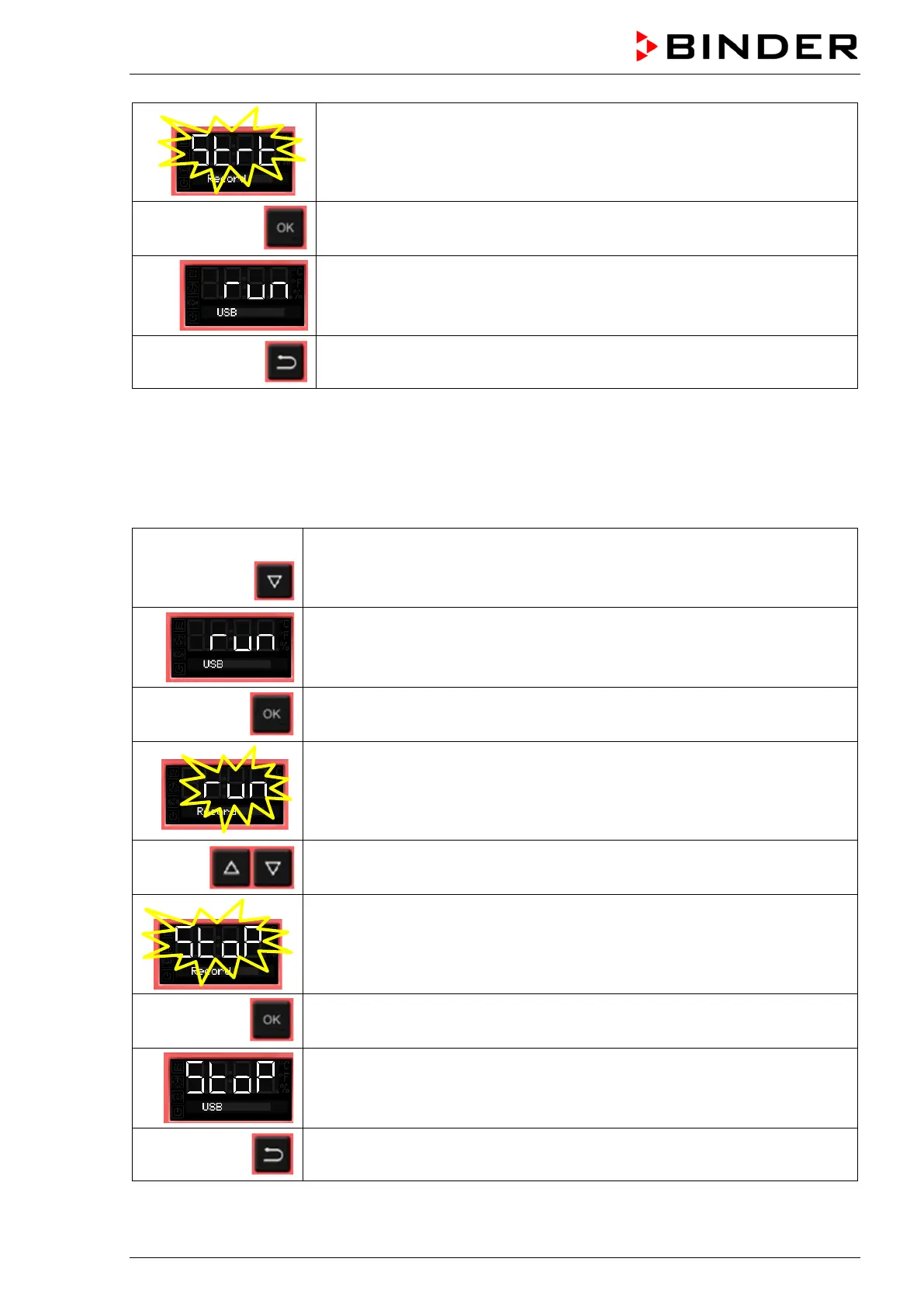
The current state of data recording (started) flashes
Confirm with OK.
Data recording is running.
Back to Normal display.
Data recording continues also during stand-by mode of the chamber. Disconnecting the power supply
interrupts data recording, which continues after the power returns. To terminate data recording, stop it via
the menu (chap. 10.2).
10.2 Terminating data recording
From Normal display
with the arrow-down button to the USB menu
Current state of data recording: running
Confirm with OK.
The current state of data recording (running) flashes
Change to stop data recording
The current state of data recording (stopped) flashes
Confirm with OK.
Data recording is stopped.
Back to Normal display.



 To Next Page