BD / BF / ED / FD / FED (E3.1) 12/2017 page 23/105
6.4 Setting date and time
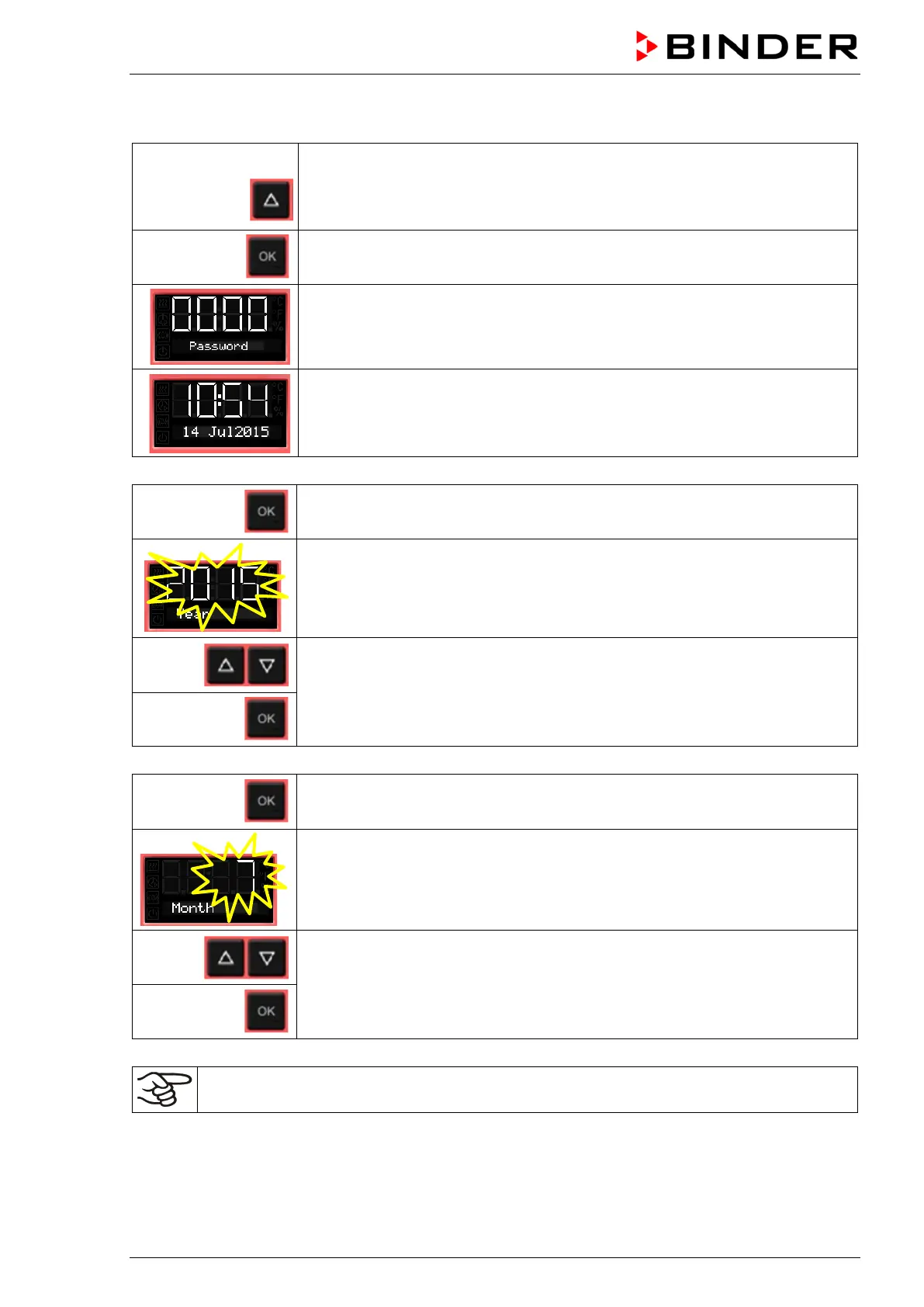
From Normal display
without fan 5x
with fan 6x
with the arrow-up button to the user menu
Confirm with OK.
Enter the password (factory setting: 00 00)
and confirm each entry with OK.
The current date is shown.
Press OK to set the year.
The setting flashes.
Enter the year with the arrow buttons (any setting)
and confirm with OK.
Press OK to set the month.
The setting flashes.
Enter the month with arrow buttons (1 to 12)
and confirm with OK.
Without the optional real time clock, these settings must be repeated when the power supply is
interrupted..



 To Next Page