20
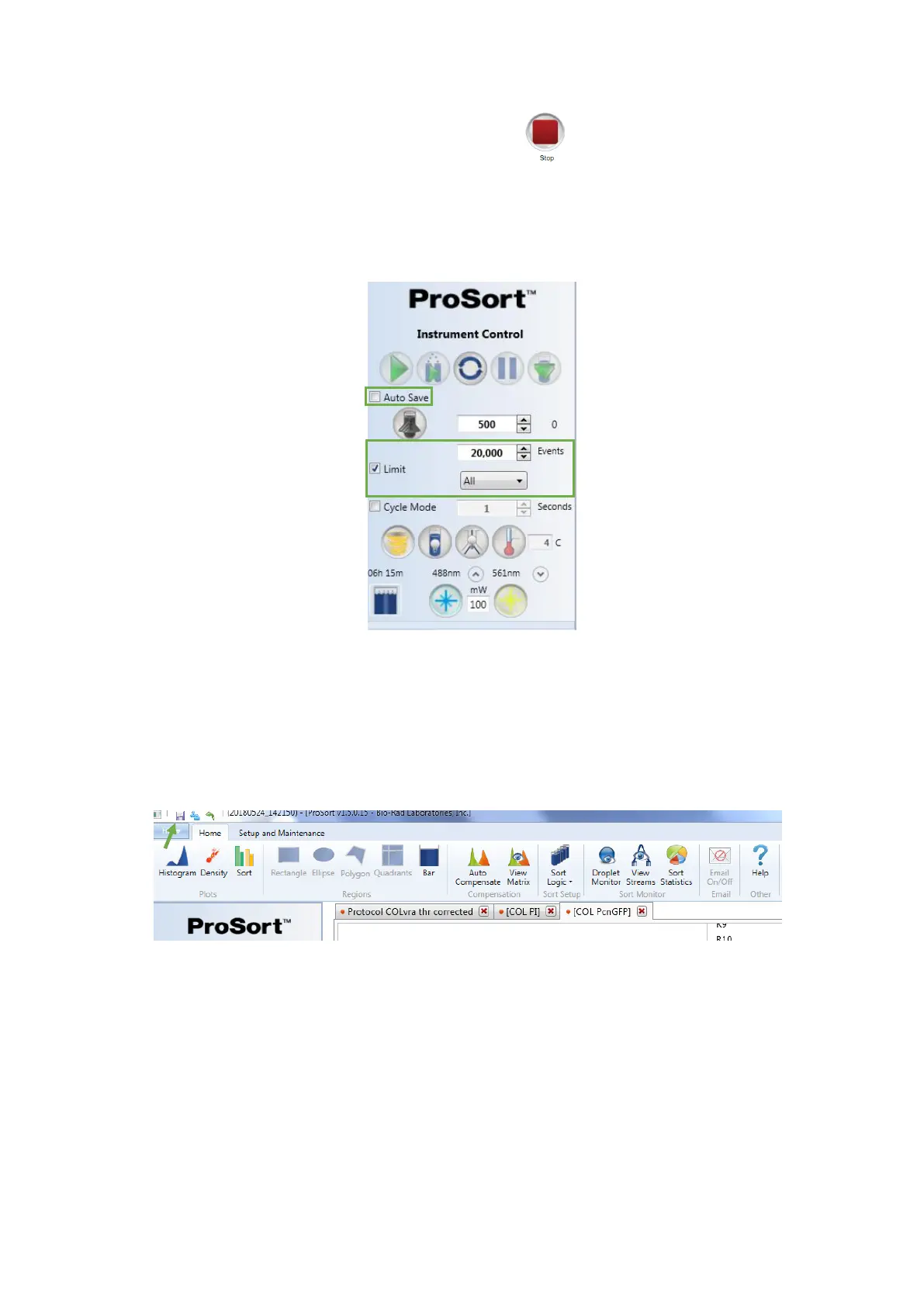
10. Stop sample acquisition by clicking the Stop button
11. Box and define the event limit. Gate Limit can be chosen, and Cycle Mode can
be unboxed at this time. You can enable the Auto Save option to automatically save the
file after the event limit is reached
Cycle Mode can be enabled, or the refresh button can be used to refresh the data as
adjustments are being made
12. Re-collect the sample and save the FCS format file if Auto Save has not been
boxed
13. Unlock the loading stage and remove the sample tube
14. Move the loading stage into the wash position before running the next sample
When running multicolour experiments, compensation is necessary. To use the Auto
Compensation wizard, single stained compensation control samples must be saved in
addition to the multi-coloured samples



 To Next Page