12
Initial Set Up: Quality Control (≈ 10 minutes)
In case you are not the first user of the current day, please confirm with the previous
user whether a low-pressure cleaning final set up has been performed. If so, skip both
start-up and quality control procedures. NEVERTHELESS, DO NOT FORGET TO CHECK THE
FLUIDICS. IF NEEDED, PERFORM THE “HOT SWAP” PROCEDURE (See Swapping Fluidics
During Sorting: “Hot Swap”).
1. Vortex a bottle of ProLine Calibration Beads and place 8-10 drops into a 5 ml
sorter tube. Do not dilute these particles.
2. Place the tube with beads into the sample input station and move the loading
stage into the run position
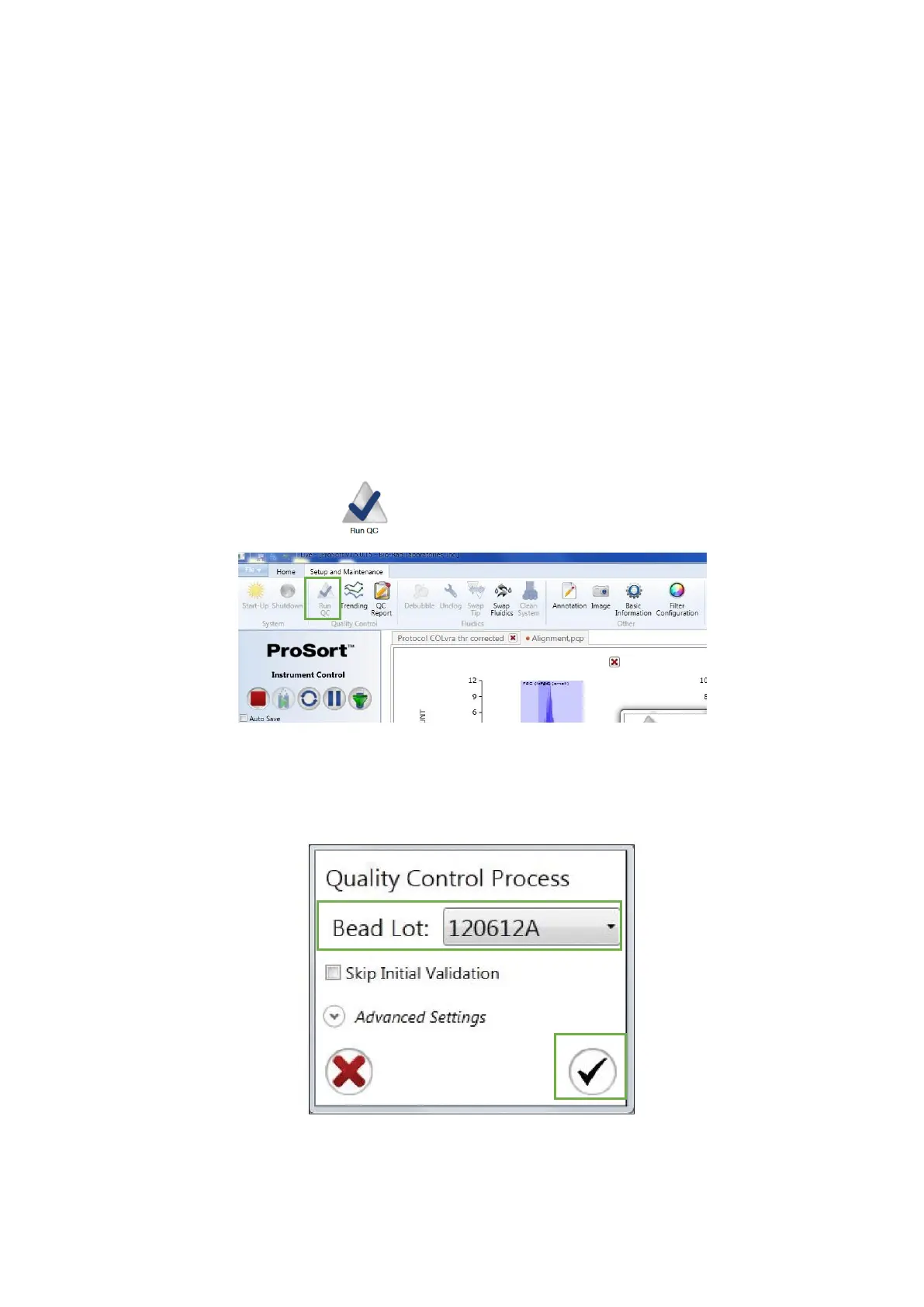
3. Click in the Run QC button in the Setup and Maintenance tab
4. Choose the correct bead lot in the Bead Lot dropdown list of the Quality Control
Process dialog and then click in the checkmark button to begin the Quality Control
procedure



 To Next Page