24
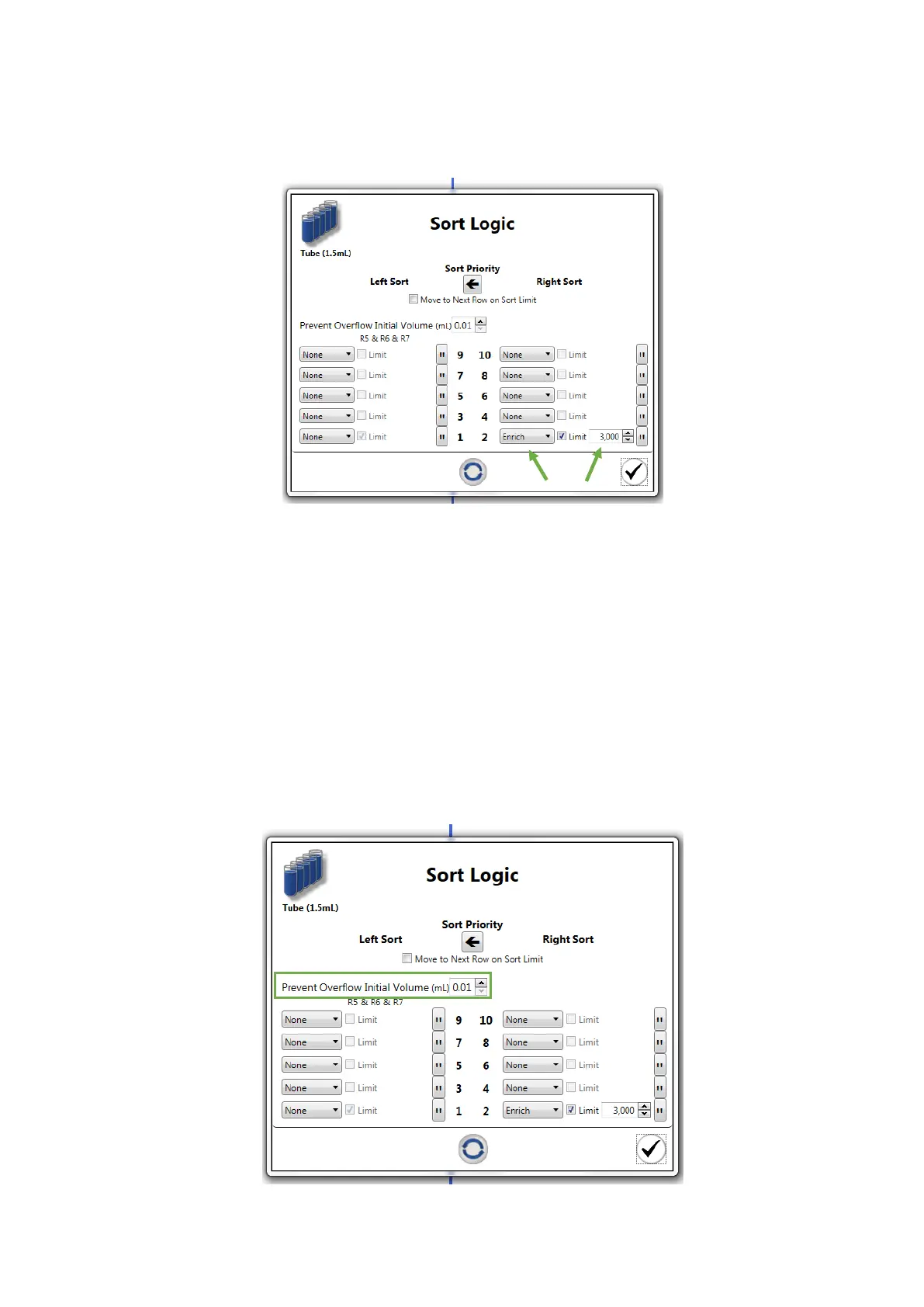
9. Set the parameters in the Sort Logic window by selecting the sort mode (Purity,
Enrich or Single) and event limit for each collection position
The Enrich sort mode stands for sorting positive-match events, although there may
be contamination with negative-match events (advised for low concentrations)
The Purity sort mode stands for sorting only positive-match events, although there
may be double or more events sorted at once
The Single sort mode stands for sorting only single positive-match events
10. Define the sort collection tube volume if you intend to track the collected volume
for preventing collection overflow. Set the volume of buffer or cushion liquid already in
the collection tubes



 To Next Page