5 Equipment Description
BASE CONSOLE
The base console is portable, contains the diode laser and all the elements which power the laser,
and has a touchscreen which allows the user to navigate from screen to screen, select procedures,
enter and/or change settings, etc. (Figure 5.1).
CONTROL BUTTON:
Activates the controls and console display; places the laser into Standby, Ready, or Sleep mode.
LED Indicators:
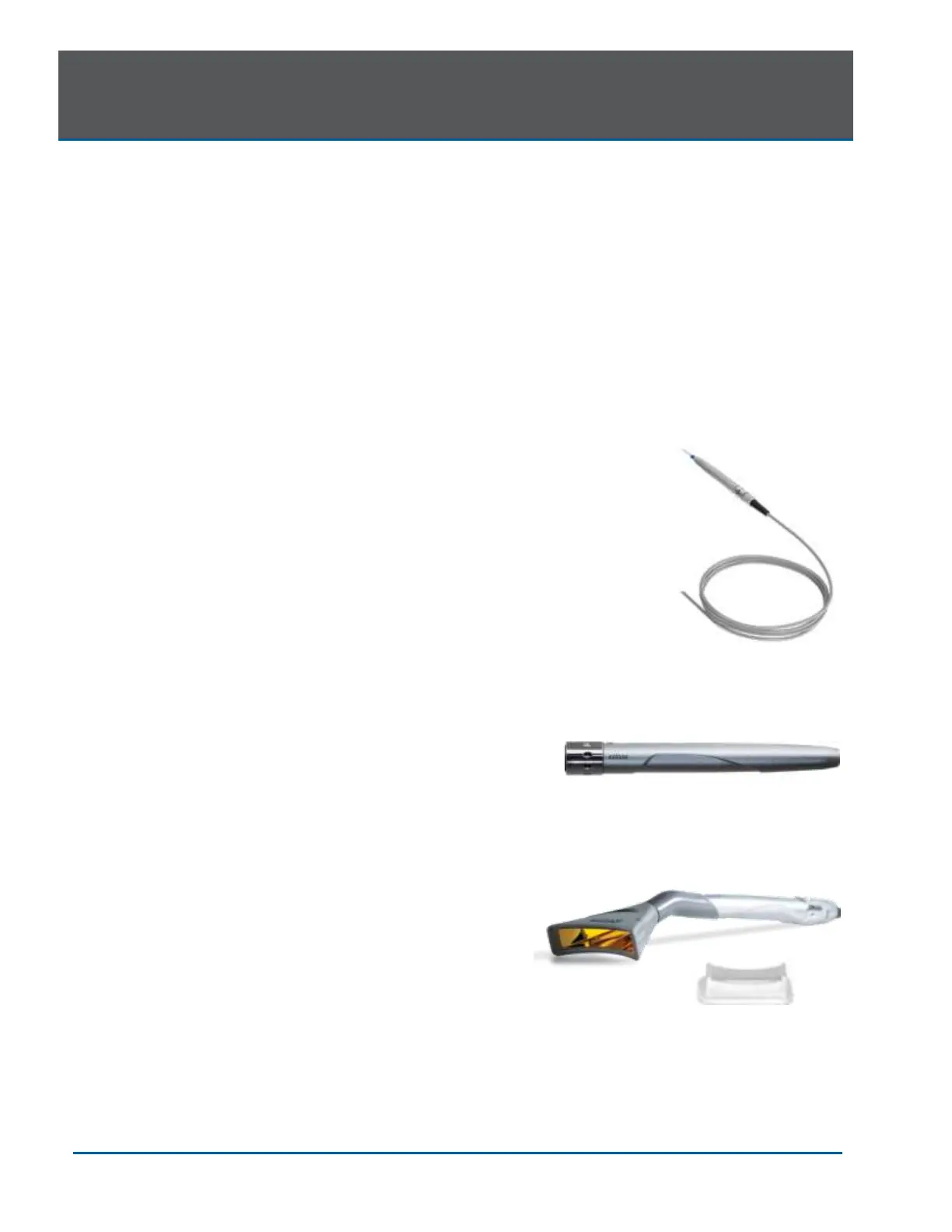
FIBER DELIVERY SYSTEM
The fiber delivery system (Figure 5.2) consists
of the Fiber Optic Cable, the reusable surgical
Handpiece, and the fiber Tips, and transmits
laser radiation from the laser console through
the Handpiece and fiber Tips to the target
tissue. The Fiber Optic Cable is permanently
attached to the base console.
SURGICAL HANDPIECE
The Surgical Handpiece (Figure 5.3) is a re-
usable Handpiece. It is a conduit for delivering
the optical energy produced by the laser to the
treatment site and must be cleaned and
sterilized between patients to avoid cross-
contamination (See Section 9).
WHITENING HANDPIECE (OPTIONAL)
The Whitening Handpiece is a re-usable
Handpiece used in conjunction with the Biolase
LaserWhite 20 Whitening Gel for teeth
whitening; packaging includes disposable non-
sterile shields for single-patient use (Figure 5.4)
which are installed over the Handpiece lens
prior to each use.


 To Next Page