Epic X User Manual 35
8 Clinical Application
8.4 TEETH WHITENING
TEETH WHITENING PRESET VALUES: 7W, CW, 30 seconds
NOTE: Settings for the teeth whitening procedure are pre-programmed at the factory and are fixed;
these settings cannot be adjusted by the user.
The following items are required to perform teeth whitening procedure:
• Epic X diode laser
• Whitening Handpiece
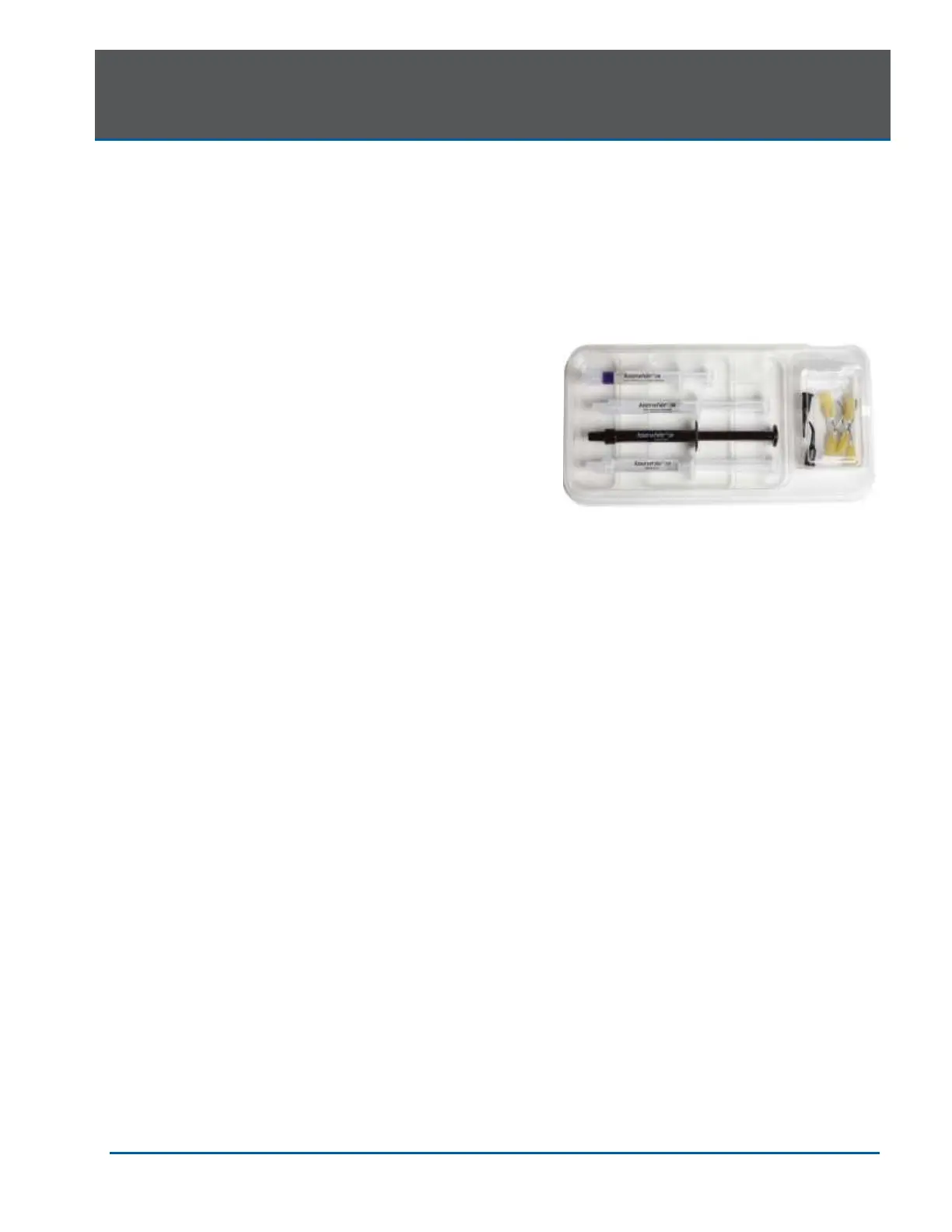
• Laserwhite™ 20 Whitening Gel Kit
Detailed step-by-step instructions,
contraindications, precautions, and warnings for
teeth whitening are provided with the Laserwhite™
20 Whitening Gel Kit. Please read the instructions
carefully before proceeding
8.5 PAIN THERAPY
The Epic X diode laser is designed to provide near-infrared laser energy to a tissue surface for the
purpose of temporary pain relief when applied with the Deep Tissue Handpiece. The pain therapy
procedure elevates tissue temperature for the temporary relief of minor pain, the temporary increase
in local blood circulation, and the temporary relaxation of muscle, as stated in the indications for use.
Affected muscles and/or joints have to be exposed to an adequate level of therapeutic energy over a
short period of time to provide effective ameliorative effects. Some patients may require more than
one laser application or a series of treatments before significant improvement is reported. Repeat the
therapy as necessary and monitor the progress of the patient’s condition throughout the treatment.
Refer to the Fitzpatrick Skin Type Scale when performing pain therapy procedures. The diode
wavelength has increased absorption in melanin in the skin, causing greater heating of the skin
surface of patients with a higher melanin concentration (darker skin types). Patients with higher
melanin content in their skin may feel more discomfort during treatment, which may be alleviated by
moving the Handpiece to defocus the energy, or decreasing the power setting.
PAIN THERAPY PRESET VALUES
The default settings for pain therapy are 2.75W, 10 minutes, with the spot size at 30mm. Power can
be adjusted from 2.75W to 4W max, as appropriate, based on the Fitzpatrick Skin Type Scale.
Always start at the lowest power setting and increase as necessary.
NOTE: To adjust the power, press the power indicator window in the center of the screen, then use
the scroll bar to adjust the power level up or down.


 To Next Page