8 Clinical Application
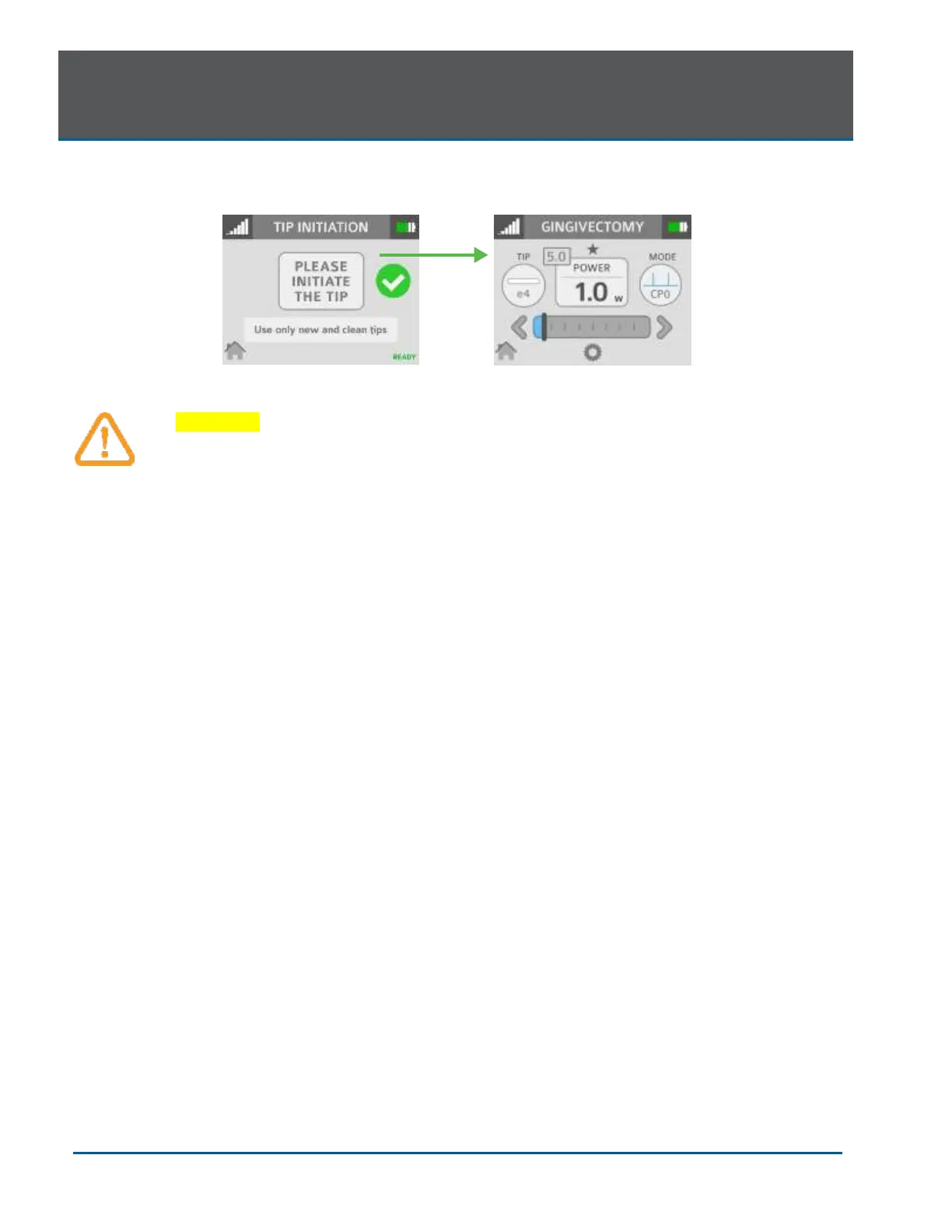
After Tip initiation is completed, press the check mark to access the screen for the selected
procedure.
CAUTION: If the laser console is in Ready mode, the laser will fire if the Footswitch is
activated.
PRE-PROGRAMMED SETTINGS FOR DENTAL PROCEDURES
To access the pre-programmed procedure values:
1. Go to the procedures menu by pressing the Soft-tissue icon on the Home screen.
2. Press the button associated with the desired procedure.
3. Press the up and down arrows to scroll for additional procedures.
To store your personal preferred settings for any procedure:
A. Follow steps 1 and 2 above
B. Enter the new values
C. Touch and hold the procedure name for more than 2 seconds; you will hear a beeping sound
confirming the settings are saved.
NOTE: The procedure pre-sets installed at the factory are based on clinical recommendations and
feedback from experienced laser dentists. 300µm Tips are recommended for removing thin tissue
layers. 400µm Tips are recommended for removing fibrous tissue.
Always use clinical judgement when selecting power, pulse, length, and pulse interval parameters to
ensure optimal clinical results. The recommended settings apply only to the 300µm and 400µm
tips. At all times observe the clinical effects on the treatment area and adjust parameters
accordingly.


 To Next Page