7 Installation and Set-Up
7.7 OPERATION - TURN ON THE
Epic X
Operate with the battery or connect the DC power supply
module to the power connector on the laser console and
plug the cord into a wall outlet.
Turn the power switch at the rear of the console to the ON
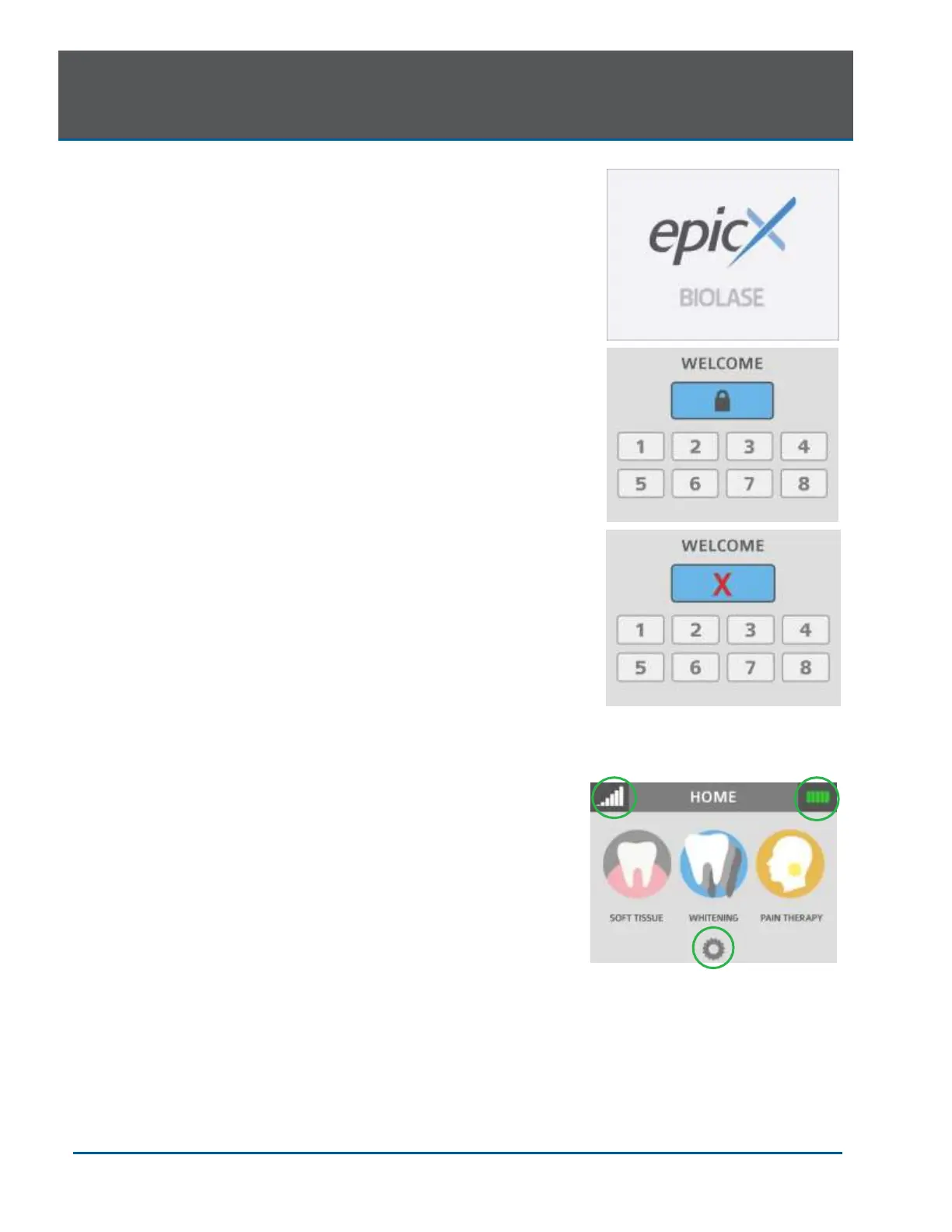
( I ) position. The “BIOLASE” logo screen will appear. After
three (3) seconds the Epic X “Welcome” screen will be
displayed.
• Enter the three-digit access code using the touch
screen. The access key code is 888 (if the incorrect
code is entered an “X” appears briefly in the
window; press the “X” or wait 3 seconds to revert
back to the Welcome screen, then re- enter the
correct code.
• The system will go to the HOME screen which
identifies three Procedure categories to choose
from: Soft Tissue, Whitening, Pain Therapy.
7.8 HOME SCREEN
The Home screen offers four operational options:
• Soft-tissue: This selection displays the procedures
menu which contains 14 pre-programmed clinical
procedures and up to 6 custom pre-sets
• Whitening: This function provides access to the
whitening procedure screen which displays the
parameters and corresponding mode and
Handpiece for the whitening application. The
settings are pre-programmed at the factory and
cannot be adjusted by the user
• Pain therapy: This option displays the operation
screen for pain therapy at settings pre-programmed
at the factory.
• Settings icon (bottom center): Accesses the
settings screen; allows the user to make changes
to several system settings, including language
This screen also displays how much charge is left in the
console battery (upper right corner), and whether the
wireless connection between the Footswitch and console is
at full strength (upper left corner).


 To Next Page