User’s Guide
This is a summary of the functions of the Boot Loader. Let’s take a closer look
at them, one at a time.
Download Let’s learn how to download a provided Firmware or a program you have created
onto the CM-5 unit. Let’s try downloading a program called Bioloid.hex.
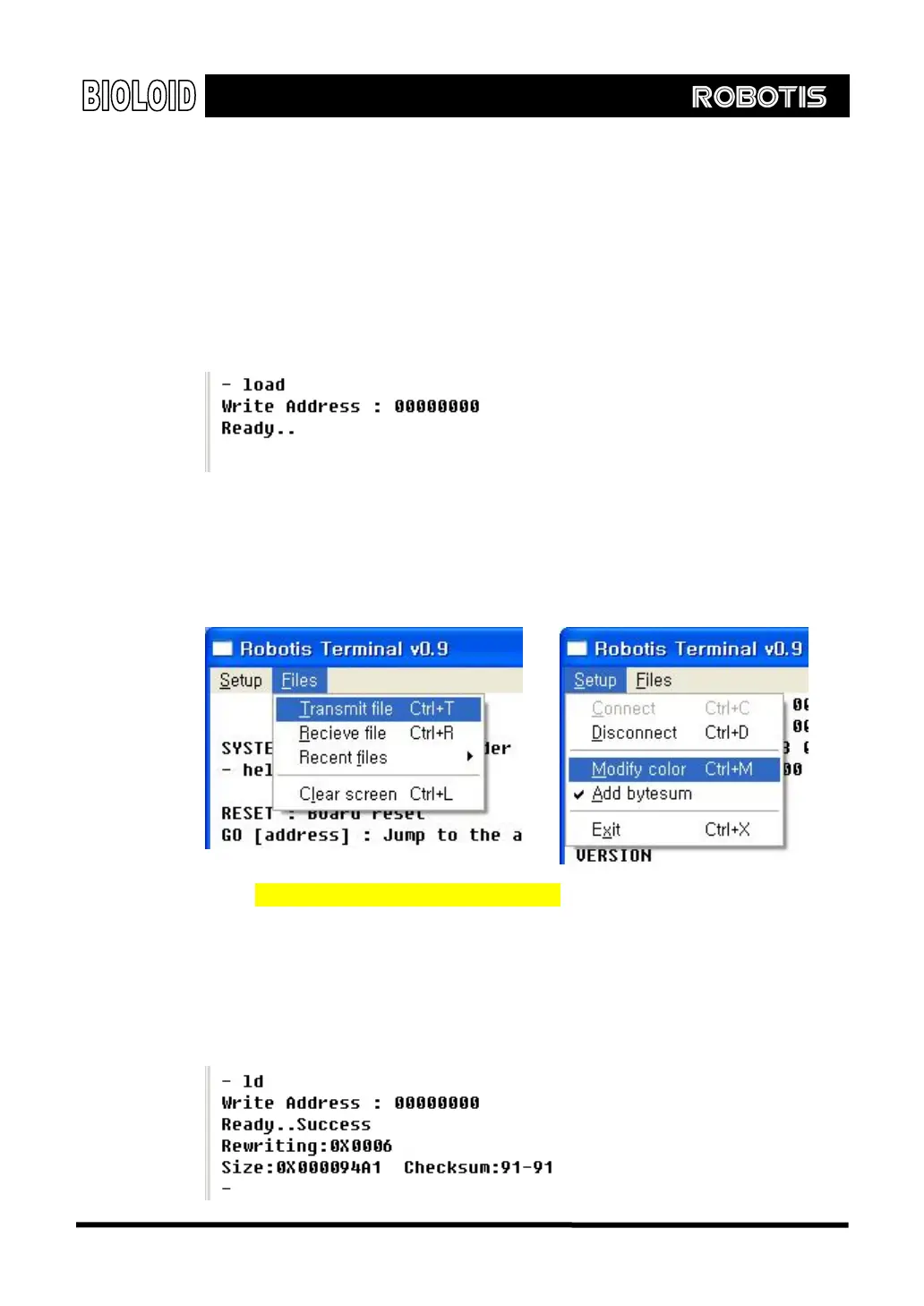
Type in the command “load.” The following message should appear. This
message indicates that the data is ready to be written to address 0.
Next, select “Transmit file” in the “Files” menu from the Robot Terminal
program as shown below. It is recommended to check the “Add bytesum” menu
item in the “Setup” menu as shown below.
Selecting a File for Transmission
Select “Examples\ROM file\Bioloid_VerXXX.hex” of the CD as the file to be transmitted.
The selected file will be transmitted to the CM-5 through the serial cable.
Transmission Complete
When the transmission is finished, a “Checksum:xx-xx” message will appear on
the screen as shown below. If the two numbers match, this indicates that there
were no errors during the transmission.
117



 To Next Page