User’s Guide
2. Learning the Basic Operations
2-1. The CM-5 and Its Operation Mode.
CM-5 The CM-5 is the main controller for the Bioloid. As mentioned previously, the robot
is built by connecting the Dynamixels to the CM-5 as the central unit. In order to
understand how the Bioloid works, you first have to understand how the CM-5
operates.
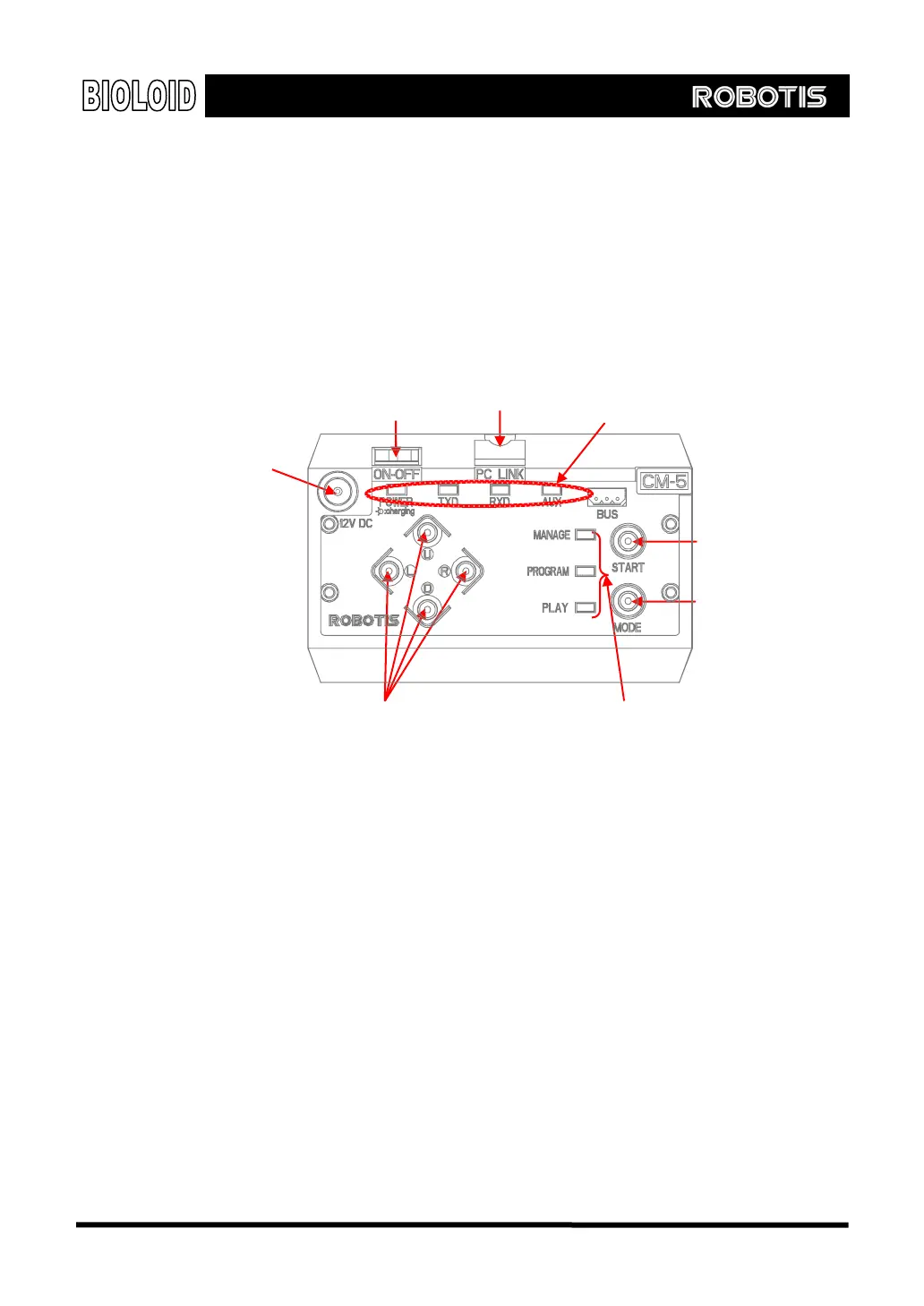
Serial Cable Jack
POWER
Status display LED
Applying Power Let’s now apply power to the CM-5 unit. Plug the SMPS into the power jack on
the upper left corner. Then turn the power switch on. One of the mode display
LEDs should be blinking. As you press the mode change button, the mode LED will
change sequentially. Currently, it is in standby mode.
Operating Modes The operating modes of the CM-5 unit is as follows
Manage mode: This is used when you want to know the status of the CM-5 unit or
the Dynamixels, or when you want to test the motion. This mode should only be
used by advanced users who are very confident with operating the robot.
Program mode: The mode used for editing the motion.
Play mode: The mode used for running the behavior control program created.
Standby mode: The mode before running the other three modes.
Charging mode: In standby mode, if the SMPS is connected, battery charging will
begin when you press the
○
U
button.
[Top view of the CM-5
Power JACK
Start button
Mode button
Direction buttons Mode display LED
13



 To Next Page