User’s Guide
4-2. Editing Function of the Behavior Control Programmer
Selecting a Sentence
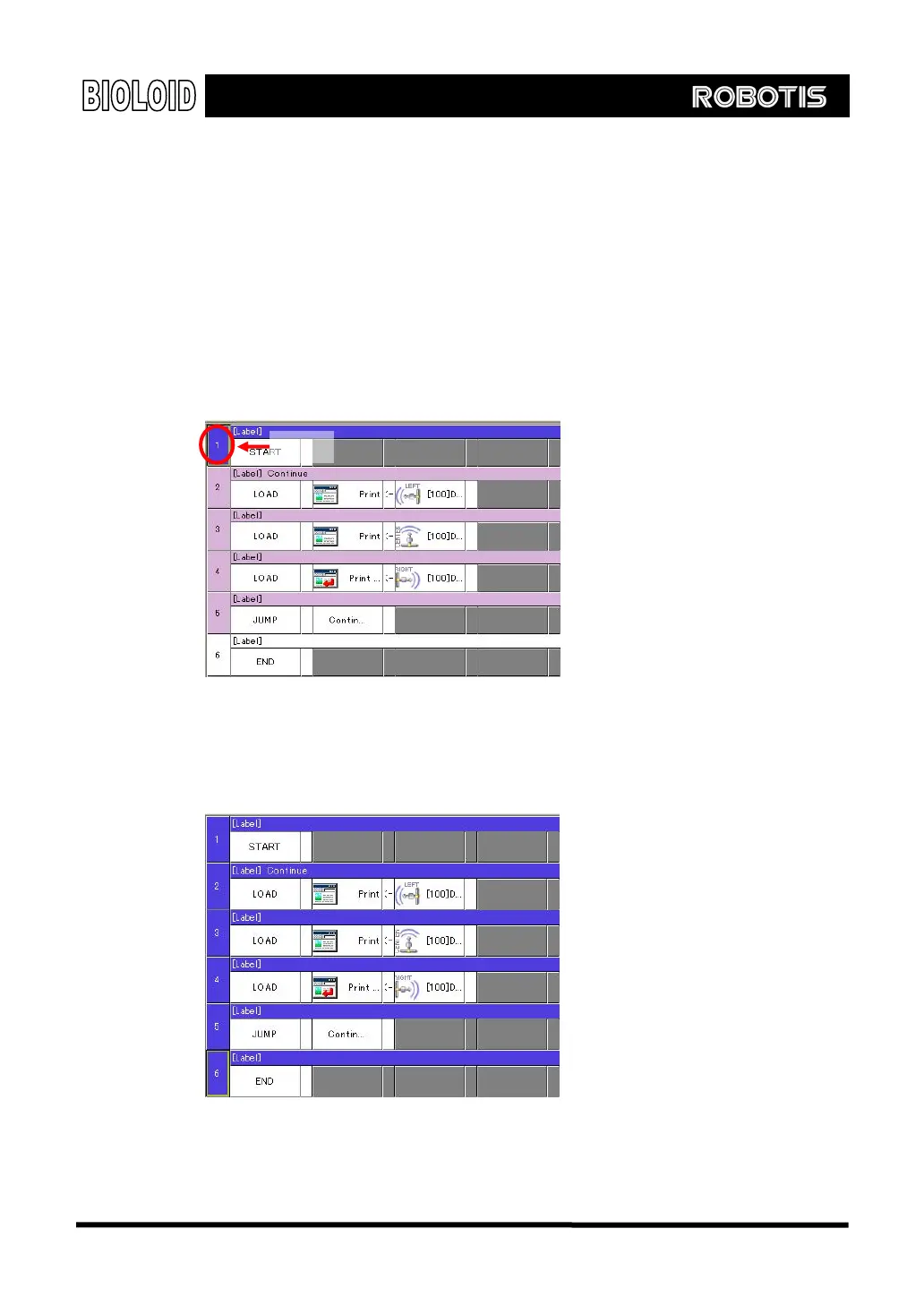
Before copying, moving, or deleting a sentence you have to select a sentence.
You can do this by clicking on the number at the very beginning of the sentence.
To select several sentences at the same time press the SHIFT key and click on
the numbers. The following figures show how this is done.
Step 1: Click on the line number at the beginning of the sentence that you want
to select.
Line number
Step 2: While pressing the SHIFT key, click on the last command sentence that
needs to be selected. Then all the sentences that come between the two will all
be selected.
44



 To Next Page