User’s Guide
10-2. Dynamixel AX-12 Program Update
AX-12 program update is a function that was added from the 1.26 version
of“Behavior Control Programmer.” Thus, users who are using versions below
1.26 should visit
www.robotis.com and download the latest version and install it.
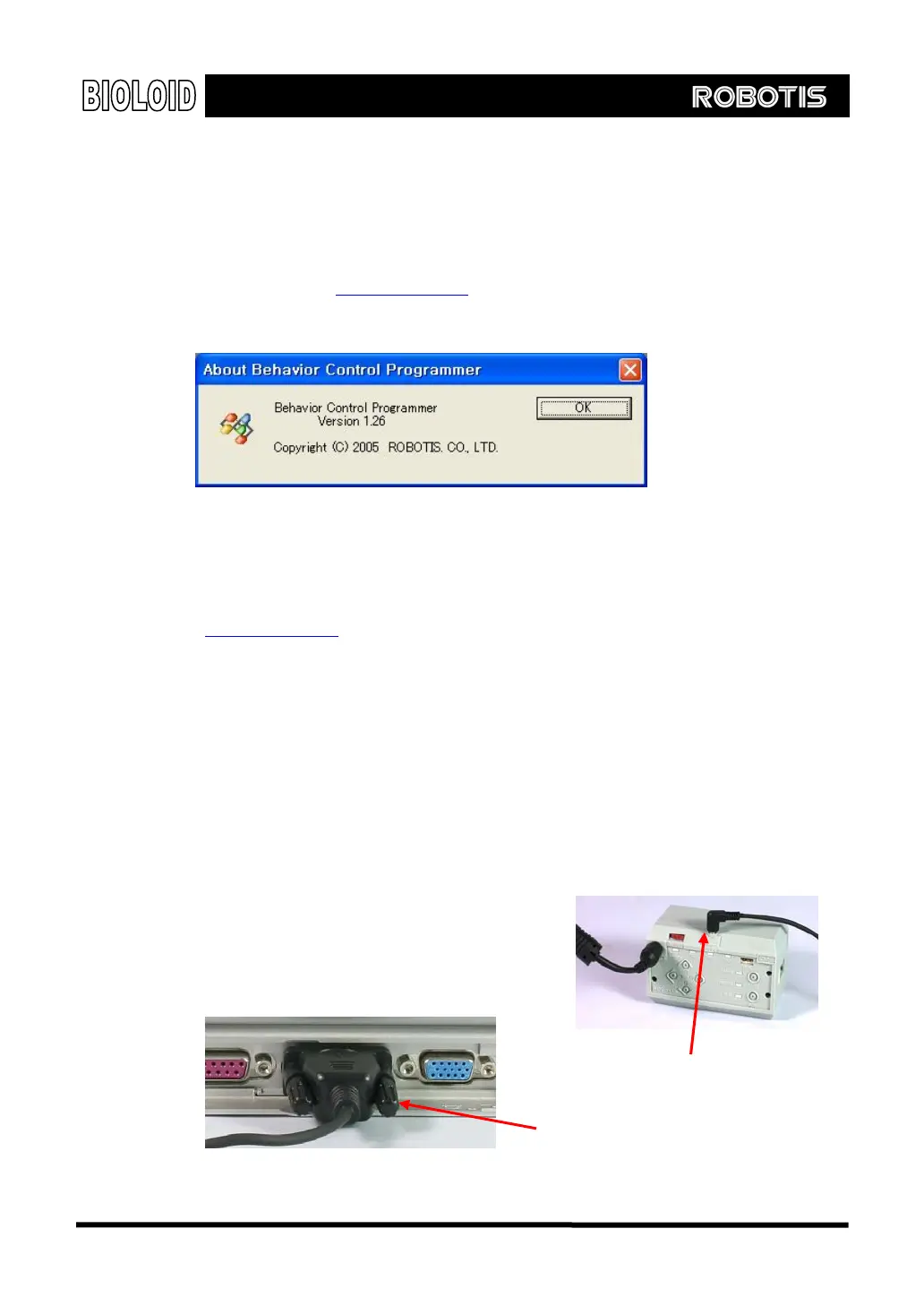
To see what version is installed, go to “help -> Behavior Control Programmer
Information.”
<Note: Make sure that CM-5 is at least Ver. 1.13>
AX-12 program is updated in behavior control programmer. Only versions above
Ver 1.13 are applicable. Thus, if you have versions below Ver 1.13, go to
www.robotis.com and download the latest CM-5 program and run the CM-5
upgrade by referring to the “10-1. CM-5 Program Upgrade.” To see the version
of CM-5, refer to the“Robot Terminal” of “8. 1. Setting the ID and Dynamixel
Search.”
Step 1 As shown below, connect to the PC and CM-5 and turn on the power. At this point,
AX-12 must be connected to the CM-5 to update. Also, pre-assembled robot can
be connected at this time. AX-12 that will be updated must have ID between 1 and
19. If there is ID that exceed this range, correct it before running update. Also,
keep in mind that AX-12 that has redundant ID will not update properly.
Connect to the CM-5
Connect to the PC
139



 To Next Page