User’s Guide
10. Bioloid Program Update
This chapter is about the Bioloid program update. We are going to introduce a
way to maintain Bioloid in latest version by showing how to update firmware for
CM-5, main controller, and Dynamixel AX-12. We recommend that you visit Robotis
site,
www.robotis.com, and download the latest version.
10-1. CM-5 Program Update
CM-5 program is updated through behavior control programmer. Follow the
process below to update to the latest version.
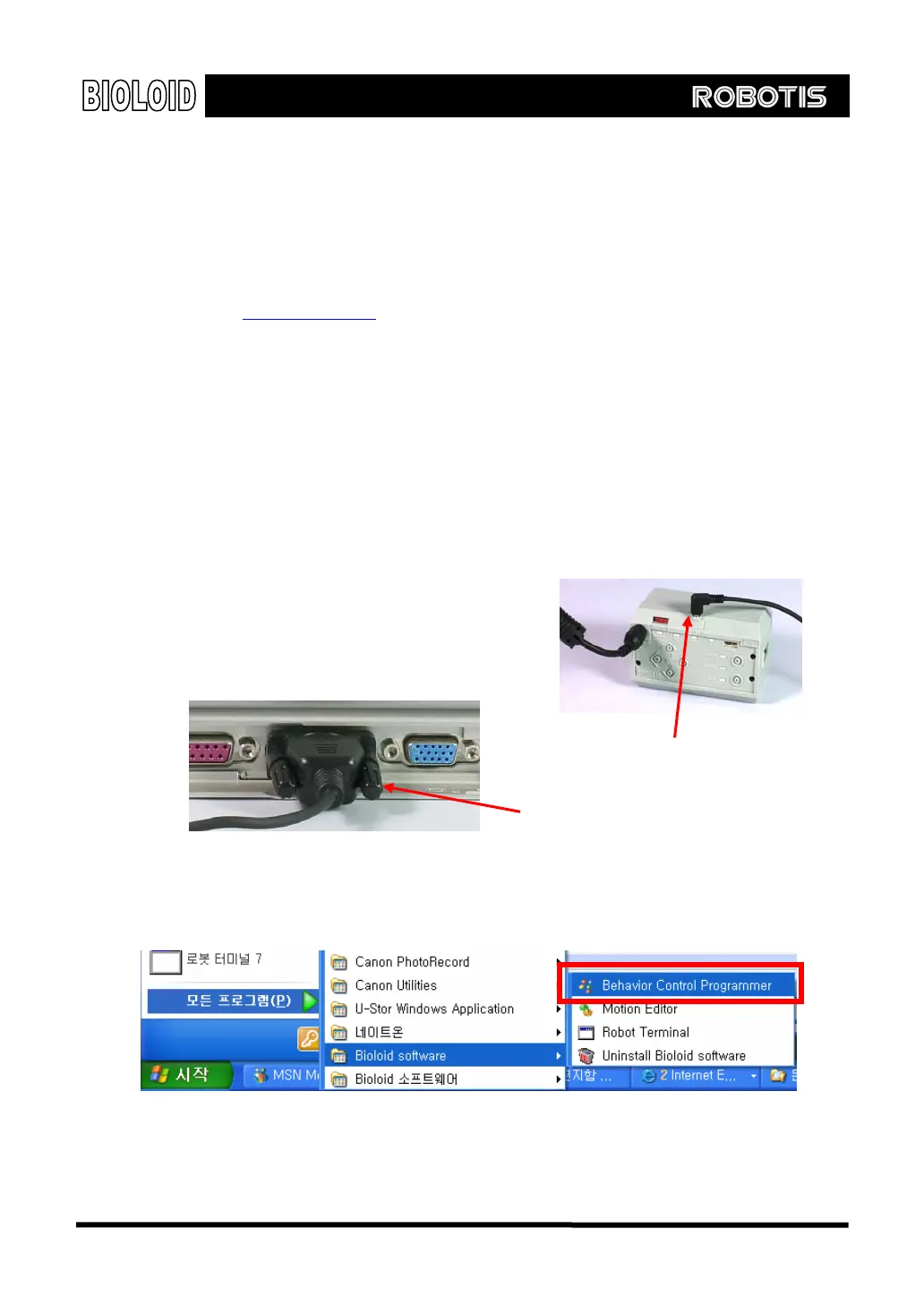
Step 1 As shown below, connect to the PC and CM-5 and turn on the power.
Connect to the CM-5
Connect to the PC
Step 2 Execute the behavior control programmer.
135



 To Next Page