User’s Guide
6-1. Using the Motion Editor
Motion Editor The motion editor has a graphical user interface that allows the user to edit a
multi-jointed robot made up of Dynamixels. A user can create and edit motions by
moving the joints by hand and saving each pose using the motion editor. The user
can also connect or repeat edited motions.
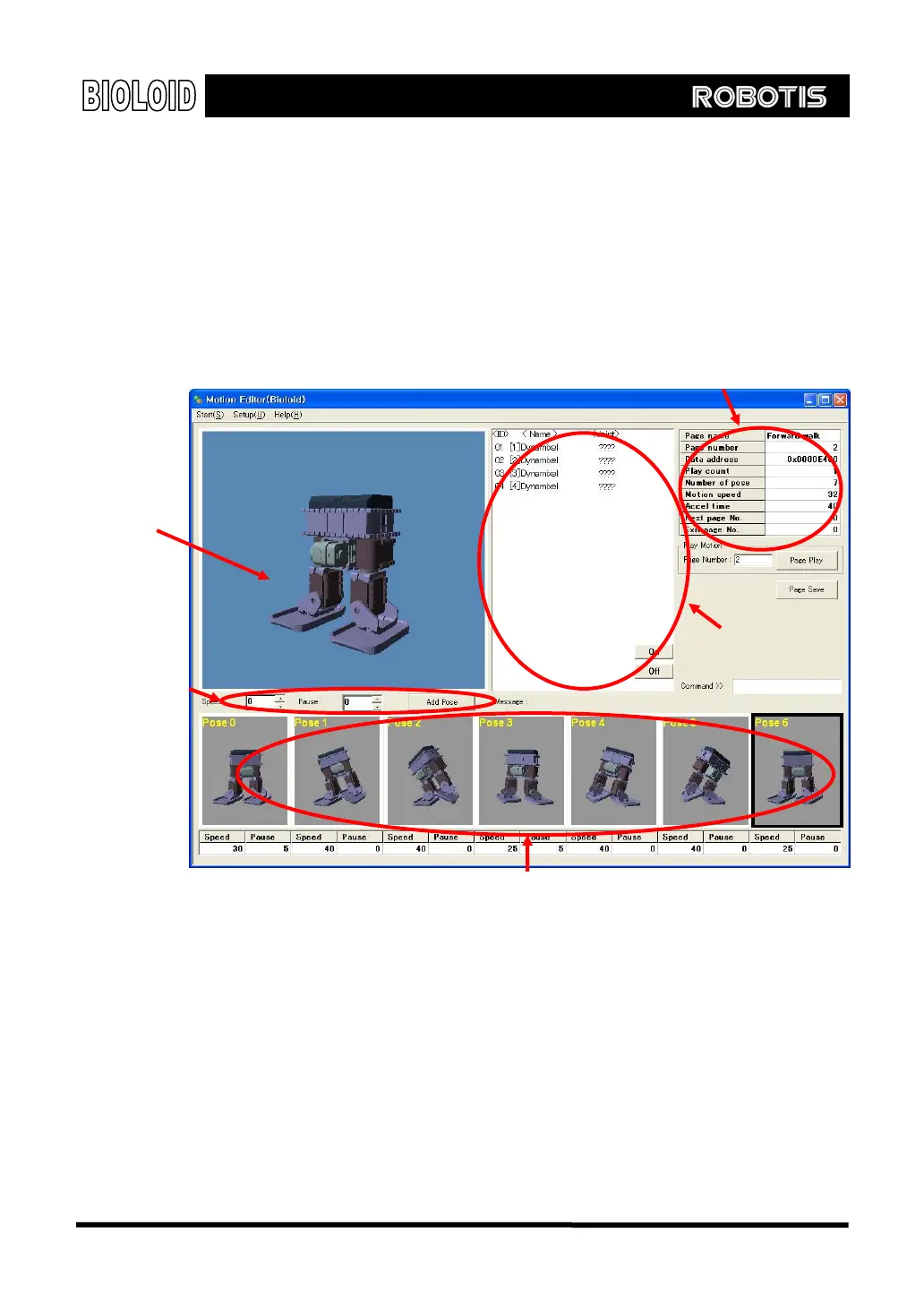
The following screen will show up when you run the motion editor.
Page information
Connection In order to use the motion editor, the robot has to be connected to a PC in
standby mode. If the connection fails, go to the start menu and set the “Com
port” correctly and check if the “Com port” is in use or not.
Robot Profile
If you cannot see above screen when the motion editor is running and there is no
problem with the connection, it means that the robot profile is not set properly.
The robot profile is a file that contains the information of the robot composition
elements that defines how many joints it has, the name of them, and the ID
number assigned to them. This information will be different for robot to robot,
thus a different robot profile is needed for a different robot. The robot profile
Saved posed window
Pose task window
Joint information window
Task information
area
75



 To Next Page