User’s Guide
information file will be used by the behavior control programmer and in the
motion editor.
The file extension for the robot profile is *.rbt
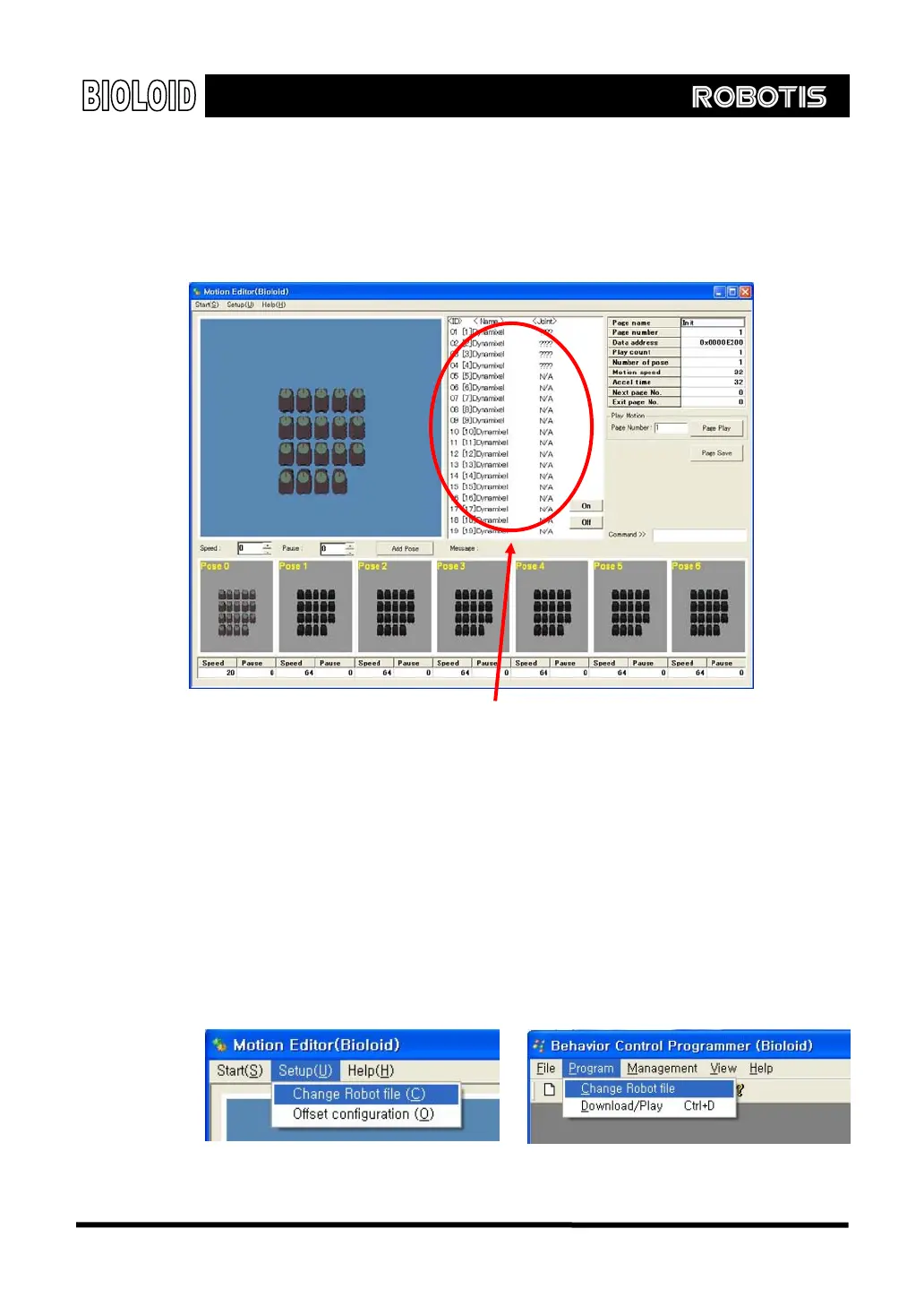
Below screen is, after the program is installed, when the motion editor is
executed and is applied to the default robot profile (default.rbt).
[Part where robot profile is used in the motion editor]
Robot Profile Change
If a specific robot information file has not been selected after installing the
program, then the robot profile file called default.rbt will be selected by default.
Default.rbt contains the information for 1 AX-S1 and 18 AX-12s, and the names of
the joints are set as Dynamixel [ID]. Let’s change this so we can use it on a
"walking Droid.rbt.” with 4 joints.
In the setup menu select “change robot file” and click on “walking Droid.rbt.”
One thing to keep in mind is that the changed robot information will be applied
starting with the next program run. In the behavior control programmer, “Change
Robot File” can be found under the menu “program.”
Re-setup of robot profile
76



 To Next Page