User’s Guide
4. Behavior Control Programmer
So far we have made simple behavior control programs and learned how to use
the Behavior Control Programmer. In this chapter we will be learning the functions
of the behavior control program one by one.
4-1. Opening a File
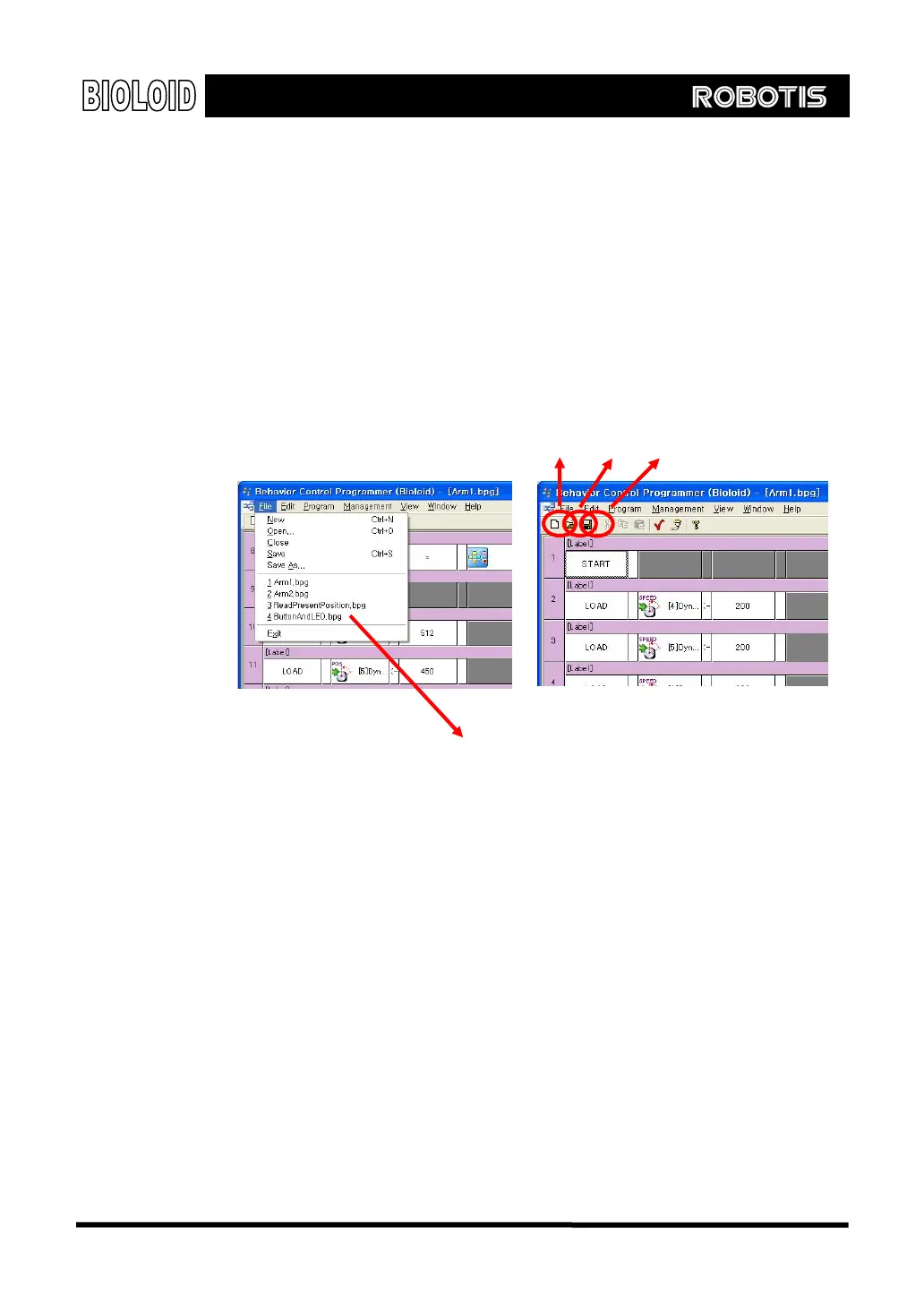
In the menu, select “file” and the following items can be seen. The items here
are very similar to most other PC programs so they won’t be explained in detail.
Save Open New file
Recent file
New This function creates a new behavior control program file. Several program files
can be opened at the same time and copying and pasting between files is
possible.
Open This function opens a previously saved program.
Save This function saves the program that you are working on. When saving for the
first time, you will be asked to name the file. You can also save a file by clicking
on the “save” icon in the toolbar.
Recent File The program keeps a record of the paths to recently opened files. Instead of
searching for a file and then opening it, you can use this function to take a
shortcut.
43



 To Next Page