User’s Guide
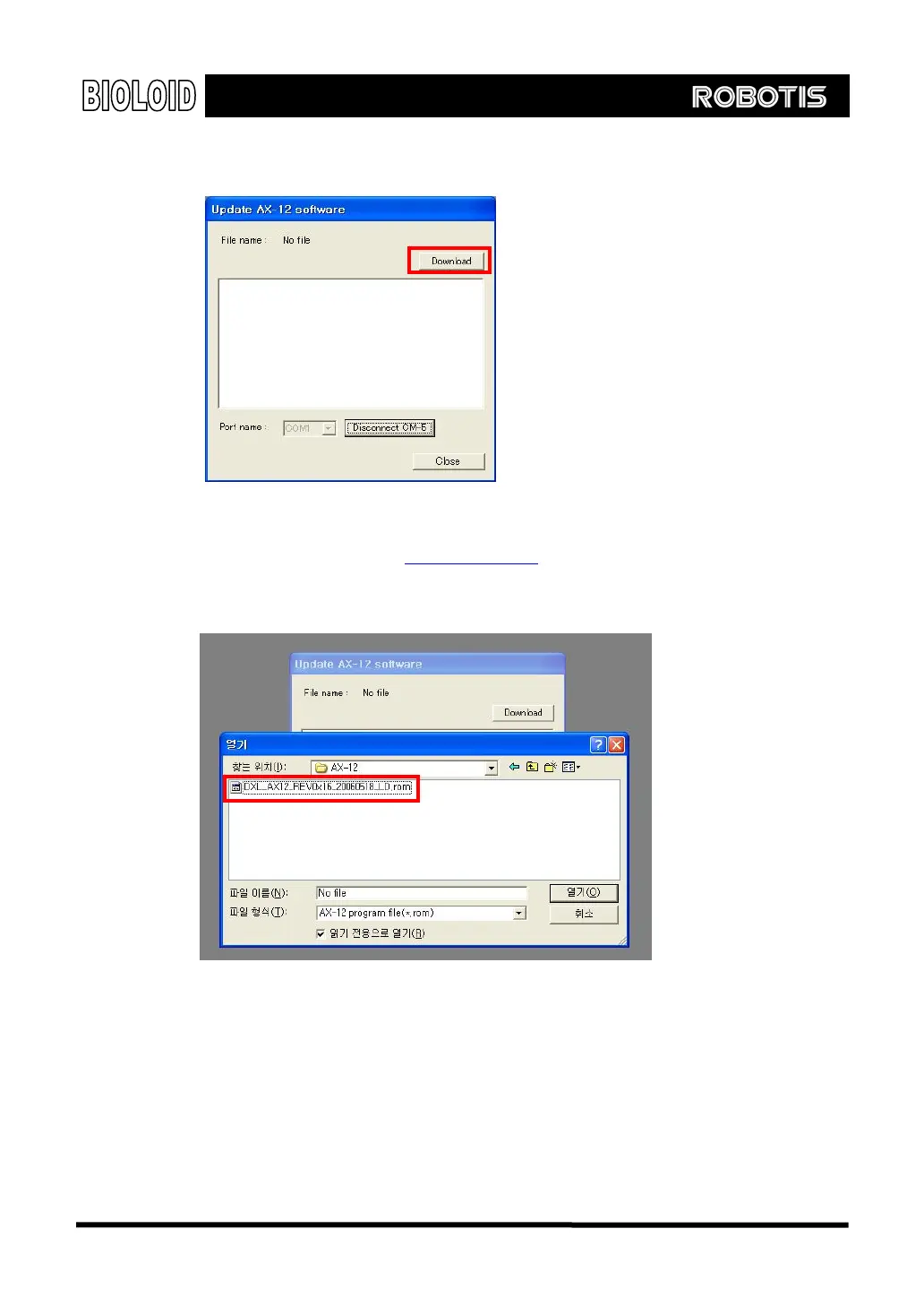
Step 5 After connection, click “Download” button.
ww.robotis.com
Step 6 Select AX-12 program file.
Go to Robotis homepage,
w and download the latest version. We
.
tep 7 You will see the update progress on the print screen window
recommend that you periodically check out the homepage for the latest updates
S
While updating make sure that CM-5 power is not turned off.
141



 To Next Page