User’s Guide
correspond, the location value will be 512.
Print Screen
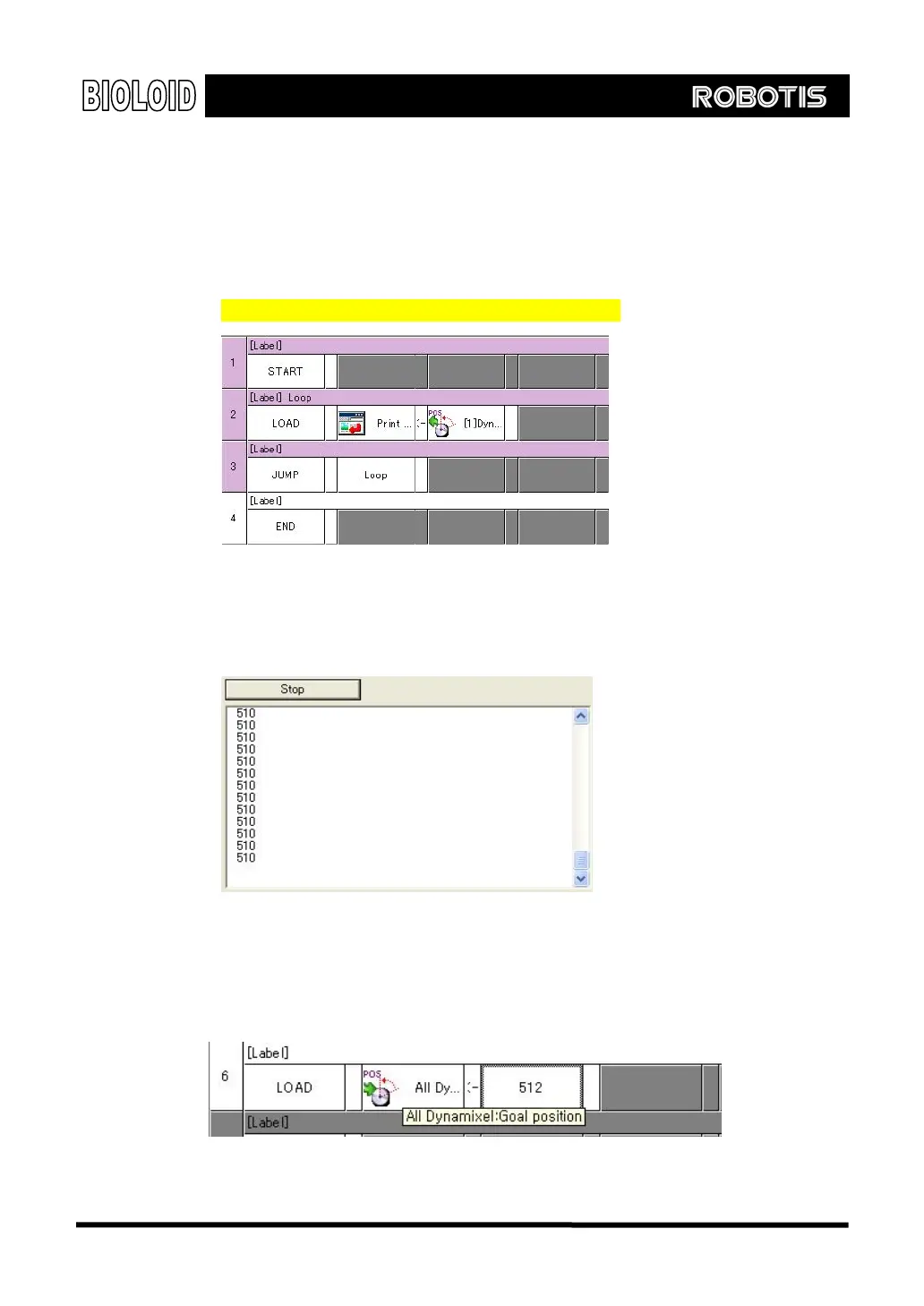
Let’s check the above value. There will be times when you want to find out the
value for input and output while creating behavior control program. In this case,
load the value in “ print screen ” item of CM-5. (Refer to
“Examples\Example(Joint position(Crossing Gate)).bpg”inside the CD)
Just like above example, load the current location item onto print screen. As we
need to examine the values in detail, execute the print repeatedly. After
downloading and running above program, bring your hands closer. You will get
the following results.
Desired Position Up to now, we experimented with finding the location value of Dynamixel. Now,
let’s take a look at ways to drive the Dynamixel. If you load the value to
“desired position,” the Dynamixel will move in the direction of its set value. If
you set the value to 512 as shown below, it will move to center position.
Above example implemented “all Dynamixel.” In this case, instead of assigning
36



 To Next Page