Rev A N-11
How to Set Parameters: Basic Instructions
All instructions assume:
• The meter is on.
•
The meter screen is displaying the main menu.
• The Supervisor Code Chip module is installed.
1
. Select
SE
T
PA
RAMETERS
u
sing keys.
2. Press the key.
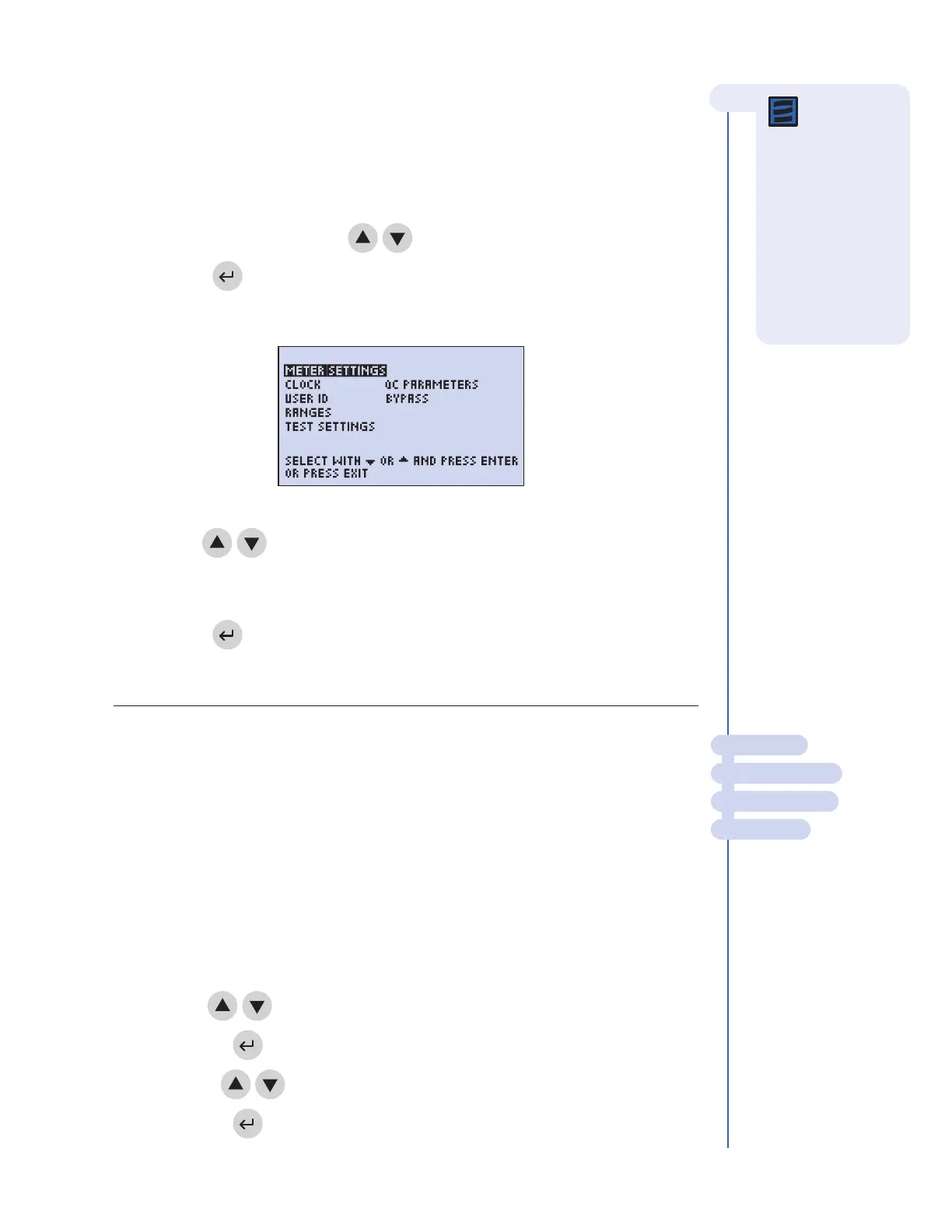
3. You will see a list of programmable parameters.
4. Use the keys to select the parameter you want to program:
METER SETTINGS, CLOCK, USER ID, RANGES, TEST SETTINGS, QC PARAMETERS,
or
BYPASSES.
5. Press the key.
6. Follow the directions for setting the selected parameter (see the next section).
METER SETTINGS
This menu will allow you to set basic operational criteria for the meter: language, display
contrast, maximum length of the patient and auxiliary ID numbers, printer mode and
automatic power off.
ID SETTINGS
CHARACTERS USER ID
This setting will set the minimum and maximum number of characters in the User ID.
1. From a list of programmable parameters, choose INSTRUMENT SETTINGS
using keys.
2. Press the key.
3.
Use the
keys to select
ID SETTINGS.
4.
Pr
ess the
key
.
MAIN MENU
SET PARAMETERS
METER SETTINGS
ID SETTINGS
Note: To save
changes, press
the
ENTER key.
To cancel changes,
press the
EXIT key.
When either the
ENTER or EXIT keys
are pressed, the
meter performs the
appropriate function
and returns to the
p
revious menu.
The Set Parameters Menu



 To Next Page