Rev AN-30
Installation of Reagent, QC Sample or QC Device Code Chip modules.
IN
STALL
CO
DE
CH
IP
1. From the MA
IN
ME
NU
select IN
STALL
CO
DE
CH
IP
using keys.
2. Press the key.
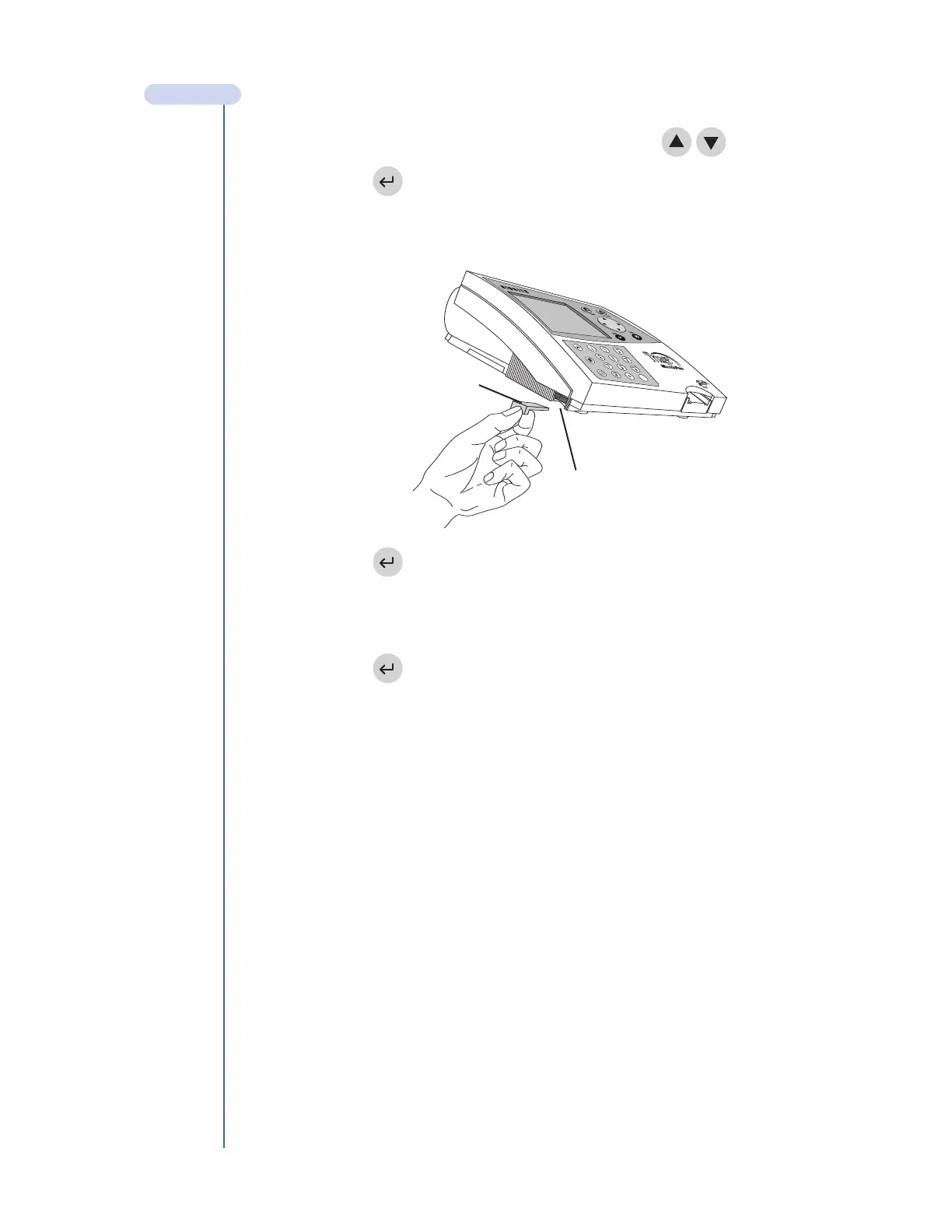
3. Slide the Code Chip module into the Code Chip module Port in the Triage
MeterPro, as shown in the picture.
4. Press the key.
5. The meter will display a confirmation message that the information was installed
into the Triage MeterPro’s memory.
6. Press the key to return to acknowledge the message.
7. Remove the Code Chip module from the Code Chip module Port.
Installation of Supervisor Code Chip module
The Supervisor Code Chip needs only to be inserted into the Code Chip module Port to
activate the supervisor functions. This is an automatic function and standard Code Chip
module installation is not necessary.
MAIN MENU
Code Chip module
Code Chip module Port



 To Next Page