M-6 Rev A
Service and Maintenance Procedures
I
f any service or maintenance is required, the Triage MeterPro should be sent to the
m
anufacturer. No maintenance other than paper / battery replacement and periodic
e
xternal cleaning is required of the operator.
P
aper Replacement
C
hanging Paper Between Functions
1
. Tear off any excess paper sticking out of the Triage MeterPro.
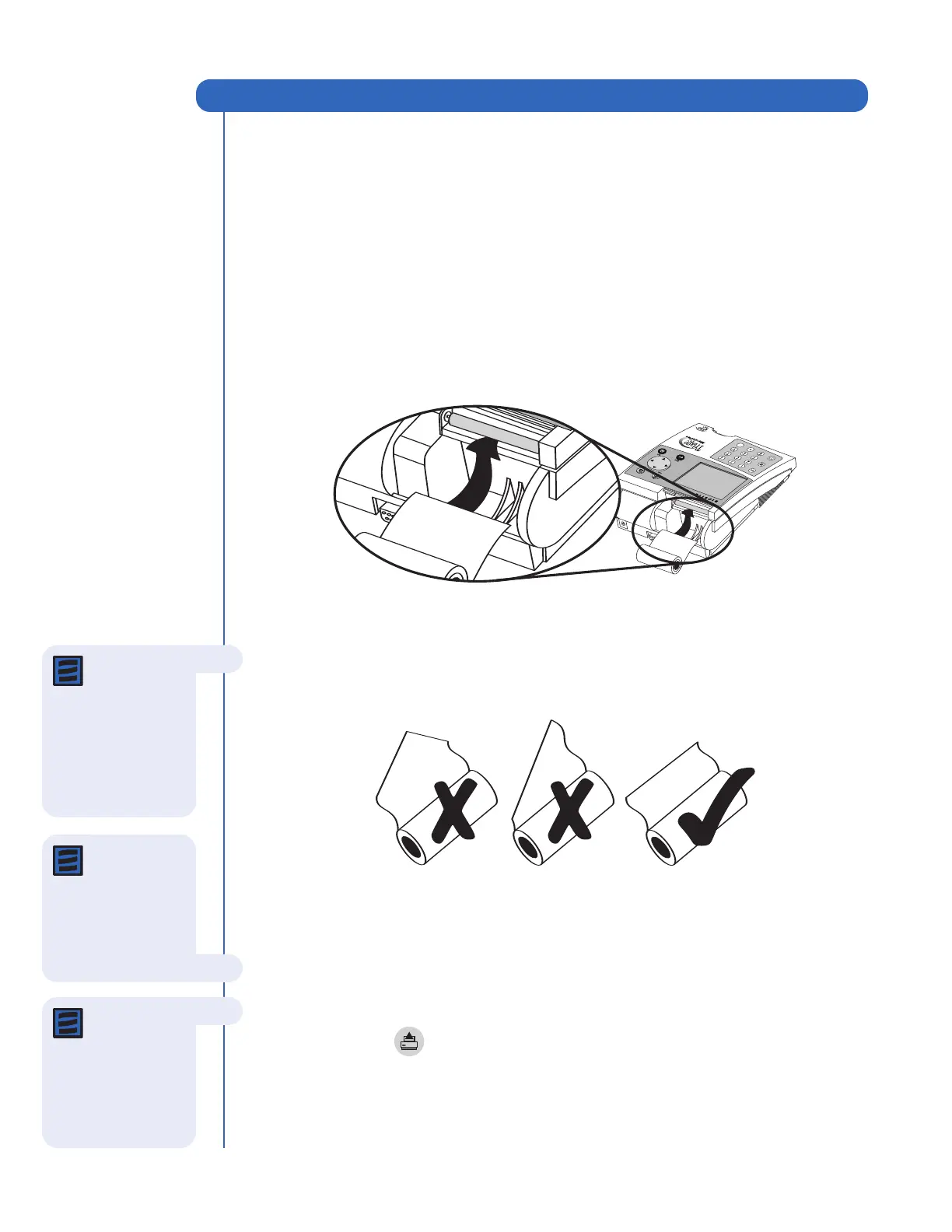
2. Remove the paper compartment cover by pulling up on the cover as indicate by
the arrow on the back of the cover.
3. Remove unused paper or the empty paper spindle from paper compartment.
4. Tear or cut a clean, straight edge to feed into the printer. Do not cut paper at an
angle, as the printer must sense the edge of the paper along the feed path.
5. Insert the new roll of paper into the paper compartment.
6. Position the paper such that the paper will feed from under the roll (as opposed
to over the top of the roll, see picture, above).
7. Insert the paper edge under the paper roller (platen) until it firmly seats or
resistance is felt.
8. Press the key.
9. Replace the cover of the printer and continue operation.
Service and Maintenance Procedures
Note: The
printer contains
a paper sensor and
will feed the new
paper roll only when
paper with a clean
straight line is pressed
into the paper roller.
Note: The
printer utilizes
thermal paper, if the
printed paper is blank
after r
eplacing a r
oll,
verify that the paper
roll is not upside down.
Note: If PAPER
FEED
button is
pr
essed before the
printer senses the
paper, the printer will
not respond to the
command.



 To Next Page