Rev A M-7
Changing Paper While Printing
If the meter runs out of paper while in the middle of a printing task and is displaying
the message PRINTER FAILURE, CHECK PRINTER OR REPLACE PAPER, the
paper may be changed and the print job continued without loss of data or reprinting
from the beginning. Perform the following steps prior to pressing any new keys:
1. Remove the paper compartment cover by pulling up on the cover as indicated
by the arrow on the back of the cover.
2. Gently pull remaining paper slowly up through the printer.
3. Remove paper spindle from the paper compartment.
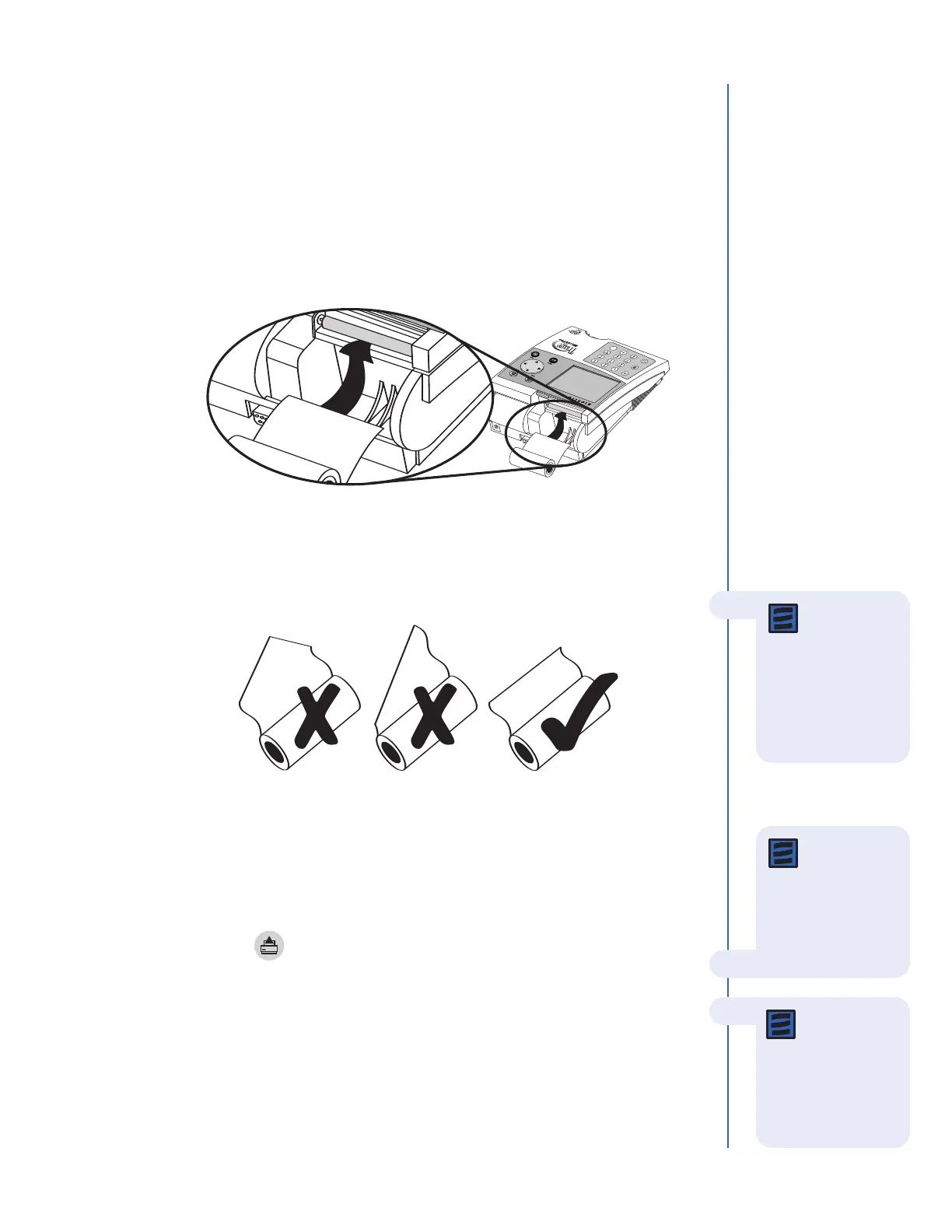
4. Tear or cut a clean, straight edge to feed into the printer. Do not cut paper at an
angle, as the printer must sense the edge of the paper along the feed path.
5. Insert the new roll of paper into the paper compartment.
6. Position the paper such that the paper will feed from under the roll (as opposed
to over the top of the roll, see picture, above).
7. Insert the paper edge under the paper roller (platen) until it firmly seats or a
resistance is felt.
8. Press the key.
9. When the printer begins to pull the paper in, release the paper. The printer will
feed a few lines and re-commence the print job. To ensure no data is lost, the
printer will reprint up to the previous 5 lines.
10. After the paper has appeared above the printer, replace the printer cover, taking
care to ensure the paper does not get caught inside the meter.
Note: The
printer contains
a paper sensor and
will feed the new
paper roll only when
paper with a clean
straight line is pressed
into the paper roller.
Note: The
printer utilizes
thermal paper, if the
printed paper is blank
after r
eplacing a r
oll,
verify that the paper
roll is not upside down.
Note: If PAPER
FEED
button is
pressed before the
printer senses the
paper, the printer will
not respond to the
command.



 To Next Page