Rev AM-8
C
leaning
T
he Triage MeterPro requires minimal maintenance. Occasional cleaning of the exterior
w
ith mild soap and water solution is sufficient. After using a damp, not wet, sponge or
c
loth to apply a mild soap and water solution on the outside of the meter, wipe the
m
eter dry using a soft cloth or absorbent tissue. Do not allow water to seep into the
p
rinter. Do not immerse the meter in water or other liquids.
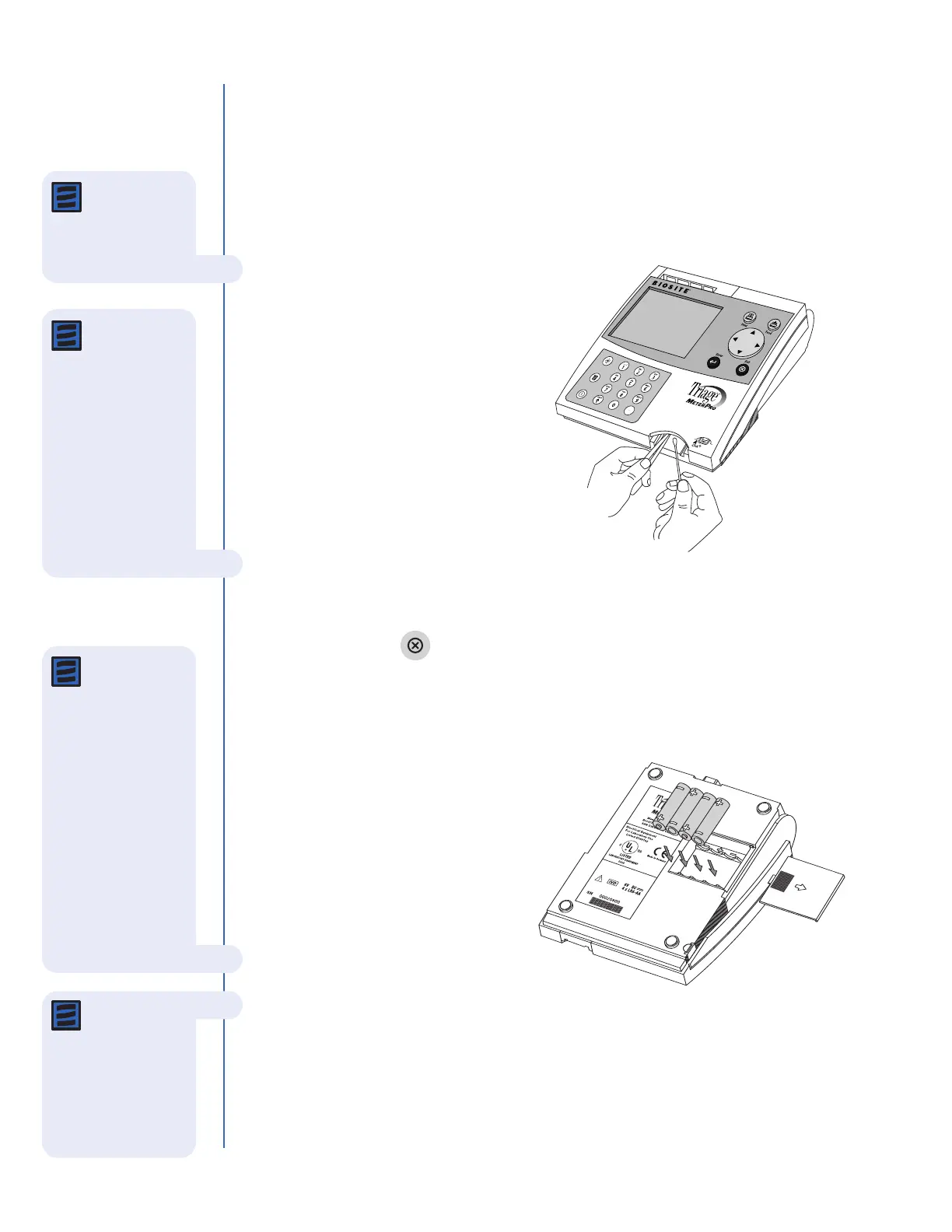
If blood or other fluids are not
allowed enough time to fully
absorb into test devices, the
device track door may occasionally
require cleaning. Using a cotton
swab dampened with isopr
opyl
alcohol and a pair of tweezers,
carefully lift the door and clean
both front and back of the door.
Check Battery Level
The Triage MeterPro checks the active power source after ejecting a device or printing.
To check the battery power, navigate to the Main Menu, disconnect the AC power
supply, press the key (the meter attempts to eject the device), and look for the
Low Power Indicator on the Main Menu of the meter display. If the flashing indicator
appears, replace the batteries.
Batter
y Replacement
•
T
urn off the meter.
•
Remove the batter
y cover from
the bottom of the meter by
sliding the cover in the direction
of the arrow.
•
Remove the batteries and
discard them in an appropriate
waste container.
• Insert four size AA 1.5 volt batteries into the battery compartment. Be sure that the
plus (+) and minus (-) signs of the batteries match the same signs embossed in the
battery compartment.
• Replace the cover to the battery compartment.
N
ote: Never
insert any tools,
swabs, or cleaning
materials into the
device track.
Note: If the
meter does not
power on after
replacing batteries,
verify the batteries are
lined up accor
ding to
the symbols in the
battery compartment.
Note: The meter
is designed to
perform and print at
least 100 tests before
replacement batteries
are required. When
the meter is not in
use, it should be
turned off. To
preserve battery life,
ensure the
AUTO
POWER-OFF
function
is set to
1
/2 HOUR.
Note:
Rechargeable
batteries are
authorized for use,
however, due to the
nature of these types
of batteries, it is
expected they will
r
equire recharging
more frequently. The
Triage MeterPro does
not contain a built-in
battery charger,
r
echargeable batteries
must be r
echar
ged
outside of the meter.



 To Next Page