O-9Rev A
N
o number to the left of the test indicates tests which cannot be altered.
Example ✓ CKMB indicates that CKMB is always selected, and cannot be
deselected.
• Press the key.
• If the information is correct, press the key to continue.
• If the information is incorrect, select
CORRECT TEST using keys
and press the key to return to the lists of tests.
IM
PORTANT INSTRUCTIONS FOR ALL TESTS
:
a. Gently insert the test device into the Triage
®
MeterPro until you feel the
device catch on the pin. You will hear an audible ‘click’ that tells you
the test device has been inserted properly.
b. Press the key to start the test.
c. The Triage
®
MeterPro pulls in the test device and scans it.
d. When the test is complete, the meter will beep, eject the device and
display the results on the meter’s screen.
e. Press the key to make a printed copy of the results.
IMPORTANT INSTRUCTIONS FOR PATIENT TESTS:
a. If the test device’s Internal Quality Control (QC) results are unacceptable,
the results for the affected analyte(s) will not appear on the screen.
b. If any of the QC Sample results for the lot being tested were out of range,
the results for that particular analyte will not appear on the screen.
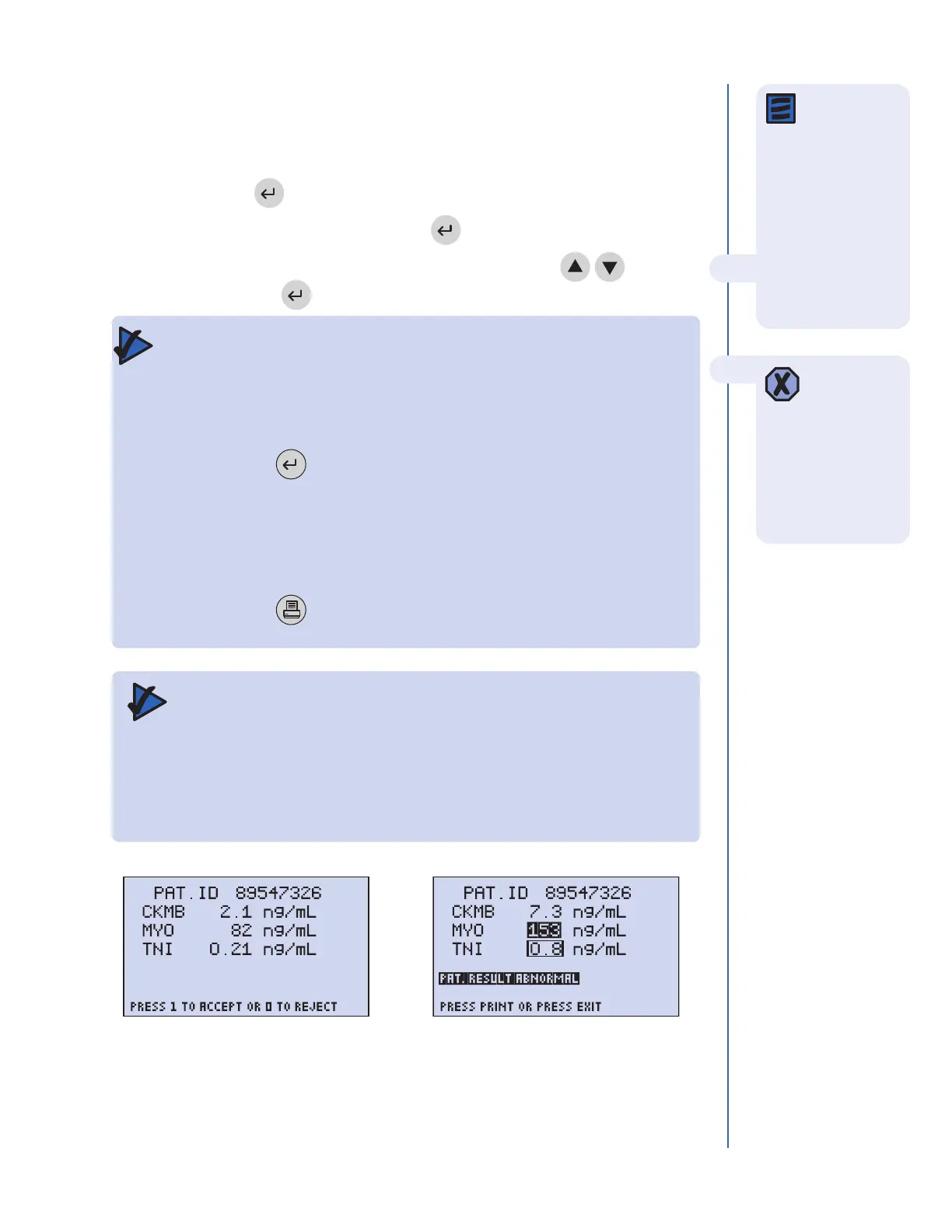
Screen displaying patients results
below the cut of
f levels and
accept or r
eject instructions.
Screen displaying patients results
above the cut of
f levels and TNI
r
esults in the indeterminate range.
After the test
device has been
inserted, do not push
the device in further or
attempt to pull it out.
The device may be
ejected by returning to
the Main Menu and
pressing
EXIT.
N
ote: If no key
is pressed on
the Select Tests
screen, the meter
waits 30 seconds then
proceeds using only
the selected default
tests. Similarly, if no
k
ey is pressed on the
C
onfirmation Screen,
the test proceeds after
waiting 30 seconds.



 To Next Page